Does an eSIM drain your phone battery faster than a physical SIM? In most cases, no. An eSIM itself has little impact on battery life because it performs the same basic function as a physical SIM: identifying your mobile subscription so your phone can connect to a cellular network.
If your battery drops faster after switching to an eSIM, the eSIM may not be the actual cause. Weak cellular signals, 5G connectivity, dual-SIM use, frequent network switching, and mobile hotspot use can all increase battery consumption. This is especially common when using a travel eSIM across different locations.
This guide explains how eSIM use affects battery life, what actually causes faster battery drain, and which settings can help you save power while staying connected.
Does an eSIM Use More Battery Than a Physical SIM?
In normal use, an eSIM does not use significantly more battery than a physical SIM. Both provide the network credentials your phone needs to connect to a cellular network, while the phone's modem handles the actual cellular communication.
The main difference is how the SIM profile is stored. A physical SIM uses a removable card, while an eSIM profile is stored in the phone's built-in eSIM hardware. This difference does not normally create a meaningful difference in day-to-day battery consumption.
If your phone starts losing battery noticeably faster after installing an eSIM, look beyond the eSIM itself. The more likely causes are poor cellular coverage, 5G use, dual-SIM operation, or frequent network searching and switching.
| Situation | Expected battery impact |
|---|---|
| One eSIM with a strong cellular signal | Low |
| One physical SIM with a strong cellular signal | Low |
| eSIM in a weak-signal area | Potentially higher |
| Dual SIM with two active lines | Potentially higher |
| Frequent switching between networks | Potentially higher |
| Mobile hotspot or heavy cellular data use | Higher |
Bottom line: Switching from a physical SIM to an eSIM does not inherently mean your phone will drain its battery faster. If battery consumption changes significantly, the cellular conditions and how your phone is configured are more likely to be responsible.
What Actually Causes Faster Battery Drain When Using an eSIM?
If an eSIM appears to drain your battery faster, the underlying cause is usually the way your phone connects to the cellular network. Several factors can increase power consumption, especially when you are traveling.
Weak Cellular Signal
A weak signal can make your phone work harder to maintain a cellular connection. When coverage is poor, the modem may use more power to communicate with nearby cell towers or search for a stronger signal. This is common in places such as underground stations, remote areas, large buildings, and locations with limited network coverage. Your phone can also consume more power when it repeatedly moves between weak and stronger signals.
5G Connectivity
5G can consume more power than 4G in some situations, particularly when 5G coverage is weak or inconsistent. Your phone may also switch between 5G and 4G as network conditions change.
Dual-SIM Use
Using a travel eSIM alongside your primary SIM means your phone may maintain two active cellular lines at the same time. Depending on the device and network configuration, this can consume more power than using a single active line.
Frequent Network Searching and Switching
Your phone continuously monitors available networks when the current connection is weak or unavailable. During international travel, this can happen when moving between cities, crossing borders, or traveling through areas with inconsistent coverage. A phone that repeatedly searches for or switches between networks can use more battery than one connected to a stable network. This is one reason battery drain may become more noticeable during long journeys.
Mobile Hotspot and Heavy Cellular Data Use
Using your eSIM as a mobile hotspot requires your phone to maintain a cellular data connection while also creating a Wi-Fi connection for other devices. Streaming video, downloading large files, or using cloud services can increase battery consumption further. These activities do not mean the eSIM itself is draining your battery. They increase the workload of the phone's cellular modem and other components, which can lead to faster battery depletion.
How to Reduce Battery Drain When Using an eSIM
If your phone is losing battery faster while using an eSIM, you can reduce unnecessary cellular activity without disabling mobile connectivity altogether. The most effective approach depends on whether the drain is caused by network conditions, dual-SIM use, or heavy data usage.
Use 4G/LTE When 5G Coverage Is Unstable
If your phone frequently switches between 5G and 4G, switching to 4G/LTE can provide a more stable connection and reduce unnecessary network activity. On most phones, you can change the preferred network type under Mobile/Cellular Network settings. The exact menu names vary by device and operating system.
Disable an Unused SIM
If you are traveling with both your primary SIM and a travel eSIM, disable the line you do not need. This prevents your phone from maintaining an unnecessary cellular connection. For example, if your travel eSIM provides all the mobile data you need and you do not need calls or SMS on your primary SIM, temporarily turning off the primary line can help reduce cellular activity.
Avoid Automatic Network Searching When Possible
In areas with poor coverage, your phone may repeatedly search for available networks. If your eSIM provider supports manual network selection, choosing a supported local network can prevent unnecessary attempts to connect to other networks.
Note: Only select a network that your eSIM plan supports. If you are unsure which network to use, leave network selection on automatic rather than choosing a carrier at random.
Reduce Unnecessary Mobile Data Usage
Apps running in the background can continue using cellular data even when you are not actively using them. Restrict background data for apps that do not need to update while you are traveling. You can also download maps, translation packs, playlists, and other travel content over Wi-Fi before heading out. This reduces both cellular data activity and the workload on your phone during the trip.
Limit Mobile Hotspot Use
Mobile hotspot can drain a phone faster because it keeps the cellular connection active while also sharing that connection over Wi-Fi. When you need to share your travel eSIM connection, turn the hotspot off as soon as you finish. For longer periods of tethering, keeping your phone connected to a power source can help prevent the battery from running down quickly.
How to Tell Whether Your eSIM Is Causing Battery Drain
If your battery started draining noticeably faster after installing an eSIM, do not assume the eSIM is the cause. A simple comparison can help you identify whether the change is related to the eSIM, the cellular network, or another app or setting.
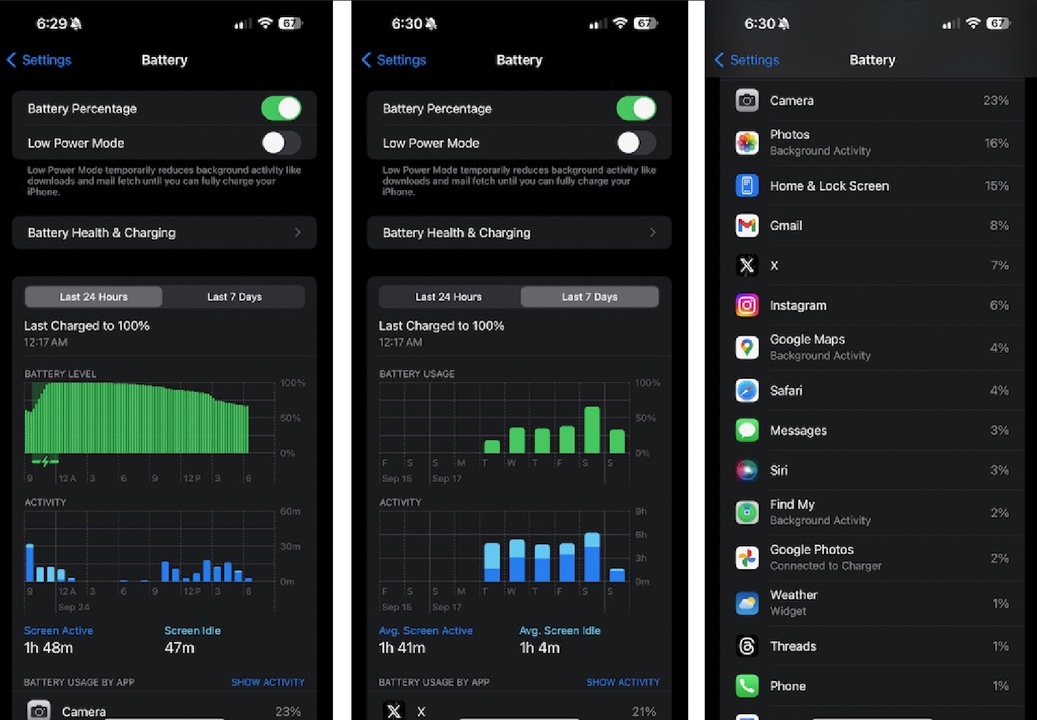
Check Battery Usage
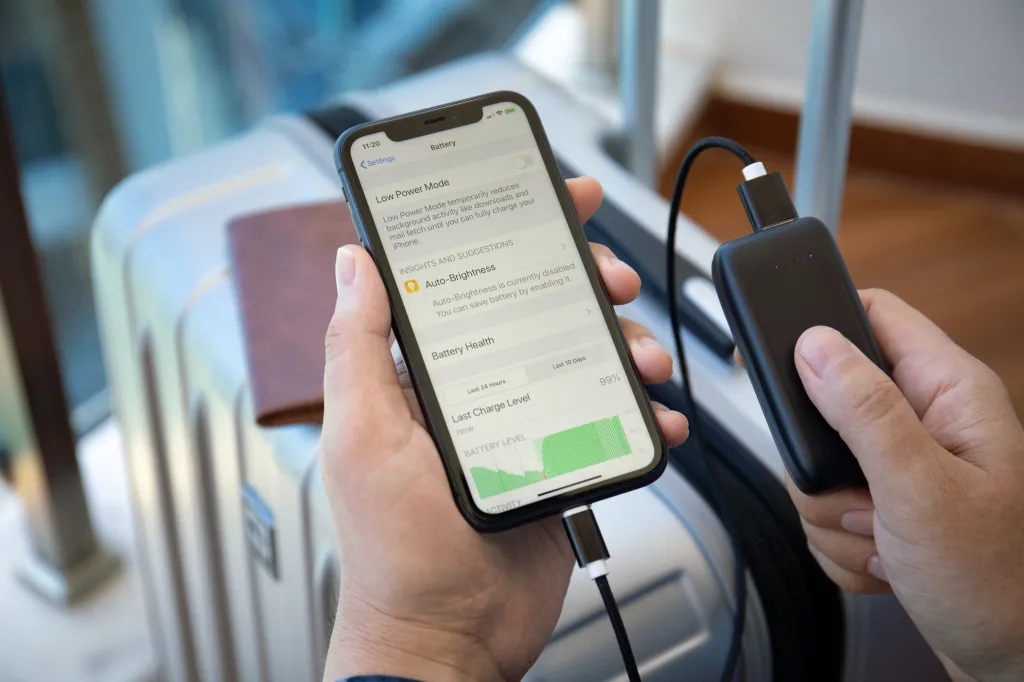
Start by checking your phone's battery usage report. Both iPhone and Android devices show which apps and system functions have consumed the most battery. If cellular activity or a specific app is using an unusually large amount of power, investigate that first. A high percentage attributed to an app does not necessarily indicate an eSIM problem.
Check Your Signal Strength
Look at your cellular signal when the battery is draining quickly. If the phone shows weak or unstable coverage, the network connection is a more likely explanation than the eSIM itself. You can compare battery consumption in different locations. If the drain is significantly worse in areas with poor reception and returns to normal when the signal improves, network conditions are likely contributing to the problem.
Check Whether Both SIMs Are Active
If you are using a travel eSIM alongside your primary SIM, check whether both lines are enabled. Temporarily disabling the line you do not need can help determine whether dual-SIM operation is contributing to the increased battery usage. If battery consumption improves after disabling one line, keeping only the necessary SIM active may be more efficient while traveling.
Compare With and Without the eSIM
For a more direct test, you can temporarily disable the travel eSIM and observe your battery usage under similar conditions. Try to keep other factors as consistent as possible, including screen time, Wi-Fi use, location, and network mode. If battery drain remains high even after disabling the eSIM, the eSIM itself is unlikely to be the main cause.
Note: Do not delete the eSIM profile just to perform this test. Depending on the provider and plan, an eSIM may be tied to a specific device or have restrictions on reinstallation. Disabling the line is the safer option when available.
What If Your Phone Still Drains Quickly With an eSIM?
If your phone continues to lose battery unusually fast after checking your network, SIM settings, and mobile data usage, the eSIM may not be the underlying problem. Other factors such as battery health, background apps, software issues, or a faulty network configuration can also cause abnormal battery consumption.
Try the following checks:
- Restart your phone to clear temporary network or system issues.
- Check battery health if your device provides this information. An aging battery can drain quickly regardless of the SIM type.
- Update your phone's operating system to ensure you are using the latest available network and power-management fixes.
- Check background activity for apps that may be using significant power while traveling.
- Test the phone on Wi-Fi for a period of time. If battery drain is normal on Wi-Fi but increases significantly when cellular data is enabled, the cellular connection may be contributing to the issue.
- Contact your eSIM provider if you experience persistent network problems, frequent disconnections, or unusual network behavior. Provide your device model, location, network status, and eSIM details so the issue can be investigated more efficiently.
If the same battery drain occurs with different SIMs or when cellular connectivity is disabled, the problem is more likely related to the phone or its battery rather than the eSIM.

Traveling with an eSIM?
Stay connected without worrying about battery drain. Get your travel eSIM from ByteSIM.
Explore ByteSIM eSIM →FAQ
Does an eSIM use battery when mobile data is turned off?
The eSIM profile itself does not normally consume a noticeable amount of battery just because it is installed. However, if the eSIM line remains active, the phone may still maintain a cellular connection for network registration, calls, or SMS depending on the plan and device settings.
Does an eSIM drain battery when the phone is locked?
Locking the screen does not disconnect the phone from the cellular network. If the eSIM line remains active, the phone can continue to maintain its network connection and receive data or notifications in the background.
Can poor eSIM coverage damage my phone battery?
Poor coverage does not normally damage the battery directly. However, repeatedly searching for or maintaining a weak cellular connection can increase power consumption while the phone is operating in that environment.
Does downloading an eSIM use a lot of battery?
Downloading and installing an eSIM profile usually has a small and temporary effect on battery consumption. The process itself is not expected to cause ongoing battery drain after installation is complete.
Does Wi-Fi Calling affect eSIM battery usage?
Wi-Fi Calling can change how your phone handles calls, but its effect on battery life depends on the device, network, and signal conditions. If Wi-Fi provides a stable connection, it may reduce the need for cellular activity in some situations.
Can an eSIM affect battery health over time?
There is no reason to expect an eSIM itself to significantly affect long-term battery health. Battery aging is mainly influenced by factors such as charging cycles, temperature, usage patterns, and the overall power consumption of the device.
© eSIM Battery Guide — Stay connected without draining your battery.