

Phone Not eSIM Compatible? Here is Why & What You Can Do
Apr 13,2026 | Milo
TL; DR: In a rush? Here is the quick answer. eSIM isn't a downloadable app; it's a physical microchip built into your phone's motherboard. If your phone wasn't manufactured with one, no software update can magically fix it. So, can you use an eSIM if your phone isn't compatible? Technically no, but practically yes! Instead of buying a new phone, you can grab a clever "physical eSIM adapter" (like 9eSIM or eSIM.me), pop it into your regular SIM tray, and instantly download ByteSIM data plans just like a compatible device. Otherwise, sticking to a traditional travel SIM or renting a Pocket Wi-Fi will be your safest backup.
Travel Easy
Planning a trip? Stay connected wherever you go with ByteSIM eSIM. Enjoy a risk-free purchase, flexible buy now, pay later options, and a 100% money-back guarantee for total peace of mind.
Try ByteSIM Now
Picture this: You’re prepping for your dream vacation, you’ve heard everyone raving about how cheap and easy travel eSIMs are, but when you try to buy one... error. Your device isn't supported.
Suddenly, you're faced with the nightmare of hunting down a local SIM card at the airport after a 12-hour flight, or worse, paying ridiculous roaming fees.
Take a deep breath. You are not alone, and you don't need to cancel your plans (or buy a $1,000 new phone). In this guide, we’ll dive into exactly why your trusty phone missed the eSIM train, and walk you through 3 foolproof ways to get connected anyway.
Why Is My Phone Not eSIM Compatible?
Let's get right to it. If your phone isn't playing nice with digital SIMs, it usually boils down to one of these three reasons:
Missing the actual chip
Think of an eSIM as a tiny piece of hardware soldered directly into your phone's insides. If your device wasn't built with this chip from day one, no software update or app download can magically fix it. It’s basically like trying to use Apple Pay on an old phone that doesn't have an NFC chip—the hardware just isn't there.
Regional restrictions
Phone makers often tweak hardware based on where the device is sold. A classic example is the iPhone 14 or 15: if you bought yours in Mainland China, Hong Kong, or Macau, it likely has two physical SIM slots instead of an eSIM module. It’s a regional design choice that unfortunately leaves the eSIM hardware out.
It's carrier locked
Sometimes your phone actually has the right chip, but your network provider has "locked" the software. This is common with contract phones, preventing you from adding any outside data plans until the device is fully paid off. Not sure if this applies to you? You can follow this detailed guide to see if your phone is truly unlocked.
Can I Use eSIM if My Phone Is Not Compatible?
Technically? No. But practically? YES.
Here is the truth. Any app out there claiming it can instantly make your phone eSIM compatible with a simple download is a scam. You simply can't download physical hardware.
However, there are some brilliant hardware "hacks" available right now that let you bypass this limitation completely. You aren't entirely out of luck.
How to Do If My Phone Is Not Compatible with eSIM?
Alright, let's solve this. Here are the most actionable ways to get your phone connected before your flight takes off.
1. Double-check your device
You'd be surprised how many people actually have an eSIM-ready phone without realizing it. Before trying anything else, open your phone's dialpad and type *#06#. If you see a long barcode number labeled "EID" pop up on the screen, your device supports eSIM technology!
2. Use a physical eSIM adapter card
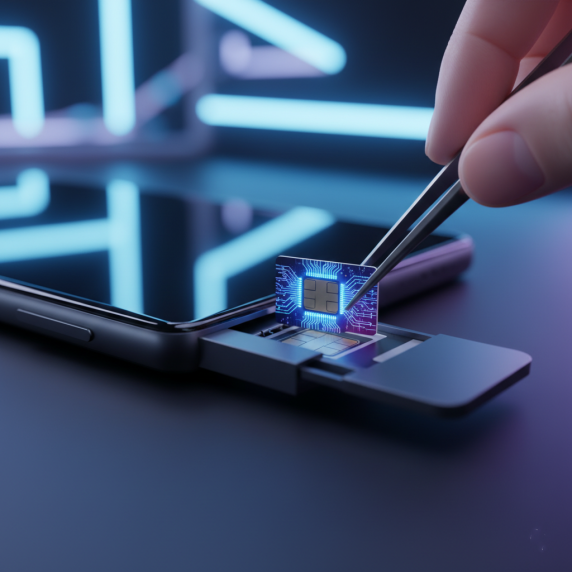
This is the most effective workaround for older phones. Innovative tech companies like eSIM.me and 9eSIM have created a genius solution: a special physical SIM card that houses an eSIM microchip. You simply insert this adapter into your phone's regular SIM tray.
- Use their dedicated app to download eSIM profiles.
- Freely buy ByteSIM global data plans just like anyone else!

3. Contact your carrier for an unlock
Sometimes your phone has the necessary hardware, but the settings won't let you add a new cellular plan because it is carrier-locked. If you purchased your phone through a carrier contract (like AT&T or T-Mobile), give them a quick call.
Explore traditional backup plans
If you don't want to mess with adapters, you still have some solid eSIM alternatives for older phones:
- Bring a backup device: Got an old iPhone SE, XR, or a Pixel 3 sitting in a drawer? Those support eSIM! Bring it along and use it as your dedicated travel hotspot.
- Rent a Pocket Wi-Fi: Great for families or groups traveling together, though you do have to carry an extra device and remember to keep it charged.
- Buy a travel SIM: You can still grab a traditional international physical SIM card online before your trip, so you have it ready when you land. Remember to check whether the SIM can be delivered to your home.
FAQs About eSIM-Compatible Phones
Which phones are generally not eSIM compatible?
How to get an eSIM if your phone is not compatible?
Will a physical eSIM card work with ByteSIM?
Plans that may interest you


Comment

