Deleting a Travel eSIM or changing to a new phone often leaves travelers wondering what to do next. Our support team regularly receives questions like:
"I accidentally deleted my eSIM. Can I get it back?"
"My old phone broke, so I switched to a new one. Why can't I install my eSIM again?"
"I reset my phone, and now my eSIM has disappeared. What should I do?"
Although these situations all lead to the same problem—you need to reinstall your eSIM—the solution isn't always the same. That's because different Travel eSIMs follow different installation policies. Some allow reinstallation, while others can only be installed once.
This guide will help you identify what happened, understand why your eSIM disappeared, and determine the best next step based on your situation and your eSIM's installation policy.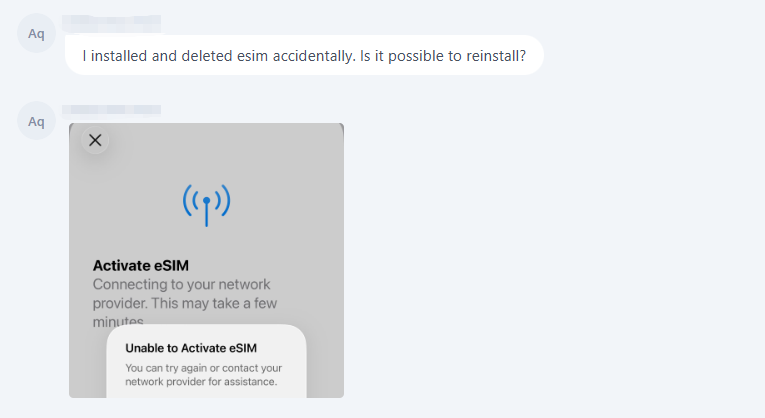
Identify What Happened
Before trying to reinstall your eSIM, first identify which situation best matches yours. Although all of the situations below may involve reinstalling your eSIM, the next steps depend on how the eSIM was removed and whether your plan supports reinstallation.
- Situation 1: You accidentally deleted your Travel eSIM after it had already been installed and activated.
- Situation 2: Your old phone was lost, stolen, or stopped working, and you need to use your Travel eSIM on a new device.
- Situation 3: You reset your phone, restored it to factory settings, or had it repaired, and your Travel eSIM disappeared.
Once you've identified your situation, follow the corresponding section below for the recommended next steps.
Situation 1: You Deleted Your Travel eSIM
What happened?
Deleting your Travel eSIM removes the eSIM profile from your device, but it doesn't automatically cancel your order.
Whether you can continue using the eSIM depends on your plan's reinstallation policy. Some Travel eSIMs support reinstallation, while others can only be installed once.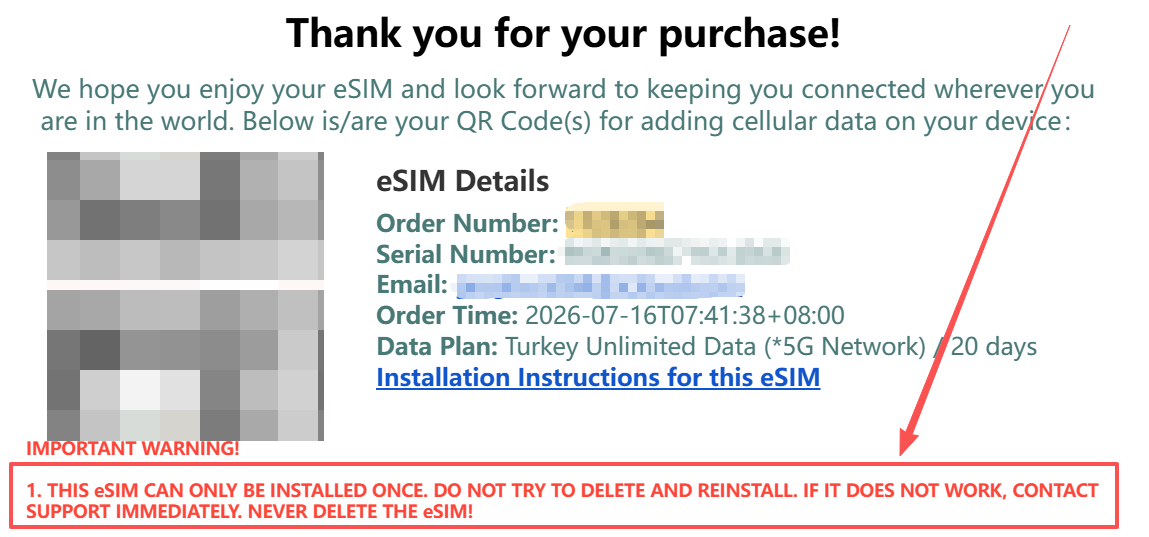
What should you do next?
Step 1: Try reinstalling the eSIM using your original QR code.
Although every QR code email includes a reminder not to delete your eSIM, some Travel eSIMs do support reinstallation. The quickest way to find out is to scan your original QR code again.
Step 2: Check the result.
- If the QR code works, your eSIM supports reinstallation. Complete the installation and continue using your plan.
- If you see an error such as "QR Code Expired" or "eSIM Already in Use," your eSIM may not support reinstallation. Contact our customer support team for assistance.
Situation 2: You Switched to a New Phone
What happened?
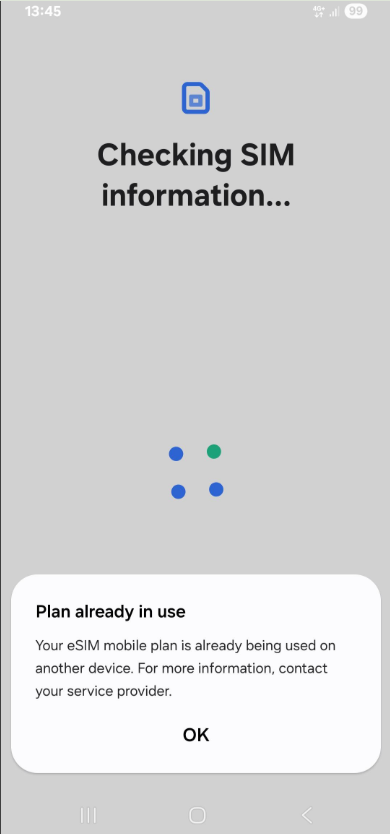
- Even if your Travel eSIM supports reinstallation, it doesn't necessarily mean it can be used on a different device.
- A Travel eSIM is typically tied to the device where it was first installed and activated. Simply scanning the QR code on a new phone usually won't transfer the eSIM to that device.
![]()
What should you do next?
Contact our customer support team directly. Since every Travel eSIM has different device transfer policies, our team will first check your order and determine which option is available.
There are usually two possible outcomes:
- If your eSIM supports changing devices, our technical team can reset the QR code so you can install the eSIM on your new phone.
- If your eSIM doesn't support changing devices, we'll provide the best available solution based on your order and product.
Situation 3: Your Phone Was Reset or Repaired
What happened?
Resetting your phone, restoring it to factory settings, or having your device repaired may remove the eSIM profile from your device. Although the eSIM is no longer visible on your device, it doesn't necessarily mean your order has been canceled or expired.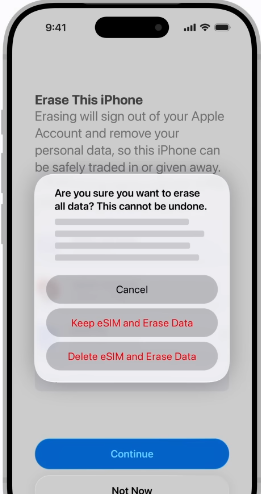
What should you do next?
Step 1: Try reinstalling your eSIM using the original QR code.
This situation is handled the same way as if you had deleted your eSIM. Start by scanning your original QR code to see whether the eSIM can be installed again.
Step 2: Check the result.
- If the installation succeeds, your eSIM is ready to use again.
- If you receive an error such as "eSIM Already in Use," your eSIM may still be registered as active even though it no longer appears on your phone.
Step 3: Contact customer support if needed.
If you can't reinstall the eSIM successfully, contact our customer support team. We'll check your eSIM status and provide the most appropriate solution based on your situation.
Still Not Sure What to Do?
If you've tried the steps above and still can't reinstall your Travel eSIM, don't worry. Our customer support team can help you check your eSIM status and determine the best solution.
To speed up the process, have the following information ready:
- Your Order Number/Serial Number or purchase email address
- The EID and ICCID information of the eSIM
- Which situation applies to you:
- You deleted the eSIM
- You switched to a new phone
- You reset or repaired your phone
- A screenshot of any error message you received (if applicable)
The more information you can provide, the faster we can identify the issue and help you get back online.
Contact us: WhatsApp +852 9290 0577 / +852 9243 7776 | Email: service@bytesim.com
How to Avoid This Next Time
Don't Delete Your eSIM Unless Your Trip Is Over
Even if you've finished installing your eSIM, keep it on your device until you no longer need it. If you're unsure whether your eSIM supports reinstallation, contact customer support before removing it.
Keep Your QR Code Email Until the End of Your Trip
Your QR code and installation email may be needed if your eSIM supports reinstallation or if customer support asks you to verify your order. Don't delete them until you've finished using your Travel eSIM.
Plan Ahead Before Switching Phones
If you're planning to change phones before or during your trip, contact customer support first. Some Travel eSIMs can be moved to a new device, while others cannot.
Check Before Resetting or Repairing Your Phone
Factory resets and some repairs may remove your eSIM from the device. If possible, check with customer support before resetting your phone or sending it in for repair.
Conclusion
Deleting your Travel eSIM, switching to a new phone, or resetting your device doesn't always mean your eSIM is no longer usable. The right solution depends on your situation and your eSIM's installation policy.
If you're unsure whether your eSIM can be installed again after removal, contact customer support before deleting it. It's much easier to prevent the problem than to recover from it later.
eSIM Recovery Flow — What to Do Next
© eSIM Recovery Guide — Stay connected, wherever you travel.