eSIM for iPhone 15, iPhone 15 Plus, iPhone 15 Pro & iPhone 15 Pro Max: Complete Setup Guide
Apr 24,2026 | Wang
Setting up eSIM on your iPhone 15 shouldn't be complicated. But somehow, Apple's documentation makes it feel harder than it needs to be.
I've walked dozens of people through this process. Business travelers panicking at airports. Tourists realizing their roaming bill will cost more than their flight. The questions are always the same. Does my iPhone support eSIM? How do I actually set it up? Will my regular number still work?
This guide covers everything. All four iPhone 15 models. Every setup method. The stuff Apple doesn't explain clearly.
And look, if you need an eSIM for travel, ByteSIM makes this entire process painless. Instant delivery. Works in over 200 countries. No messing around with carrier stores or passport verification. I'll show you exactly how to get it running.
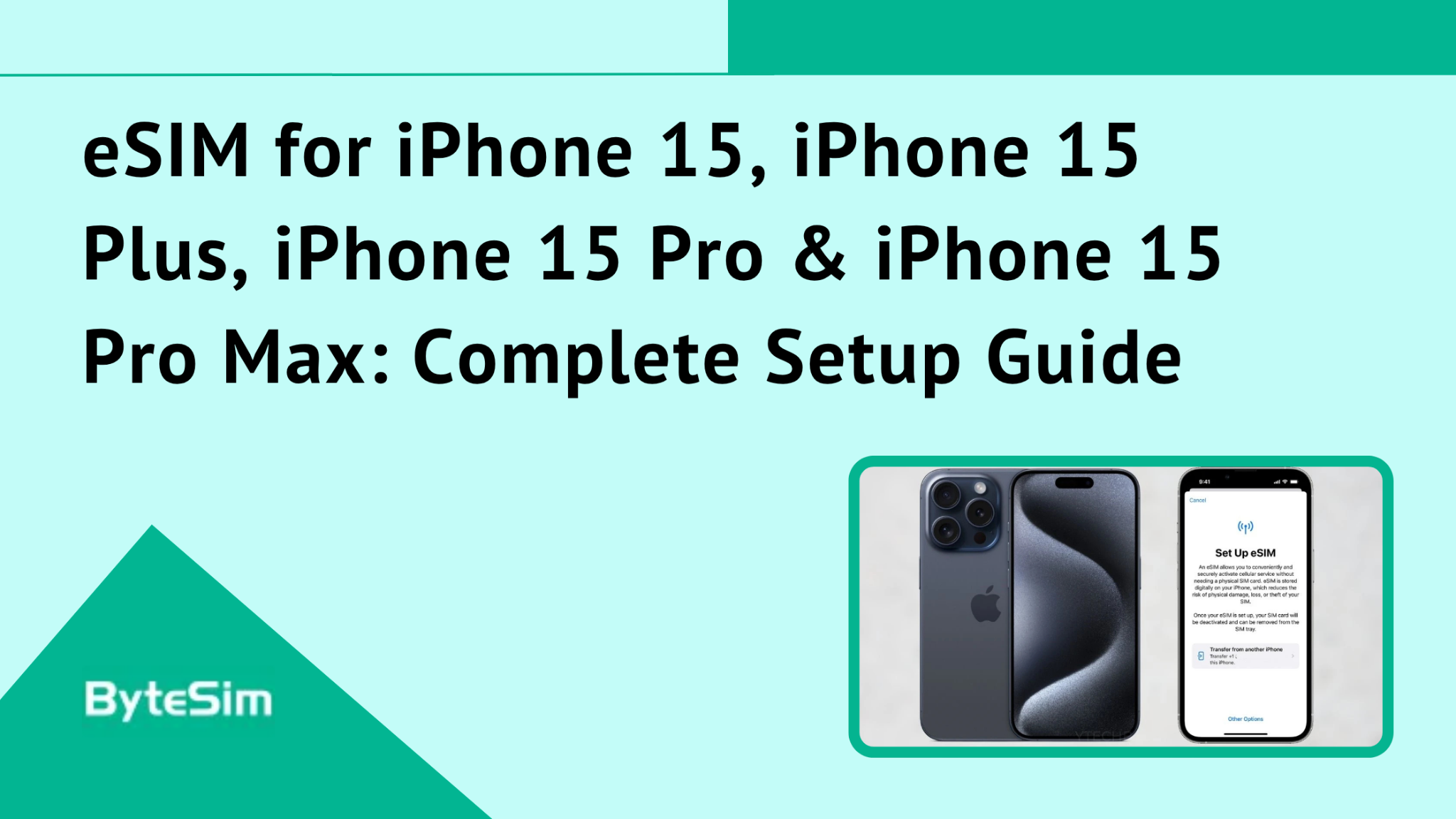
Does iPhone 15 Support eSIM? Complete Model Breakdown
Yes. Every single iPhone 15 model supports eSIM. No exceptions for storage size or color.
Here's the breakdown:
- iPhone 15 — Full eSIM support
- iPhone 15 Plus — Full eSIM support
- iPhone 15 Pro — Full eSIM support
- iPhone 15 Pro Max — Full eSIM support
Doesn't matter if you bought the 128GB base model or the 1TB Pro Max. eSIM works identically across all of them.
One caveat though. Models manufactured for mainland China, Hong Kong, and Macao don't support eSIM at all. Those have dual physical SIM trays instead. If you bought your iPhone in one of those regions, this guide won't help you.
How Many eSIMs Can iPhone 15 Store?
Your iPhone 15 can store up to 8 different eSIM profiles. That's a lot of flexibility most people don't realize they have.
But here's the important distinction. Stored versus active.
You can store 8 profiles. You can only have 2 active at the same time.
Think of it like this. You travel frequently between the US, Europe, and Asia. You could have a ByteSIM profile for each region stored on your phone. Maybe 5 or 6 different country plans saved and ready. But only 2 can be "turned on" at any moment.
Switching between stored profiles takes seconds. Just go to Settings, tap the eSIM you want to activate, toggle it on. The other one goes dormant but stays stored.
For most travelers, this is perfect. Install your destination eSIMs before your trip. Activate the one you need when you land. Switch when you cross borders.
Dual SIM Functionality on iPhone 15 Models
All iPhone 15 models support Dual SIM Dual Standby. DSDS if you want the technical term.
What this means practically: both your lines can receive calls and texts simultaneously. You don't miss anything on either number.
But the setup differs by region.
US models (eSIM only): You can have 2 eSIMs active at once. No physical SIM option exists.
International models: You get options. Run 1 eSIM plus 1 physical SIM. Or run 2 eSIMs and leave the physical slot empty. Your choice.
The killer use case for travelers: Keep your primary number active for calls and texts from home. Add a ByteSIM eSIM for data. Use ByteSIM for all your internet needs. Avoid insane roaming charges. Still receive calls on your regular number.
This is honestly how everyone should travel. Your home carrier charges you $10-15 per megabyte for roaming data. ByteSIM charges a fraction of that for unlimited data. Math isn't complicated.
Network Compatibility & 5G Support
All iPhone 15 models support 5G, 4G, and LTE networks with eSIM. No limitations compared to physical SIM.
ByteSIM partners with premium carriers globally. In the US, that means T-Mobile, AT&T, and Verizon networks. In Canada, Rogers. Mexico, Telcel. And so on across 200+ countries.
You get the same network quality as local customers. Same towers. Same speeds. 5G where it's available.
Some key networks ByteSIM connects to:
- North America: T-Mobile, AT&T, Verizon, Rogers, Telcel
- Europe: Major carriers across all EU countries
- Asia-Pacific: Premium networks in Japan, Thailand, Singapore, Australia, South Korea
- UK: Multiple carrier partnerships
The coverage is genuinely comprehensive. I've used ByteSIM in airports, rural areas, major cities. Rarely had connectivity issues.
How to Set Up eSIM on Your iPhone 15 Series
Four different methods exist. Pick whichever works for your situation. QR code is fastest for most people.
Before You Start: Prerequisites
Check these before attempting setup:
Your iPhone must be unlocked. Carrier-locked phones restrict eSIM functionality. Go to Settings > General > About > Carrier Lock. Should say "No SIM restrictions." If it shows a carrier name, contact them to unlock before traveling.
You need WiFi for initial setup. Can't install an eSIM using cellular data from another eSIM. Seems obvious but catches people.
Have your ByteSIM QR code ready. Comes via email instantly after purchase. Open that email on another device, or save the QR code image.
Verify eSIM compatibility. Settings > General > About. Scroll to find your EID number. If EID exists, your device supports eSIM.
Update iOS. Some eSIM features require recent versions. iOS 17.4 added particularly useful functionality. Update before your trip, not during.
Method 1: QR Code Activation (Recommended)
This is how most people should do it. Takes maybe 2 minutes.
- Purchase your ByteSIM plan online
- Check email for QR code (arrives instantly)
- Open Settings > Cellular (or Mobile Data in some regions)
- Tap Add eSIM or Add Cellular Plan
- Tap Use QR Code
- Point your camera at the ByteSIM QR code
- Tap Continue when it recognizes the code
- Wait for the eSIM to install
- Label your plan something recognizable (like "ByteSIM Travel" or "Europe Data")
- When asked, select this plan for Mobile Data
- Turn on Data Roaming
- Done
One nice iOS 17.4+ feature: If you receive the QR code via email on your iPhone, you can tap and hold the QR code image to add it directly. No need for a second device.
Method 2: Using the ByteSIM App
Some people prefer managing everything through an app. Fair enough.
- Download the ByteSIM app from the App Store
- Create an account using the email from your order
- Go to My eSIM section
- Find your purchased plan
- Tap Install
- For iOS 17.4+, it's basically one-tap installation
- Follow the on-screen prompts
- Complete setup
The app has one real advantage: real-time data tracking. You can see exactly how much data you've used and how much remains. Useful for managing your usage during travel.
Method 3: Manual eSIM Entry
Sometimes QR codes don't scan properly. Bad lighting. Cracked screen. Whatever. Manual entry works as backup.
- Go to Settings > Cellular > Add Data Plan
- Tap Enter Details Manually
- Find the SM-DP+ Address in your ByteSIM email
- Enter it WITHOUT the https:// prefix
- Tap Next
- Tap Continue
- Wait for installation to complete
- Follow remaining setup prompts
More tedious than scanning, but gets the job done when technology isn't cooperating.
Method 4: eSIM Quick Transfer (From Previous iPhone)
Upgrading from an older iPhone that already has eSIM set up? You can transfer it directly.
Requirements:
- Both devices use the same Apple ID
- Keep both phones close together
- Bluetooth enabled on both
During initial setup of new iPhone 15: Select the transfer option when prompted. Follow instructions.
After setup is complete: Go to Settings > Cellular > Setup Cellular > Transfer From Nearby iPhone. Keep old phone nearby. Enter verification code if asked.
Works smoothly when it works. Can be finicky with certain carrier eSIMs. ByteSIM profiles transfer without issues in my experience.
Converting Physical SIM to eSIM on iPhone 15
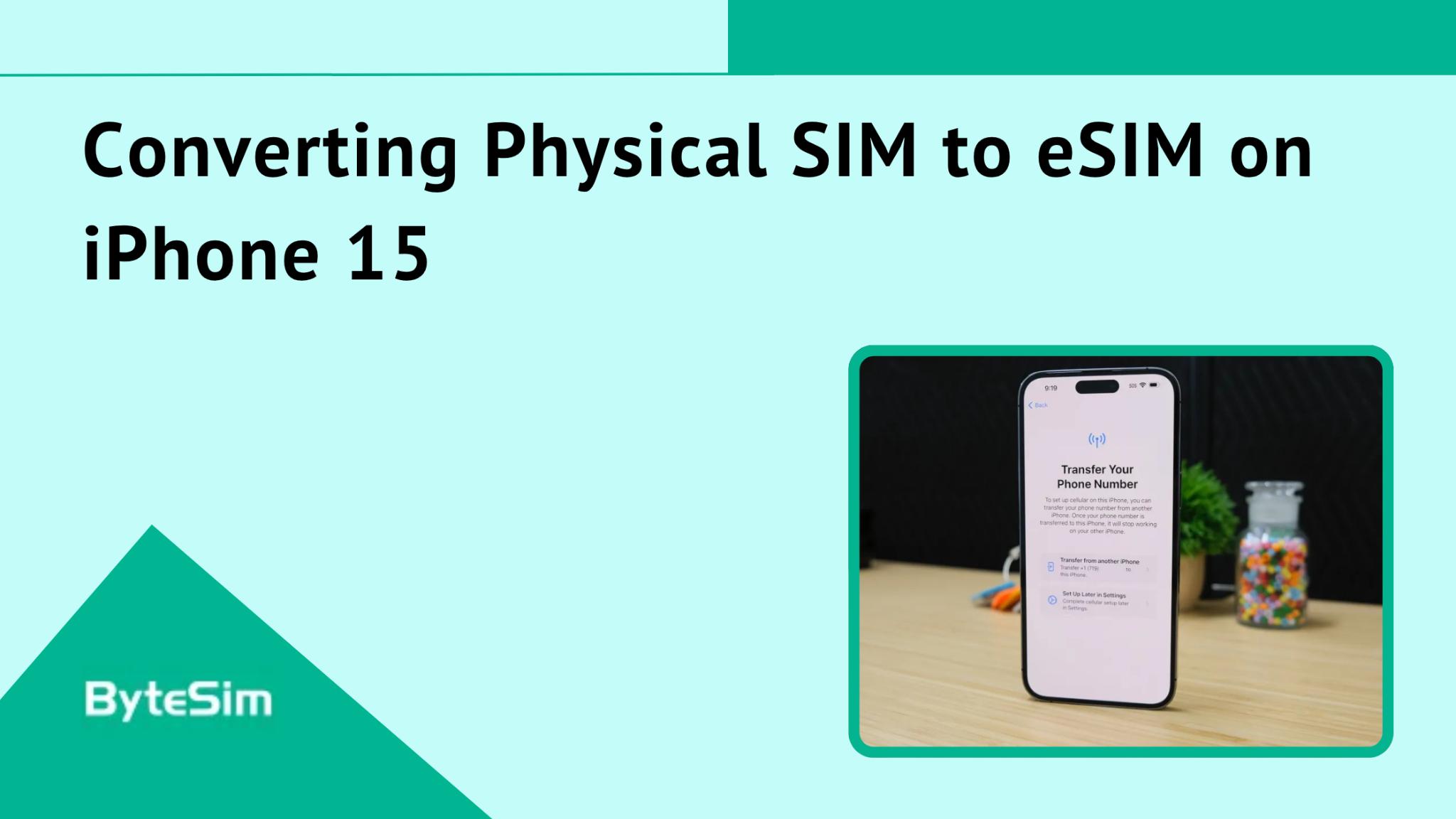
This only applies to international iPhone 15 models with physical SIM slots. US models don't have this option because they're already eSIM-only.
If you have a physical SIM you want to convert:
- Go to Settings > Cellular
- Tap Convert to eSIM
- Confirm the conversion
- Wait for activation to complete
- Physical SIM deactivates automatically
- Remove the physical SIM card
- Restart your iPhone
Not all carriers support this conversion. Check with your carrier first. Works with most major carriers though.
How to Activate Your ByteSIM eSIM Upon Arrival
Important distinction here. Installing and activating are different things.
When Does Your eSIM Activate?
Installation = Scanning the QR code and adding the profile to your phone. You can do this anytime after purchase. Do it at home on WiFi before your trip. The eSIM just sits there, ready.
Activation = When your data service actually starts. When billing begins. This happens when you arrive at your destination and turn on data roaming.
ByteSIM doesn't start charging until you actually use the service in your destination country. This is huge. Install it a week before your trip. No problem. You're not wasting days of your plan.
Install on your home WiFi. Activate when you land. Simple.
Note: Some specific plans start from purchase date. Check the product description. Most ByteSIM plans activate on first use at destination.
Activation Steps at Your Destination
You've landed. Immigration done. Now you need data.
- Go to Settings > Cellular
- Find your ByteSIM eSIM line
- Toggle Turn On This Line to ON
- Enable Data Roaming (this is the important one)
- Tap Mobile Data and select ByteSIM as your primary data line
- If network doesn't connect automatically, go to Network Selection and choose manually
- Restart iPhone if connection doesn't establish
- Check for data connection
- Open ByteSIM app to track usage
Takes about 30 seconds once you know where to tap. Then you're connected. No hunting for SIM card kiosks. No dealing with sketchy airport vendors. No passport scans at phone shops.
Why Choose ByteSIM for Your iPhone 15 eSIM?
Lots of eSIM providers exist now. Here's why ByteSIM actually makes sense.
Global Coverage in 200+ Countries
ByteSIM operates in over 200 countries and regions. That's basically everywhere you'd travel.
They partner with premium local carriers, not budget networks. In the US: T-Mobile, AT&T, Verizon. In Canada: Rogers. Mexico: Telcel.
You get 5G speeds where the network supports it. Same quality as local customers on those carriers.
Single eSIM can work across multiple countries too. Their regional plans cover Europe, Asia, North America without switching profiles at every border. Super convenient for multi-country trips.
Popular destinations covered: USA, Canada, Mexico, UK, France, Germany, Spain, Italy, Japan, South Korea, Thailand, Singapore, Australia, and basically everywhere else tourists go.
Flexible Data Plans for Every Traveler
Not everyone needs the same thing.
ByteSIM offers plans ranging from 300MB daily to 50GB buckets to unlimited data. Service periods from 1 day to 30 days. Over 50 plan varieties for popular destinations.
You can choose data-only plans if you just need internet. Or plans with local phone numbers that include voice calls and SMS. Depends on what you actually need.
Quick weekend trip? Get a 3-day plan with enough data. Month-long travel? Get a 30-day unlimited plan. Business trip where you need a local number for callbacks? Get a plan with voice included.
Pricing is competitive compared to carrier roaming. Like, dramatically cheaper. Your home carrier wants $10/MB for international data. ByteSIM gives you gigabytes for less than that.
Instant Delivery & Easy Activation
No waiting for physical shipping. No holding packages at customs.
Purchase online. QR code arrives in your email instantly.
No ID Required & Enhanced Privacy
Physical SIM cards often require passport submission. Annoying. Sometimes uncomfortable sharing that information.
ByteSIM doesn't require ID for activation. Privacy-focused process. Purchase, receive QR code, install. No personal documents needed.
eSIM technology is also inherently more secure than physical SIM. It's embedded in your device. Can't be easily removed by thieves. Can't be swapped without your authentication. Reduces risk of unauthorized access.
Cost Savings vs. International Roaming
International roaming charges are genuinely predatory. Carriers charge obscene amounts because they can. Because people don't know alternatives exist.
With ByteSIM, you pay local rates through their carrier partnerships. Transparent pricing. No hidden fees showing up on your bill weeks later.
Keep your primary SIM active for calls and texts. Add ByteSIM for all data. Your home carrier doesn't even see your data usage. No surprise $500 roaming bill.
Real examples: A week in Europe with carrier roaming might cost $100+ just for basic data. ByteSIM Europe plan? Maybe $15-30 depending on data amount. The math isn't subtle.
ByteSIM App Features for iPhone 15 Users
The app isn't required but makes life easier.
Download from App Store. Browse and purchase plans directly. One-tap eSIM installation for iOS 17.4+. See real-time data usage tracking. Manage multiple eSIM profiles in one place.
Check your data balance instantly. Add additional data if you're running low. Switch between lines without digging through Settings.
Built-in compatibility checker too. Verify your device works before purchasing. Eliminates guessing.
Popular ByteSIM eSIM Plans for iPhone 15
Some specific recommendations based on common travel scenarios.
USA eSIM: Unlimited 5G Data
Coverage runs on T-Mobile and AT&T networks. The good networks with actual nationwide coverage.
Unlimited data options available. No throttling worries. 5G speeds across all major cities and most suburban areas.
Plans available as data-only or with unlimited calls, data, and SMS with a US phone number. The voice plans are useful for business travelers who need callbacks on a local number.
Hotspot and tethering supported on most plans. Share your data with laptop or tablet.
Plans range from 1 day to 30 days. Good for both quick business trips and extended stays.
Global eSIM: 125+ Countries Coverage
One eSIM that works across 125+ destinations. Install once, travel everywhere.
Covers USA, Europe, and Asia in a single profile. No switching eSIMs at borders. Lands in London, works. Crosses to Paris, still works. Flies to Tokyo, still works.
Unlimited data options available. 5G where supported.
Perfect for multi-country trips. Europe tours with multiple stops. Business trips hitting several cities across continents. The convenience is worth it versus managing separate country eSIMs.
Regional eSIMs: Europe, Asia, North America
Sometimes regional plans make more sense than global.
Europe plans: Coverage across EU countries. Schengen area travel without roaming fees between countries. Various data packages available.
North America: USA, Canada, Mexico on premium networks. T-Mobile, Verizon, Rogers, AT&T, Telcel. Unlimited data options. Great for road trips or business covering multiple North American countries.
Asia-Pacific: Japan, Thailand, Singapore, Australia, South Korea, and more. Optimized for the region's network characteristics.
Regional plans often provide better pricing than global plans when you know your specific destinations. Pick based on your actual itinerary.
Do all iPhone 15 models support eSIM?
Yes. All four models support eSIM: iPhone 15, iPhone 15 Plus, iPhone 15 Pro, iPhone 15 Pro Max.
Storage capacity doesn't matter. Color doesn't matter. All configurations support eSIM equally.
One exception: Models manufactured for mainland China, Hong Kong, and Macao don't support eSIM. Those regions get dual physical SIM slots instead. If your iPhone came from one of those markets, eSIM won't work.
Is iPhone 15 eSIM only or does it have a physical SIM slot?![]()
Depends where you bought it.
US models: eSIM only. No physical SIM tray at all. Apple removed it completely for the US market.
International models: Both eSIM and physical nano-SIM slot. You get options.
China/Hong Kong/Macao models: Dual physical SIM only. No eSIM support.
Check your model number if unsure. Or just look at the side of your phone. See a SIM tray? International model. No tray? US model.
How many eSIMs can I install on iPhone 15?
You can store 8 eSIM profiles total.
You can have 2 active simultaneously.
The remaining 6 stay stored but inactive. Ready to switch in seconds through Settings.
Perfect for frequent travelers. Store eSIMs for your common destinations. Activate what you need, when you need it.
Can I use ByteSIM eSIM and my regular carrier at the same time?
Yes. This is honestly the main benefit.
Keep your home carrier active (whether it's eSIM or physical SIM). Add ByteSIM as your second line. Set ByteSIM as default for Mobile Data in Settings.
Your primary number stays active. People can call and text you normally. But all your data goes through ByteSIM at local rates instead of ridiculous roaming charges.
Both lines work simultaneously. Don't miss calls while using data. Best of both worlds.
When should I activate my ByteSIM eSIM?
Install anytime after purchase. Preferably on WiFi at home before your trip. Gives you time to troubleshoot if something's weird.
Activate when you arrive at your destination. Turn on the line and enable data roaming. That's when billing starts for most plans.
Recommendation: Install at home. Activate upon landing.
Does eSIM affect iPhone 15 battery life?
No. eSIM uses identical power to physical SIM. The technology doesn't draw more battery.
Battery performance is the same whether you use eSIM or physical SIM for the same functions.
Running Dual SIM mode with 2 active lines might have minimal additional battery impact. But it's negligible. You won't notice it.
Can I use ByteSIM eSIM for hotspot/tethering?
Yes, most ByteSIM plans support hotspot data sharing.
Capabilities vary by specific plan. Check the plan details before purchasing.
USA Unlimited plans generally include hotspot. You can share your iPhone 15's connection with laptops, tablets, other devices.
Useful when traveling with multiple devices or when your hotel WiFi is terrible. Happens more than it should.
How do I check my ByteSIM data balance?
Three methods:
ByteSIM app: Login, go to "My eSIM," see real-time usage. Most accurate option.
iPhone Settings: Your device tracks data usage per line. Gives you a general idea.
Contact support: Reach ByteSIM via WhatsApp or email. They can check your balance.
The app is the best option. Shows days remaining and data consumed. Real-time updates.
Is my iPhone 15 unlocked and compatible with ByteSIM?
Check unlock status: Settings > General > About > Carrier Lock.
If it says "No SIM restrictions" — you're unlocked and good to go.
If it shows a carrier name — your phone is locked. Contact that carrier to request unlock before traveling.
ByteSIM works with all unlocked iPhone 15 models globally. Carrier-locked iPhones may restrict which eSIMs you can install.
Can I get a local phone number with ByteSIM eSIM?
Depends on which plan you choose.
Check the "Plan Type" in product details:
Data Only = No phone number. Internet access only. Use apps like WhatsApp, Skype, or Zoom for voice calls.
Plans with calls/SMS = Includes a local phone number. Can make and receive voice calls. Can send and receive text messages.
USA unlimited plans often include local US numbers with unlimited calls and SMS. Great for business travelers who need callbacks from local contacts.
How is ByteSIM different from other eSIM providers?
Several things actually.
ByteSIM is a licensed telecom operator, not just a reseller.
Instant QR code delivery. No waiting around.
24/7 customer support via WhatsApp staffed by real engineers. Not chatbots. Not overseas call centers reading scripts. Actual technical people who can solve problems.
No passport or ID required for activation. Privacy respected.
Competitive transparent pricing. No hidden fees appearing later.
Money-back guarantee if something doesn't work as expected.
The ByteSIM app makes management easy. Purchase, install, track usage, add data — all in one place.
Both data-only and voice+data plans available depending on what you need.
Comment