eSIM for iPhone 14, iPhone 14 Plus, iPhone 14 Pro & iPhone 14 Pro Max: Complete Setup Guide with ByteSIM
Apr 23,2026 | Wang
Traveling with an iPhone 14 and dreading those roaming charges? Yeah. That's the old way of doing things.
eSIM changes everything. No hunting for SIM card vendors at the airport. No fumbling with tiny cards and ejector tools. No surprise bills when you get home.
Every iPhone 14 model supports eSIM. The regular 14, the Plus, the Pro, and the Pro Max. All of them. And if you bought yours in the US, there's literally no other option. Apple went full eSIM-only for American models.
This guide covers everything. How eSIM works on iPhone 14. The differences between US and international models. Step-by-step setup instructions. And how ByteSIM makes the whole process stupidly simple for travelers.
Whether you're planning a quick weekend trip or a month-long adventure, getting connected shouldn't be the stressful part.
What is eSIM and How Does it Work on iPhone 14 Models?
eSIM stands for embedded SIM. Instead of a physical card you pop in and out, the SIM is built directly into your iPhone's hardware.
Think of it like digital software versus a physical disc. Same function, different delivery method. Your carrier profile downloads directly to the phone. No plastic involved.
The iPhone 14 lineup handles eSIM brilliantly. You can store multiple eSIM profiles for different countries or carriers. Switch between them without swapping anything physical. Manage everything from Settings.
When you get an eSIM from a provider like ByteSIM, you receive a QR code via email. Scan it. The profile downloads. Done. The whole process takes maybe five minutes if you're being slow about it.
Is iPhone 14 eSIM Compatible?
Yes. All iPhone 14 models support eSIM. This isn't a feature reserved for the expensive Pro models.
- iPhone 14: eSIM compatible
- iPhone 14 Plus: eSIM compatible
- iPhone 14 Pro: eSIM compatible
- iPhone 14 Pro Max: eSIM compatible
Standard across the entire lineup. Apple didn't gatekeep this one. Whether you went with the base model or splurged on the Pro Max, eSIM works exactly the same way.
iPhone 14 eSIM-Only Models (US Version)
Here's where it gets interesting. If you bought your iPhone 14 in the United States, your phone has no physical SIM tray. None. It's completely eSIM-only.
Apple made the US iPhone 14 lineup their first eSIM-only release ever. Bold move. Some people complained. But honestly? Once you go eSIM, the physical card feels ancient.
US model numbers:
- iPhone 14: A2649
- iPhone 14 Plus: A2632
- iPhone 14 Pro: A2650
- iPhone 14 Pro Max: A2651
If your model number matches these, you're eSIM-only. This is exclusive to the US market. Apple didn't do this for other countries. Yet.
iPhone 14 International Models (Dual SIM)
Bought your iPhone 14 outside the US? You've got options.
International models include both a nano-SIM slot AND eSIM capability. Best of both worlds. You can run one physical SIM plus one eSIM simultaneously. Or skip the physical card entirely and run two eSIMs at once.
This gives travelers maximum flexibility. Keep your home country's physical SIM in the tray. Add a travel eSIM for data abroad. Both lines work at the same time.
Or ditch physical SIMs completely and manage everything digitally. Your call.
Important Regional Exceptions
Not every iPhone 14 handles eSIM the same way. Regional variations matter.
Mainland China models: No eSIM support whatsoever. These use dual physical nano-SIM slots instead. China has different regulations around eSIM technology.
Hong Kong and Macao models: Many locally sold models are dual-nano-SIM (no eSIM).
eSIM is supported on the following HK/MO models (as of Sep 2025): iPhone Air; iPhone 17 / 17 Pro / 17 Pro Max; iPhone 16e; iPhone XS; iPhone 12 mini; iPhone 13 mini; iPhone SE (2nd/3rd gen).
This is critical information if you're buying internationally or purchasing a used device. Check your model number before assuming eSIM will work. Settings > General > About > Model Number tells you exactly what you have.
How Many eSIMs Can iPhone 14 Store?
More than you'll probably need.
iPhone 14 can store 8 or more eSIM profiles on the device. Plenty of room for different countries, different carriers, different use cases.
But here's the catch. Only 2 can be active simultaneously.
So you might have eSIMs saved for Japan, France, Australia, and Thailand. Great. But you can only use two of those at any given moment. The others sit dormant until you toggle them on.
For most travelers, this is plenty. You keep your home carrier active for calls and texts. You activate a travel eSIM for local data. Two active lines covers basically every scenario.
The stored profiles stay on your phone. Flying back to Japan next year? Just reactivate that eSIM. No need to repurchase or reinstall from scratch.
What Are the Benefits of Using eSIM on iPhone 14?
Physical SIM cards aren't broken. They work fine. But eSIM does everything better for travelers.
1. Instant Activation for International Travel
Remember wandering through airports looking for SIM card kiosks? Comparing prices at sketchy booths? Waiting in line while exhausted from a 12-hour flight?
eSIM eliminates all of that.
Purchase your travel data plan before you leave home. ByteSIM sends a QR code to your email instantly. Scan it, install the profile, and you're ready.
Land at your destination. Turn off airplane mode and then turn on data roaming. Your phone connects automatically to the local network. Takes seconds. You're texting your ride before you clear customs.
No hunting. No haggling. No stress.
2. Avoid Expensive Roaming Charges
International roaming from traditional carriers is highway robbery. Some charge $10-15 per day for basic data access. Use your phone normally for a two-week trip and you're looking at $150+ in roaming fees alone.
eSIM providers like ByteSIM offer local data rates. You're not roaming. You're connecting directly to carriers in your destination country.
The savings are substantial. Up to 85% compared to international roaming in many cases. That's real money back in your pocket for actual travel experiences instead of cellular bills.
3. Keep Your Home Number Active
Dual SIM capability means you don't have to choose between connectivity and accessibility.
Your home carrier stays active. People can still call your regular number. You receive texts. Voicemails come through. Business contacts don't need a temporary number.
Meanwhile, your travel eSIM handles all data. Email, maps, translation apps, rideshare, everything that needs internet.
Both lines running simultaneously. No compromises.
4. Enhanced Security
Physical SIM cards have a physical vulnerability. Someone steals your phone, they can yank the SIM and put it in another device. Useful for them. Bad for you.
eSIM can't be physically removed. It's embedded in the device. If your iPhone gets stolen, thieves can't just pull out the SIM to use your number.
This also protects against SIM-swapping scams. Criminals can't socially engineer their way to a replacement physical SIM for your account as easily. The digital nature adds a security layer.
You manage everything from Settings. Lock the phone, lock the eSIM access too.
5. Environmental Benefits
Billions of plastic SIM cards get manufactured every year. Most end up in landfills eventually.
eSIM eliminates that plastic. No card. No packaging. No shipping materials. Completely digital.
Is this going to save the planet? No. But it's a small step in the right direction. Sustainable travel choices add up when millions of people make them.
6. Simplified Device Design
Apple didn't go eSIM-only just because. There's engineering logic behind it.
Removing the SIM tray creates better water resistance. One less opening for liquid to penetrate. The iPhone 14 already has excellent water resistance, and eSIM-only design supports that.
It also frees up internal space. That area where the SIM tray used to live? Can be used for other components. Battery capacity. Processors. Whatever Apple's engineers want to fit in there.
Streamlined hardware. Cleaner design. Fewer moving parts to potentially fail.
Configuring Your eSIM Settings on iPhone 14![]()
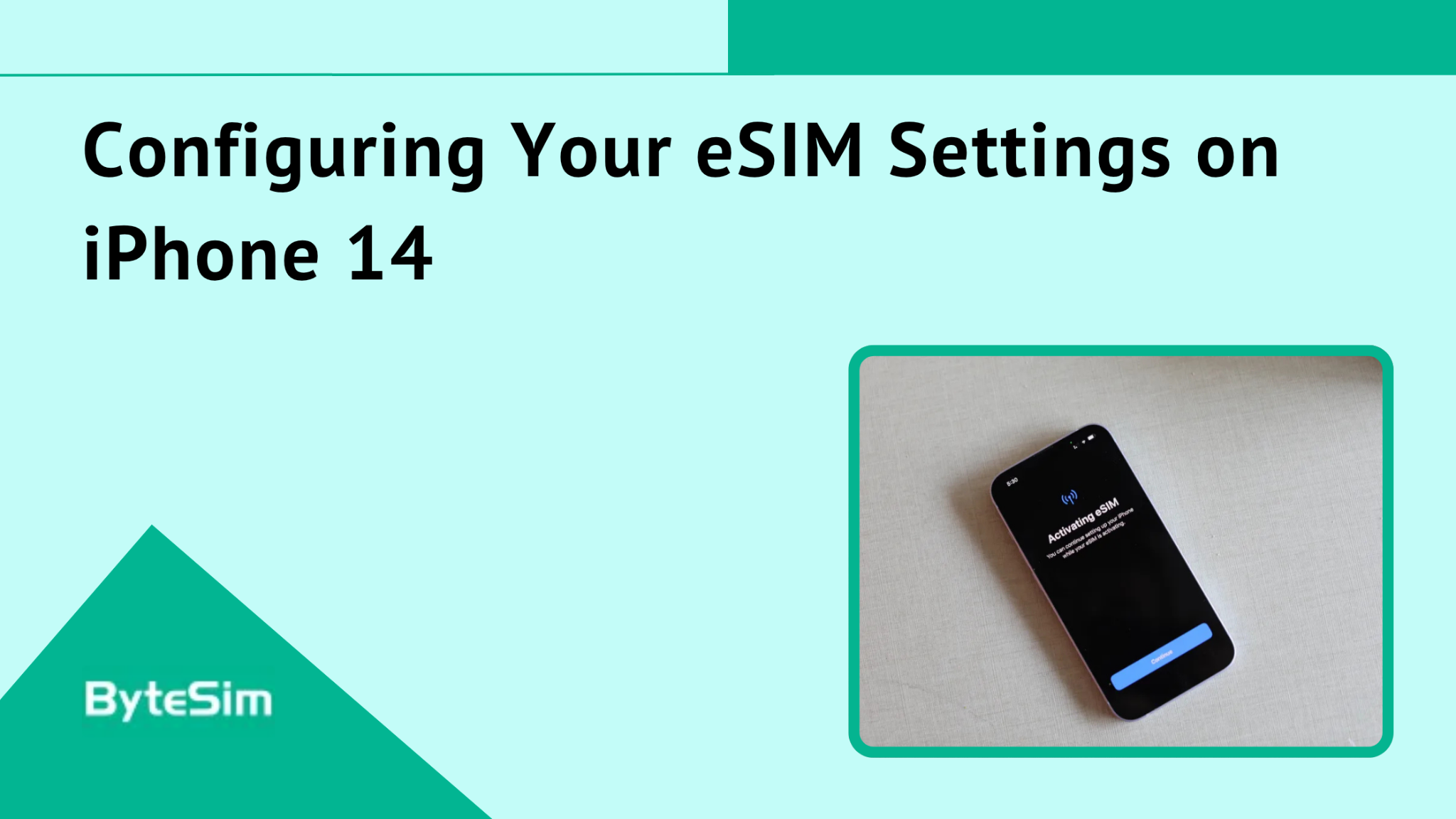
Installation is just the first step. Proper configuration makes sure everything works the way you want.
Setting Your Default Line for Calls and Data
After installing a second eSIM, iPhone asks how you want to use each line. You can change these settings anytime.
Go to Settings > Cellular. You'll see options for:
Default Voice Line: Which line makes outgoing calls by default
Default Data Line: Which line handles cellular data
iMessage & FaceTime: Which line these services use
Recommended setup for travel: Keep your home SIM as default for calls and iMessage. Set ByteSIM eSIM as your default data line.
This way, people calling your regular number reach you normally. But all your internet activity uses the local travel data instead of expensive roaming.
Enabling Data Roaming
This step trips people up constantly. Your travel eSIM won't work abroad without data roaming enabled.
"But wait, won't I get roaming charges?"
No. Here's why. Data roaming ON simply allows your phone to connect to networks other than your home carrier. When you're using ByteSIM in Japan, you're connecting to Japanese networks. That's technically "roaming" from your phone's perspective.
But you're not roaming on your home carrier's expensive international plan. You're using ByteSIM's local data that you already paid for. The charges don't apply.
Enable it: Settings > Cellular > [ByteSIM Line] > Data Roaming > ON
Leave it off, and your eSIM just won't work when you land. Frustrating when the fix is one toggle.
Managing Multiple eSIM Profiles
Got eSIMs saved for several countries? Here's how to switch between them.
Settings > Cellular shows all installed eSIM profiles. Each one has a toggle. Turn ON the ones you want active. Turn OFF the ones you don't need right now.
Remember: maximum 2 active simultaneously. So if you're activating a new eSIM, you might need to deactivate another.
The inactive profiles stay installed. No need to reinstall or get new QR codes. Just toggle them back on when needed.
Great system for frequent travelers. Keep your most-visited destinations saved. Activate the right one before each trip.
ByteSIM eSIM Plans for iPhone 14 Users
Lots of eSIM providers exist. Not all of them deserve your money. Here's why ByteSIM stands out.
Why Choose ByteSIM for Your iPhone 14
Coverage in 200+ countries. Not just major destinations. Smaller countries too. ByteSIM works in places other providers skip.
5G and 4G LTE speeds. High-speed data on networks that actually perform well. Not relegated to slow legacy networks.
Unlimited data options. Some destinations offer truly unlimited plans. Use data without watching your usage meter.
Top-tier carrier partnerships. ByteSIM connects to the best networks in each country. T-Mobile and AT&T in the US. China Mobile in China. Vodafone in Europe. You're not getting third-rate coverage.
Instant email delivery. Purchase, receive QR code, install. All within minutes.
24/7 WhatsApp support. Real humans. Not chatbots. Get help when you actually need it, regardless of time zone.
6-month money-back guarantee. This is unusual in the industry. Most eSIM providers don't offer this kind of protection. ByteSIM does.
No ID or passport required. Some providers make you upload identification documents. ByteSIM doesn't. Purchase and activate without bureaucratic hassle.
Does iPhone 14 support eSIM?
Yes. All iPhone 14 models fully support eSIM technology. This includes iPhone 14, iPhone 14 Plus, iPhone 14 Pro, and iPhone 14 Pro Max.
US models are eSIM-only with no physical SIM tray. International models support both physical SIM and eSIM simultaneously.
No difference in eSIM functionality between the standard iPhone 14 and Pro models. Same capabilities across the lineup.
Is iPhone 14 eSIM only?
Depends entirely on where you bought it.
US models: Completely eSIM-only. No SIM tray exists on the phone. Apple's first fully eSIM iPhone lineup.
International models: Dual capability. Both nano-SIM slot and eSIM support. Use either or both simultaneously.
China/Hong Kong/Macao models: May be physical SIM only with no eSIM support. Check your specific model number.
Can iPhone 14 Pro Max use eSIM?
Yes. iPhone 14 Pro Max fully supports eSIM with identical capabilities to other iPhone 14 models.
Can store 8+ eSIM profiles on the device. Can use 2 eSIMs simultaneously. Same installation process as other models.
The Pro Max doesn't have extra eSIM features over the base iPhone 14. Just a bigger screen and better cameras.
How many eSIMs can iPhone 14 have?
Store up to 8 or more eSIM profiles on your iPhone 14.
However, only 2 can be active at the same time.
This works perfectly for travelers. Save eSIMs for all your frequently visited destinations. Activate the relevant ones when you travel. Keep your home carrier as the second active line.
Can I use ByteSIM eSIM on iPhone 14?
Yes. ByteSIM is fully compatible with all iPhone 14 models. Works on the standard 14, Plus, Pro, and Pro Max.
ByteSIM operates in 200+ countries with instant activation. Purchase online, receive QR code via email, scan with your iPhone camera, and connect.
No compatibility issues. No special configuration required. Just works.
Do I need to unlock my iPhone 14 for eSIM?
Yes. Your iPhone must be carrier-unlocked to use eSIM from third-party providers like ByteSIM.
Check your unlock status: Settings > General > About > Carrier Lock
Should say "No SIM restrictions." If it says anything else, your phone is locked.
Contact your carrier to request an unlock. Most carriers unlock phones after they're paid off or after a certain contract period.
What happens to my eSIM if I reset my iPhone 14?
Factory reset deletes all installed eSIM profiles. Gone.
If you need to reset your phone, understand that you'll need to reinstall your eSIMs afterward.
Contact ByteSIM support to get a new QR code for reinstallation. They can reissue codes for active plans.
Why ByteSIM is the Best eSIM for iPhone 14 Travelers![]()
Plenty of eSIM options exist. Most are fine. ByteSIM is better. Here's why.
Unmatched Global Coverage
200+ countries supported. That's not marketing fluff. ByteSIM actually works in over 200 destinations worldwide.
Partnerships with 500+ operators globally. When you land somewhere, you're connecting to established, reliable networks. Not obscure carriers with spotty coverage.
Top-tier network access in each country. T-Mobile and AT&T in the United States. China Mobile in China. Vodafone across Europe. NTT Docomo in Japan. Real carriers with real infrastructure.
5G speeds where available. Reliable 4G LTE everywhere else. You're not sacrificing connection quality for convenience.
Instant Delivery & Activation
No waiting for physical shipments. No tracking packages across borders.
Purchase online in minutes. Receive QR code immediately to your email. Install in under 5 minutes.
No passport or ID upload required. Some providers demand identity verification. ByteSIM doesn't. Purchase and go.
Activate instantly when you land. Phone connects to local networks automatically. You're online before leaving the airport.
This is genuinely the fastest way to get connected when traveling internationally.
24/7 Customer Support
Real humans available around the clock. ByteSIM's support team responds via WhatsApp and email.
Not chatbots. Not automated responses. Actual people who can help solve actual problems.
Multilingual assistance available. Help with installation. Troubleshooting. Plan questions. Coverage verification.
Flexible Plans & Pricing
Plans ranging from 1 day to 30 days. Works for weekend trips and month-long adventures.
Data options from 300MB daily to completely unlimited. Match your plan to your actual usage patterns.
The price you see is the price you pay.
6-month money-back guarantee. This is genuinely unique in the industry. Most eSIM providers offer no refunds or extremely limited windows. ByteSIM gives you six months of protection.
Top-up options available if you need more data mid-trip. Don't stress about running out.
Plans for every type of traveler. Light users. Heavy streamers. Business travelers. Digital nomads. Something works for everyone.
Comment