

¿Xiaomi soporta eSIM?
Guía Completa, Modelos Compatibles y Opciones
Respuesta corta: La mayoría de los teléfonos Xiaomi no soportan eSIM. Solo un pequeño número de modelos más nuevos o específicos de la región vienen con capacidad de eSIM.
La razón principal es simple. Xiaomi ha sido más lento en adoptar eSIM en comparación con marcas como Apple y Samsung. Esto se debe en gran parte a la estrategia de mercado, diferencias en el soporte de operadores y consideraciones de costo, especialmente en regiones donde las tarjetas físicas SIM siguen siendo dominantes.
Dicho esto, aún tienes opciones. Incluso si tu teléfono Xiaomi no soporta eSIM de forma nativa, hay soluciones alternativas y métodos que pueden ayudarte a usar planes de eSIM para viajes o uso diario.
Navegación Rápida (Lo Que Aprenderás)
- ¿Xiaomi soporta eSIM? → Desglose completo de compatibilidad
- ¿Qué modelos de Xiaomi soportan eSIM? → Lista de dispositivos actualizada
- Cómo comprobar si tu teléfono soporta eSIM (paso a paso)
- Cómo usar eSIM en Xiaomi → Guía de configuración
- Qué hacer si tu Xiaomi no soporta eSIM → Soluciones prácticas
- Mejores opciones de eSIM para usuarios de Xiaomi → Planes a considerar
2. ¿Xiaomi Soporta eSIM?
✔️ Respuesta Corta: La mayoría de los teléfonos Xiaomi soportan eSIM solo en modelos y regiones limitadas. La mayoría de los dispositivos Xiaomi, Redmi y POCO NO soportan eSIM de forma nativa. Si eSIM funciona depende en gran medida del modelo del dispositivo, la región (versión Global vs versión China) y el soporte del operador.
⚠️ Limitación Regional Importante (Muy Importante):
Los teléfonos Xiaomi comprados en China continental, Hong Kong o Macao generalmente NO soportan eSIM, incluso si el mismo modelo lo soporta a nivel global. Las versiones globales tienen muchas más probabilidades de incluir soporte para eSIM.
3. Dispositivos Compatibles con Xiaomi eSIM
| Serie | Modelo | Soporte eSIM | Notas |
|---|---|---|---|
| Serie Xiaomi 15 | Xiaomi 15 / 15 Pro / 15 Ultra | ✓ Sí (Global) | Modelos más recientes, dependientes de la región |
| Serie Xiaomi 14 | Xiaomi 14 | ✓ Sí (Global) | Versión de China no soportada |
| Xiaomi 14 Pro | ⚠️ Limitado | Dependiente de la región | |
| Xiaomi 14 Ultra | ✗ No (en la mayoría de los casos) | Sin eSIM en muchas variantes | |
| Xiaomi 14T / 14T Pro | ✓ Sí | Lanzamientos globales más recientes | |
| Serie Xiaomi 13 | Xiaomi 13 / 13 Pro | ✓ Sí (Global) | Ampliamente soportado |
| Xiaomi 13 Lite | ✓ Sí | Regiones limitadas | |
| Xiaomi 13 Ultra | ⚠️ Limitado | Dependiente de la región | |
| Xiaomi 13T / 13T Pro | ✓ Sí | Soporte confirmado | |
| Modelos Flagship Anteriores | Xiaomi 12T Pro | ✓ Sí | Uno de los primeros modelos de Xiaomi eSIM |
| Serie Redmi | Redmi Note 13 Pro+ 5G | ⚠️ Limitado | Solo en algunas regiones |
| Redmi Note 13 Pro 5G | ⚠️ Condicional | Solo si eSIM aparece en la configuración | |
| Otros modelos de Redmi | ✗ No | Sin soporte nativo para eSIM | |
| Serie POCO | La mayoría de los modelos POCO | ✗ No | Sin soporte para eSIM |
Conclusiones Clave: Los dispositivos flagship más nuevos (especialmente las versiones globales) tienen más probabilidades de soportar eSIM. La mayoría de los dispositivos Redmi y POCO NO soportan eSIM. Incluso los modelos soportados pueden variar debido a diferencias regionales, restricciones de operadores y versiones de firmware.
4. Cómo Comprobar Si Tu Teléfono Xiaomi Soporta eSIM
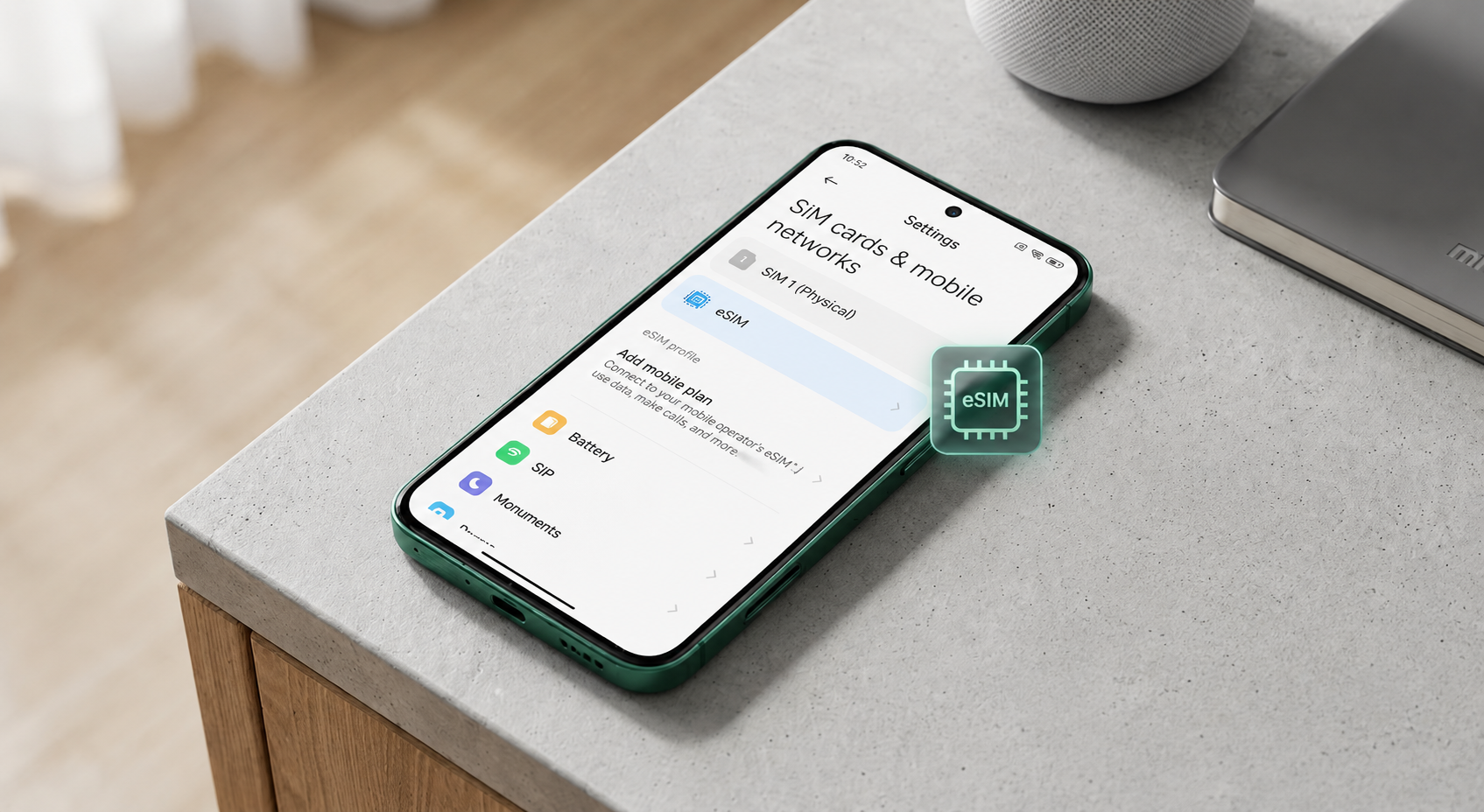
- Método 1 (Más Rápido): Ve a Configuración → SIM tarjetas y redes móviles → busca “Agregar eSIM” o “Agregar plan móvil”.
- Método 2 (Código oculto): Marca
*#06#en la aplicación del teléfono. Si aparece un EID (Documento de Identidad Embebido) → eSIM soportado. Si falta → sin soporte. - Método 3 (Especificaciones oficiales): Visita la página oficial de productos de Xiaomi y busca “eSIM soportado”.
- Método 4 (Versión regional): Las versiones Global/EU tienen más probabilidades de soporte. Las versiones de China/HK/Macau generalmente no tienen eSIM.
- Método 5 (Verificación del operador): Contacta a tu operador para confirmar la activación de eSIM de Xiaomi / Android para tu modelo específico.
*#06#) combinado con la configuración. Siempre verifica antes de comprar un plan de eSIM.5. Cómo Usar eSIM en Xiaomi (Para Dispositivos Soportados)
Paso 1: Obtén un plan de eSIM – Elige un proveedor que soporte Xiaomi/Android, recibe un código QR o código de activación.
Paso 2: Abre la configuración de eSIM – Configuración → SIM tarjetas y redes móviles → Agregar eSIM / Agregar plan móvil.
Paso 3: Escanea el código QR – Escanea el código proporcionado por tu proveedor de eSIM (o ingresa los detalles manualmente).
Paso 4: Activa – Sigue las instrucciones en pantalla; espera la descarga y activación del perfil.
Paso 5: Establece preferencias predeterminadas de SIM – Elige qué SIM maneja llamadas, datos móviles y mensajes. Renombra tu eSIM para fácil identificación (por ejemplo, “Viaje eSIM”).
Soporte de hotspot: La mayoría de los teléfonos Xiaomi capaces de eSIM soportan compartir hotspot, aunque pueden aplicarse restricciones del operador.
6. ¿Qué Hacer Si Tu Xiaomi No Soporta eSIM? (Mejores Alternativas)
- Opción 1 - Adaptador de eSIM (solución física): Adaptadores de eSIM de terceros que convierten perfiles de eSIM en formato físico de SIM. No soportados oficialmente, pero pueden funcionar para viajeros frecuentes.
- Opción 2 - Usar eSIM en un dispositivo secundario: Instala eSIM en un dispositivo soportado (iPhone / otro Android) y comparte hotspot a tu Xiaomi. Extremadamente estable.
- Opción 3 - SIM físico tradicional: Compra tarjetas locales de SIM al viajar o usa roaming en casa. Funciona en todos los dispositivos Xiaomi.
- Opción 4 - Viajar con eSIM a través de compartir hotspot: Incluso sin eSIM nativo, instala eSIM en un router de viaje o teléfono secundario y conecta tu Xiaomi a través de hotspot.
7. Mejores Opciones de eSIM para Usuarios de Xiaomi
Incluso con soporte nativo limitado o nulo de eSIM, los planes flexibles de eSIM siguen siendo útiles, especialmente para viajes o compartir hotspot desde otro dispositivo. Busca proveedores que soporten cobertura global/regional, compartir hotspot, activación fácil por QR y paquetes de datos flexibles.
- Viaje eSIM: Perfecto para viajes cortos (Europa, Asia, destinos mundiales).
- Regional eSIM: Mejor equilibrio cubriendo múltiples países (regional de Asia, regional de Europa, América del Norte).
- Global eSIM: Funciona en más de 100 países, ideal para viajeros frecuentes y nómadas digitales.
Configuración recomendada para usuarios de Xiaomi sin eSIM nativo: Instala eSIM en un dispositivo secundario + compartir hotspot. Evita planes sin soporte de hotspot o proveedores muy baratos y desconocidos.
Comprueba si tu smartphone está listo para la conectividad global. La lista se actualiza regularmente a medida que se lanzan nuevos modelos.
8. Preguntas Frecuentes sobre Xiaomi eSIM (Preguntas Más Comunes)
¿Por qué no puedo encontrar la opción de eSIM en mi teléfono Xiaomi?
Tu dispositivo puede no soportar el hardware de eSIM, el firmware de la región puede desactivarlo, o tu operador puede no soportar eSIM. Verifica a través de *#06# para EID.
¿Puede Xiaomi usar eSIM con hotspot?
Sí, pero indirectamente en muchos casos. Si tu Xiaomi no soporta eSIM, puedes instalar eSIM en otro dispositivo y compartir internet a través de hotspot, una configuración de viaje comprobada.
¿Es eSIM mejor que un SIM físico para usuarios de Xiaomi?
Ventajas de eSIM: sin tarjeta física, fácil cambio, ideal para viajar. El SIM físico funciona en todos los dispositivos Xiaomi. La elección depende del soporte del dispositivo.
¿eSIM agota la batería más rápido en Xiaomi?
No hay diferencia significativa en el uso de la batería. La descarga de la batería está relacionada con la intensidad de la señal, el tipo de red (4G/5G) o el uso de hotspot.

