

Guía definitiva: 3 pasos para verificar con precisión si tu teléfono es compatible con eSIM
Apr 10,2026 | Wang
Tabla de Contenidos
Dos Requisitos Ocultos para eSIM
¿Soporte Confirmado? Comienza Tu Experiencia Global de Red ByteSIM
Al comprar un plan de datos para viajar, la peor experiencia es gastar dinero solo para descubrir que tu teléfono no lo soporta al llegar.
Comprar a ciegas puede llevar fácilmente a perder la conexión.
Tomar un minuto para confirmar la compatibilidad del dispositivo antes de comprar es la única forma de asegurar un viaje sin problemas.
Cómo Comprobar
1.Marca para EID
En pocas palabras, la clave es verificar algo llamado EID.
EID (Documento de Identidad Embebido) es el identificador de hardware único para un eSIM.
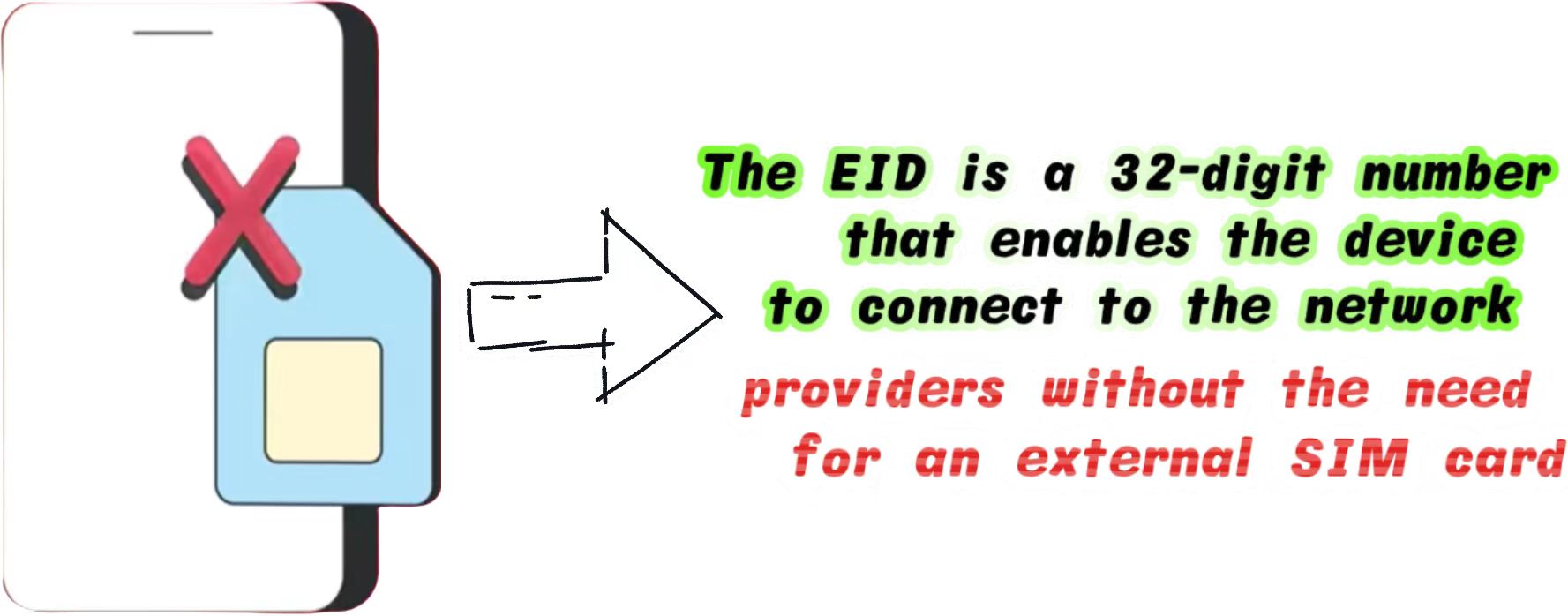
Ya sea que uses un dispositivo Apple o Android, este es actualmente el método de detección de hardware físico más preciso reconocido en la industria.
- Abre la aplicación "Teléfono" o "Marcador" en tu dispositivo
- Escribe *#06# en el teclado
- Una pantalla que contiene la información de tu dispositivo aparecerá automáticamente
Si incluye un número de 32 dígitos, significa que tu teléfono tiene incorporado.
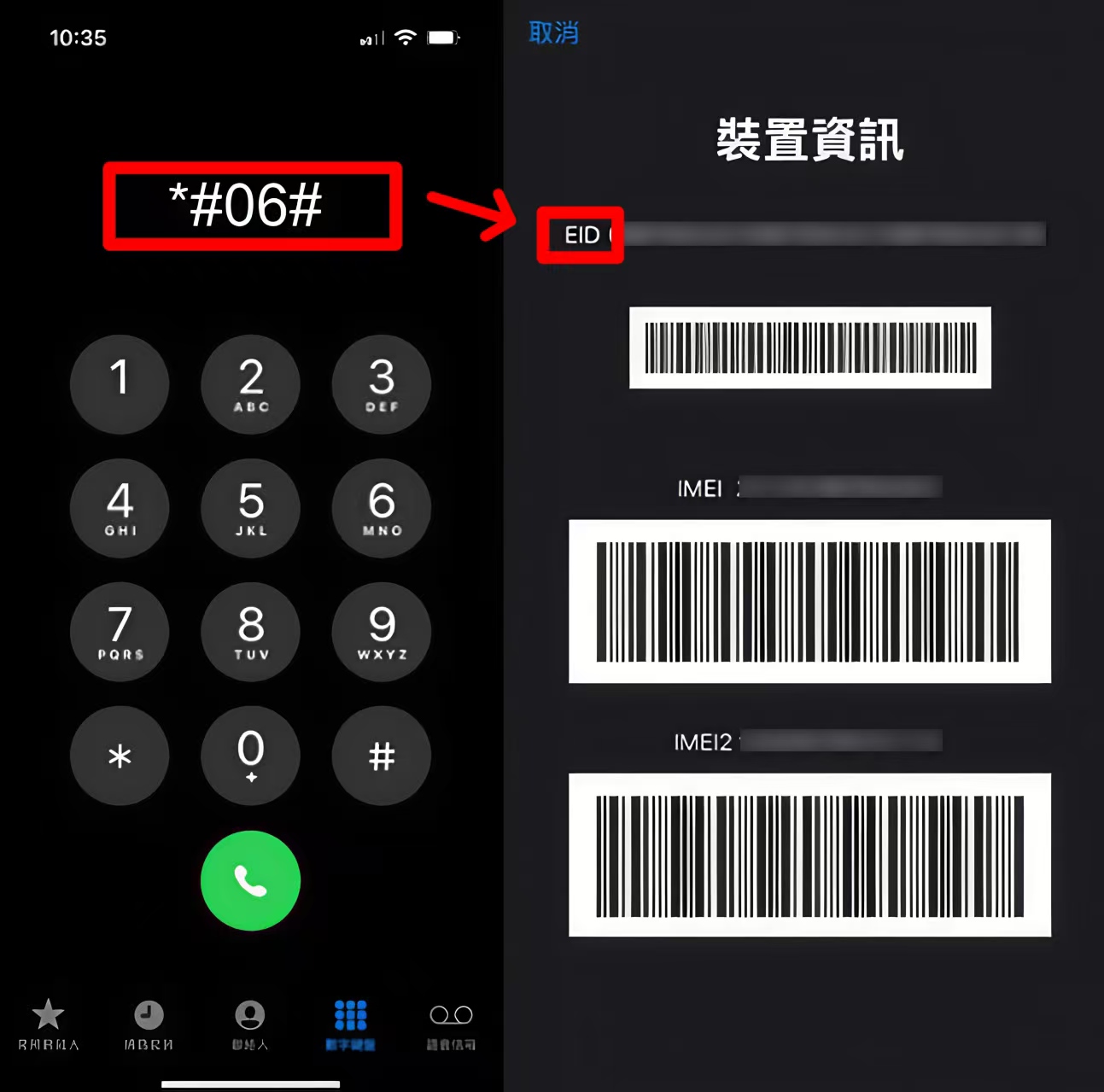
Si no se muestra ningún EID, y solo ves IMEI y MEID, tu dispositivo no lo soporta.
2.iOS / iPhone
Si prefieres no usar el método de marcado, puedes confirmar visualmente a través de la configuración del sistema iOS.
La jerarquía del sistema de Apple es altamente unificada. Los pasos de verificación son los siguientes:
1. Ve a Configuración> Celular(o Datos Móviles).
2. Desplázate hacia abajo y busca un botón azul que dice Agregar eSIM o Agregar Plan Celular.
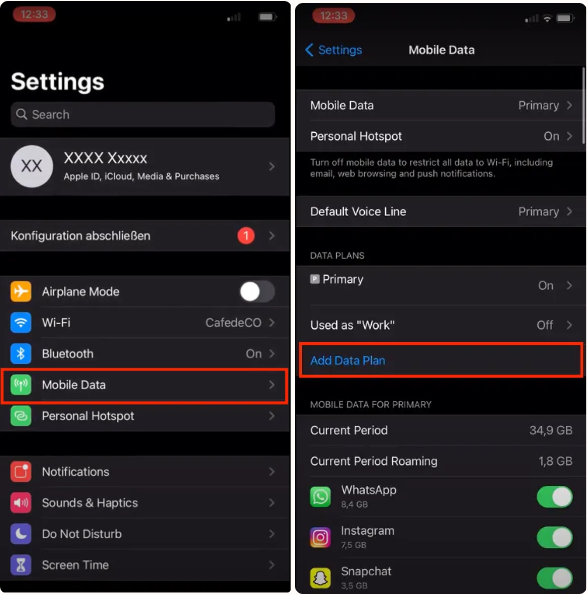
Si este botón está presente, tu hardware lo soporta.
Sin embargo, ten en cuenta que Apple tiene políticas de ventas regionales estrictas. Puedes consultar el Documento de Soporte Oficial de eSIM de Apple para más detalles técnicos.
3.Android
El ecosistema Android es más fragmentado, y los caminos de menú varían ligeramente entre marcas. Aquí están los caminos de verificación para las marcas Android más populares:
Samsung: Configuración > Conexiones > Administrador de SIM > Busca "Agregar plan móvil" o "Agregar eSIM".
Si aún tienes preguntas sobre la compatibilidad del teléfono Samsung, puedes hacer clic en Cómo Comprobar si Tu Teléfono Samsung es eSIM Compatible (Actualización 2026) para más detalles.
Google Pixel: Configuración > Red e internet > SIMs > Toca el ícono "+" > Busca una opción "Descargar un nuevo eSIM".
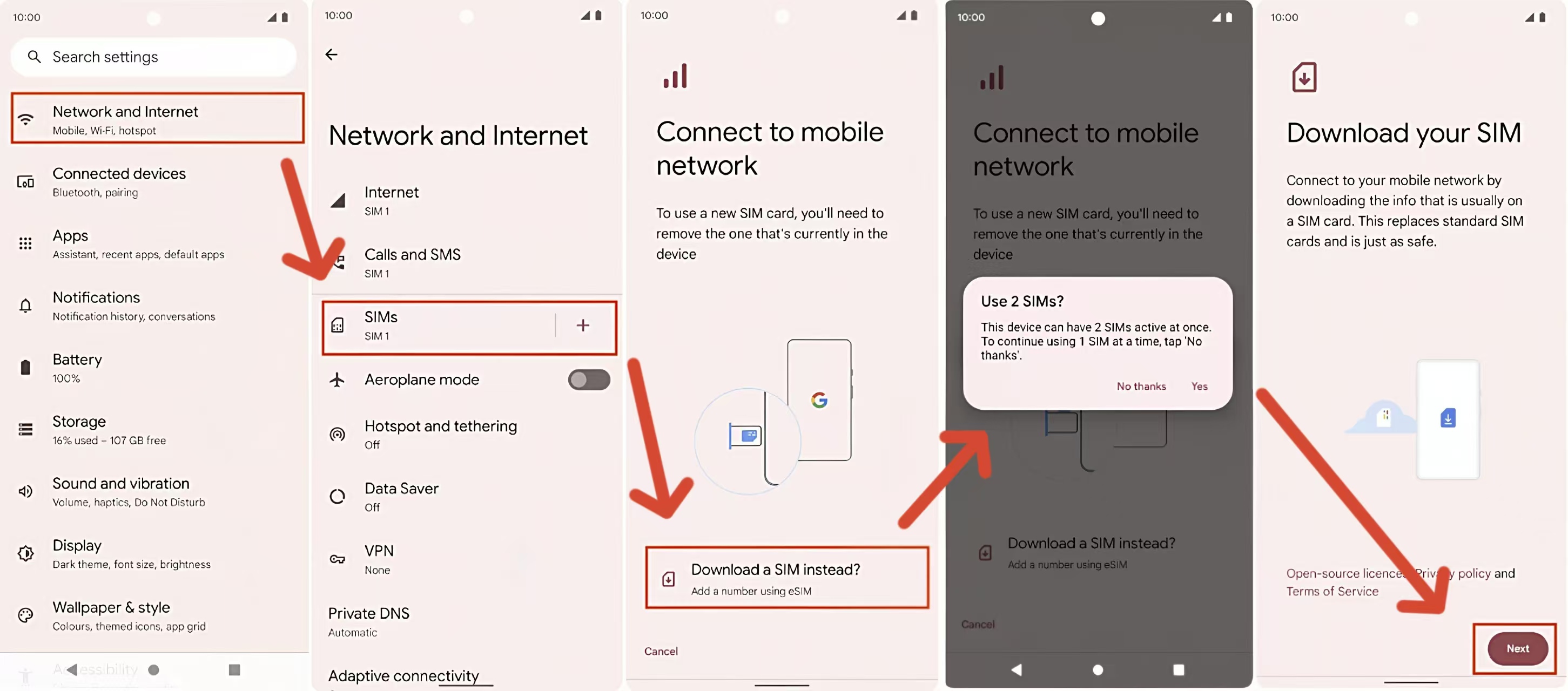
Los nombres de los menús de Android varían según la versión del sistema.
Si no puedes encontrar la opción correspondiente en los caminos anteriores, por favor usa el marcado *#06# para la confirmación final.
Dos Requisitos Ocultos para eSIM
Incluso si tu teléfono muestra un EID, debe cumplir simultáneamente con las siguientes dos condiciones para usar un eSIM de viaje normalmente.
Este es un punto ciego que muchos principiantes pasan por alto fácilmente.
1. Debe Ser "Desbloqueado por el Operador"
Si tu teléfono está atado a un operador específico (como AT&T, T-Mobile o SoftBank) a través de un contrato, tendrá un Bloqueo de Operador. Incluso con la funcionalidad de eSIM, este tipo de dispositivo no puede agregar planes de datos de otros proveedores de red.
- Cómo comprobar en iPhone: Configuración > General > Acerca de > Busca "Bloqueo de Operador". Si dice "Sin restricciones de SIM", estás seguro.
2. Evitar Restricciones de Hardware en Regiones Específicas
Debido a regulaciones locales, los teléfonos vendidos en ciertas regiones tienen el módulo eSIM físicamente removido en la fábrica:
- China Continental: Todos los iPhones fabricados para China Continental no soportan eSIM (solo soportan dos nano-SIM físicas).
- Hong Kong/Macau: los modelos iPhone 13 y más nuevos Pro/Pro Max no lo soportan, pero algunos modelos iPhone SE y mini sí lo hacen.
Si estás usando un teléfono de estas regiones restringidas, te recomendamos preparar un plan de respaldo antes de viajar. Puedes consultar los métodos discutidos en Alternativas para Teléfonos Chinos que Viajan al Extranjero
¿Soporte Confirmado? Comienza Tu Experiencia Global de Red ByteSIM
Si tu dispositivo soporta perfectamente eSIM y no tiene bloqueo de red después de las pruebas anteriores, ¡felicitaciones! Ahora tienes la base de hardware para disfrutar de una conectividad global sin interrupciones.
Como proveedor profesional de servicios de comunicación global, ByteSIM se dedica a proporcionar una experiencia de internet minimalista y estable para viajeros transfronterizos y profesionales de negocios.
Ahora sabes exactamente cómo comprobar la compatibilidad de eSIM. Si tu dispositivo está listo, tú también lo estás: ¡es hora de disfrutar de la conexión flexible y sin interrupciones que eSIM hace posible!

Configurar tu red con anticipación antes de la salida es el primer paso para un viaje eficiente.
Si no sabes cómo importar el plan a tu teléfono después de comprarlo, ¡no te preocupes!
Por favor, lee Guía Detallada de Instalación y Activación de eSIM para iOS y Android, que incluye desgloses visuales paso a paso.
Comentario

