¿Cuántos datos necesitas para la Copa Mundial 2026? Una calculadora del mundo real para los aficionados
Feb 27,2026 | Milo
La Copa del Mundo 2026 se está preparando para ser la más grande de la historia, abarcando EE. UU., Canadá y México. Millones de aficionados flock a América del Norte, pero junto con la reserva de vuelos y la obtención de entradas para los partidos, hay un detalle crucial que los aficionados a menudo pasan por alto hasta que es demasiado tarde: datos móviles.
Imagina esto: Tu equipo acaba de marcar un gol de último minuto, capturas el video perfecto, presionas "publicar" y… Cargando… Conexión Fallida. O peor, estás varado fuera de un estadio desconocido y no puedes pedir un Uber.
Entonces, ¿cuántos datos realmente necesitas? Hemos desglosado el consumo de datos en el mundo real de un aficionado al fútbol que viaja, completo con una calculadora especializada y drenadores de datos ocultos en los que probablemente no has pensado.
| Perfil del Fan | Necesidad Diaria Estimada | Drenadores de Datos Principales | Plan Recomendado eSIM |
|---|---|---|---|
| 🟢 El Purista (Fan Inmersivo) |
0.5GB – 1GB | Google Maps, Uber/Lyft, Aplicaciones de Entradas, Mensajes de Texto |
Pequeño Plan de Datos Diarios (Uso ligero, mejor costo-rendimiento) |
| 🔴 El Creador de Contenido (Fan de Redes Sociales) |
5GB – 15GB+ | TikTok/IG Live, Subidas en 4K, Streaming de Repeticiones de VAR |
Plan Ilimitado de Alto Umbral o Plan Total Grande (Evitar la limitación de FUP durante subidas masivas) |
| 🔵 El Trabajador Remoto (Viajero de Bleisure) |
3GB – 8GB | Hotspot Móvil, Llamadas de Zoom, Traducción de Voz |
Plan de Datos Total Grande (Prioriza velocidad estable, previene limitaciones inesperadas) |
🕵️♂️ Los Drenadores de Datos Ocultos de la Copa del Mundo
Las guías de viaje estándar te hablarán sobre Google Maps y WhatsApp, pero un viaje a la Copa del Mundo es una bestia totalmente diferente. Aquí están los escenarios únicos de alto uso para los que debes prepararte:
1. La Prisa de Repeticiones de la "Controversia de VAR"
Si alguna vez has estado dentro de un estadio, conoces un secreto frustrante: las pantallas grandes rara vez muestran repeticiones en cámara lenta de decisiones controvertidas de VAR (Árbitro Asistente de Video). ¿Fue un penalti? ¿Estaba en fuera de juego? Para averiguarlo, los aficionados inmediatamente agarran sus teléfonos para revisar X (Twitter), Reddit, o transmitir aplicaciones deportivas para la repetición en cámara lenta. Miles de aficionados haciendo esto simultáneamente requieren una conexión fuerte—y descargar clips de video en HD en las gradas consume tus MB rápidamente.
2. El Maratón del Festival de Fans de FIFA
Tu partido puede durar solo dos horas, pero la Copa del Mundo es una fiesta de todo el día. Los aficionados a menudo pasan 6+ horas en el Festival de Fans de FIFA. Estarás transmitiendo otros partidos en vivo en tu teléfono mientras esperas en la fila, llamando por FaceTime a amigos en casa para mostrar la atmósfera, y actualizando constantemente las redes sociales. Una inmersión de 6 horas en un Festival de Fans puede consumir fácilmente 1.5GB a 3GB solo.
3. Traducción de Voz en Tiempo Real (El Factor México/Quebec)
Con partidos celebrados en México (por ejemplo, Ciudad de México, Monterrey) y regiones de habla francesa de Canadá, la comunicación es clave. Encontrar los mejores tacos locales o pedir direcciones a menudo requiere activar la función de conversación de voz a voz de Google Translate. Hacer esto varias veces al día es un drenaje oculto y constante de tus datos celulares.
🧮 ¿Qué Perfil Eres? (Calculadora de Datos de Fan)
Para averiguar tus necesidades exactas, identifica con uno de nuestros tres Perfiles de Fan a continuación:
🟢 El Purista
Estás aquí por el hermoso juego, no por TikTok. Tu teléfono es meramente una herramienta para la logística.
Principales Casos de Uso:
- Descargando entradas digitales para el estadio.
- Navegando a través de Google Maps/Apple Maps.
- Llamando a un Uber/Lyft después del partido.
- Enviando algunas fotos a chats grupales familiares.
🔴 El Creador de Contenido
Si no está en Instagram, ¿realmente sucedió? Quieres capturar la energía y compartirla al instante.
Principales Casos de Uso:
- Grabación y subida constante de video en 4K.
- Transmitiendo en vivo en Instagram/TikTok desde las gradas.
- Transmitiendo agresivamente repeticiones de VAR en X/Twitter.
- 6+ horas de compartir en el Festival de Fans de FIFA.
🔵 El Trabajador Remoto
Has realizado el viaje "Bleisure" definitivo. Estás viendo partidos durante el día y trabajando por la noche.
Principales Casos de Uso:
- Usando un hotspot móvil para conectar tu laptop.
- Descargando archivos adjuntos de trabajo y enviando correos electrónicos.
- Uniéndote a llamadas de Zoom/Teams desde un café.
- Traducción de voz en tiempo real (Google Translate) en México.
💡 El MVP de Tu Viaje: ByteSIM América del Norte eSIM
La Copa del Mundo 2026 presenta un desafío geográfico único: podrías estar viendo un partido de fase de grupos en Los Ángeles (EE. UU.), volando a Vancouver (Canadá) para los Octavos de Final, y yendo a Monterrey (México) para otro partido.
Comprar tarjetas SIM locales en tres países diferentes es una pesadilla. Usar roaming con tu operador de origen resultará en una factura que costará más que tu entrada al partido. ¿La solución? El ByteSIM América del Norte eSIM.
- Conectividad Transfronteriza Sin Problemas: Un eSIM cubre EE. UU., Canadá y México. Cruza fronteras sin perder señal ni un segundo.
- Planes Personalizables para Cada Fan: Ya seas El Purista que solo necesita 1GB al día, o El Creador de Contenido que busca Datos Ilimitados, ByteSIM ofrece una gran variedad de planes flexibles para coincidir con tus resultados exactos de la calculadora.
- Soporte para Hotspot: Perfecto para El Trabajador Remoto que necesita compartir una conexión estable con su laptop.
- Entrega Instantánea: Sin intercambio físico de SIM. Escanea un código QR, instálalo antes de tu vuelo y conéctate a redes locales 5G en el momento en que aterrices.
Captura Cada Gol.
Nunca Pierdas Señal.
No dejes que las zonas muertas del estadio arruinen tu día de partido. Obtén datos instantáneos y de alta velocidad en EE. UU., Canadá y México. Comparte repeticiones de VAR, llama a Ubers y mantente conectado sin esfuerzo.
Ver Planes de la Copa del Mundo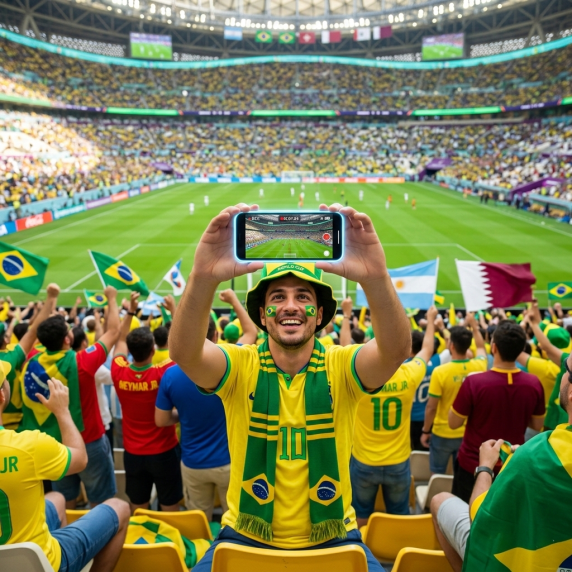
Preguntas Frecuentes
¿Cambiará mi número de WhatsApp si uso un eSIM de viaje?
¡Para nada! Puedes mantener tu SIM física principal activa para llamadas y mensajes, y usar el ByteSIM eSIM solo para datos celulares. Tu WhatsApp seguirá funcionando exactamente como en casa.
¿Puedo usar mis datos de eSIM como un hotspot móvil para mi laptop?
Sí. Los planes de ByteSIM soportan completamente el tethering (hotspot móvil). Esto es perfecto para el perfil de "Trabajador Remoto" que necesita responder correos electrónicos o unirse a una llamada de Zoom entre partidos de la Copa del Mundo.
¿Cuál es el mejor momento para instalar mi eSIM de la Copa del Mundo?
Recomendamos encarecidamente escanear el código QR e instalar el eSIM en tu teléfono el día antes de tu vuelo. Puedes dejarlo desactivado y simplemente activar la línea eSIM en el momento en que tu avión aterrice en América del Norte para una conectividad instantánea 5G/4G.
Planes que pueden interesarte
Comentario