• English
  • Español
  • Français
  • 日本語
  • 한국인
  • 中文(简体)
  • 中文(繁體)
  • 올란드 제도(USD $)
  • 알바니아(USD $)
  • 안도라(USD $)
  • 호주(USD $)
  • 오스트리아(USD $)
  • 벨라루스(USD $)
  • 벨기에(USD $)
  • 보스니아 헤르체고비나(USD $)
  • 불가리아(USD $)
  • 캐나다(USD $)
  • 중국(USD $)
  • 크로아티아(USD $)
  • 키프로스(USD $)
  • 체코(USD $)
  • 덴마크(USD $)
  • 에스토니아(USD $)
  • 페로 제도(USD $)
  • 핀란드(USD $)
  • 프랑스(USD $)
  • 독일(USD $)
  • 지브롤터(USD $)
  • 그리스(USD $)
  • 건지(USD $)
  • 홍콩 특별행정구(USD $)
  • 헝가리(USD $)
  • 아이슬란드(USD $)
  • 아일랜드(USD $)
  • 맨 섬(USD $)
  • 이탈리아(USD $)
  • 일본(USD $)
  • 저지(USD $)
  • 라트비아(USD $)
  • 리히텐슈타인(USD $)
  • 리투아니아(USD $)
  • 룩셈부르크(USD $)
  • 마카오 특별행정구(USD $)
  • 북 마케도니아(USD $)
  • 몰타(USD $)
  • 몰도바(USD $)
  • 모나코(USD $)
  • 몬테네그로(USD $)
  • 네덜란드(USD $)
  • 노르웨이(USD $)
  • 폴란드(USD $)
  • 포르투갈(USD $)
  • 루마니아(USD $)
  • 러시아(USD $)
  • 산 마리노(USD $)
  • 세르비아(USD $)
  • 싱가포르(USD $)
  • 슬로바키아(USD $)
  • 슬로베니아(USD $)
  • 스페인(USD $)
  • 스발바르 & 얀 마옌(USD $)
  • 스웨덴(USD $)
  • 스위스(USD $)
  • 대만(USD $)
  • 우크라이나(USD $)
  • 영국(USD $)
  • 미국(USD $)
  • 바티칸 시국(USD $)

상관 화폐를 찾지 못했습니다

끄기

/ /

From Sydney to the World Cup: How Australian Fans Can Stay Connected Across the USA, Canada, and Mexico

Jun 03,2026 | Nico

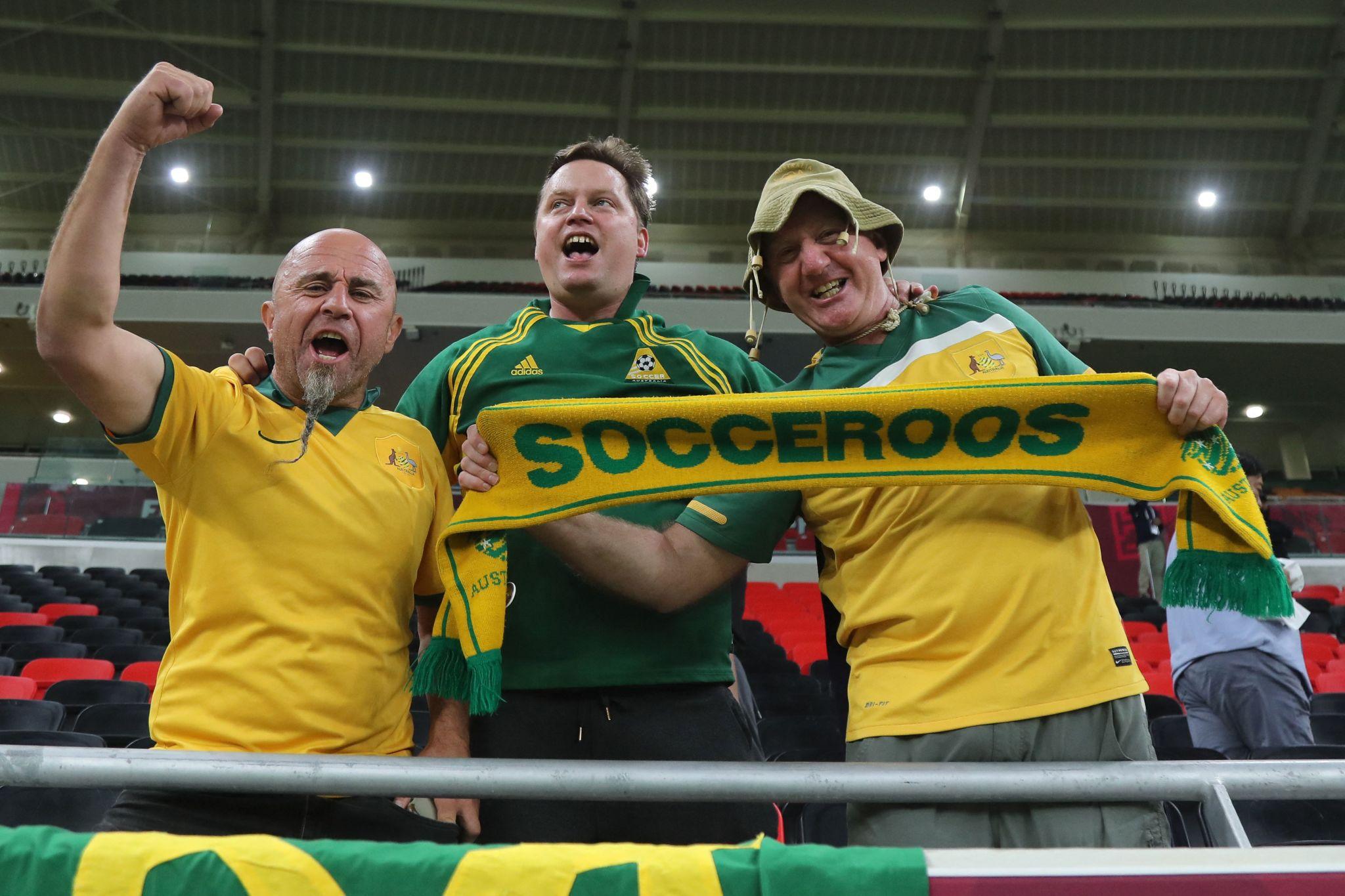
If you’re an Australian fan traveling to the 2026 FIFA World Cup, the biggest challenge won’t be finding matches or buying tickets. It will be staying properly connected across three countries while constantly moving between cities.

Most issues don’t come from “bad signal”, but from how roaming, banking security systems, and app-based stadium services behave overseas.

In this guide, you’ll learn:

  • Why mobile data can feel slower even with full signal
  • Why apps may fail at the worst possible moments
  • Why moving between host cities makes connectivity harder
  • And how to set up a simple, reliable connection before you travel

The goal is simple: help you stay online so you can focus on the matches, not your network.

Why the 2026 World Cup Is Different for Australian Fans

A Multi-Country, Multi-City Tournament Experience
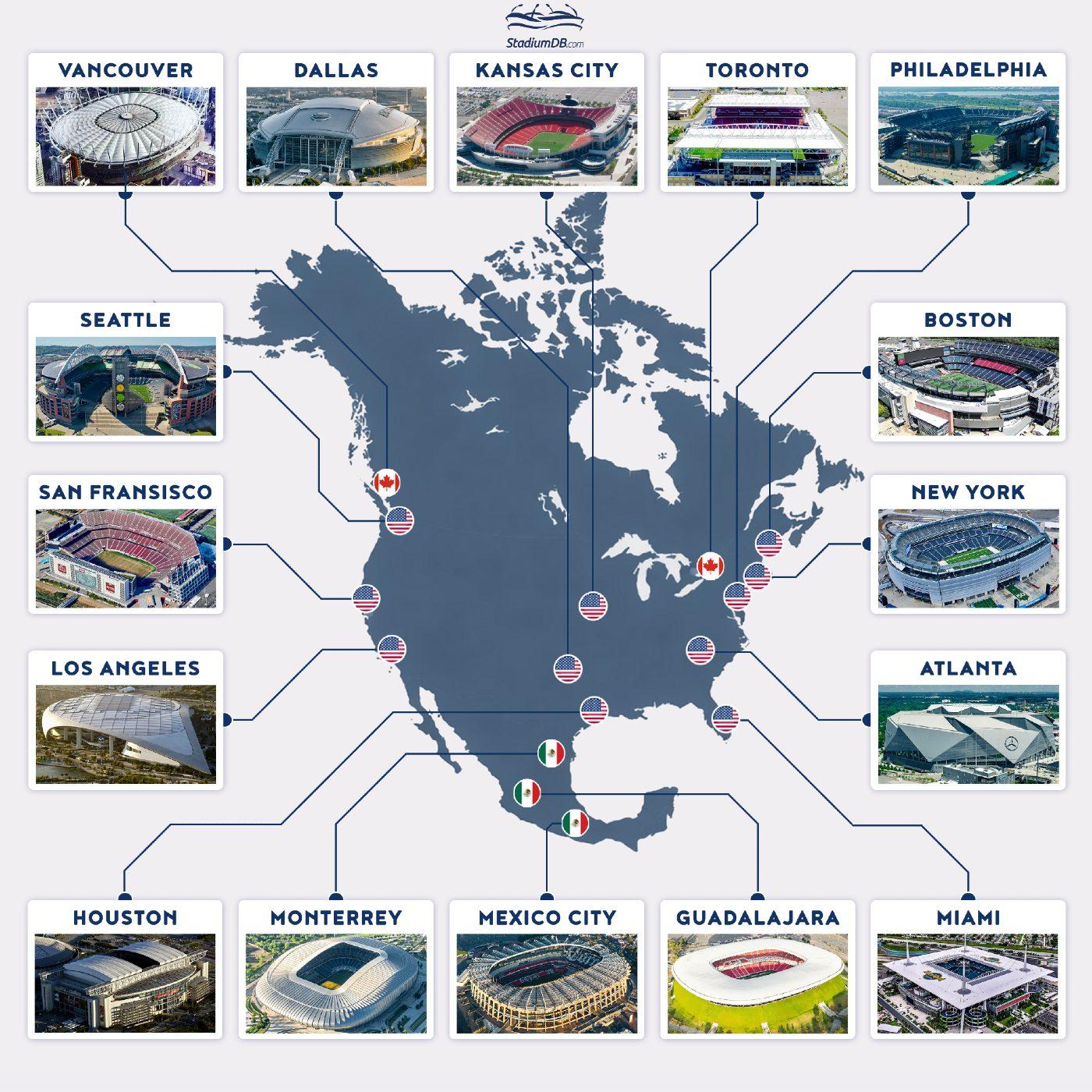
The 2026 World Cup is hosted across the USA, Canada, and Mexico. Australian fans often travel long distances just to reach North America. Many trips involve multiple internal flights between host cities. A single fan journey may include 3–5 cities in one tournament.

Your Phone Becomes Your Travel Infrastructure
Mobile tickets replace physical tickets completely. Navigation apps replace printed maps. Ride-hailing apps replace local transport planning. Banking apps handle almost every payment situation. Messaging apps become your real-time coordination tool.

Why Connectivity Matters More Than Ever
Stadium entry often requires real-time mobile ticket access. Transport booking depends on stable data connection. Security checks happen during payments and ticket purchases. City-to-city movement requires constant app usage.


Challenge #1: Cross-Pacific Roaming Can Feel Slower Than Expected

What Australian Fans Experience
After landing in the USA, Canada, or Mexico, everything may look normal. Full signal bars and 5G indicators can be misleading. Apps still work, but feel noticeably slower than in Australia. Common issues appear during high-traffic moments, especially on match days.

Typical situations include:

  • FIFA ticket pages taking longer to load at stadium entrances
  • Google Maps refreshing slowly when switching between locations
  • WhatsApp messages or media sending with delays
  • Login or verification screens timing out during peak congestion

Why This Happens

  • Many Australian roaming plans use international routing systems.
  • Mobile data may be sent back through home networks before reaching destination services.
  • This creates a longer physical and digital path for every request.
  • Key impact: higher latency (ping) even if download speed looks fine, slower response time for real-time apps, and greater instability in crowded network environments.

How to Avoid It

  • Use a North America–based eSIM instead of traditional roaming.
  • Connect directly to local networks in each host country.
  • Activate your eSIM before departure to avoid setup stress on arrival.
  • Avoid relying on hotel or stadium WiFi during peak match hours.
  • Recommended approach: keep Australian SIM for calls/SMS, use eSIM for all mobile data usage, prioritise local network routing for lower latency.
 

Challenge #2: Constant Travel Between Host Cities Makes Connectivity Unstable

What Australian Fans Experience
The World Cup is spread across multiple cities in three countries. Most Australian fans won’t stay in a single location. Travel becomes a constant part of the tournament experience. A typical journey may look like Sydney → Los Angeles → Dallas → Toronto or Melbourne → Mexico City → Houston → Vancouver.

During these trips, your phone constantly switches environments: airport networks, hotel WiFi, domestic flight connectivity, local mobile networks in different countries. What you may notice:

  • Data works in one city but feels inconsistent in the next
  • Apps need to reload sessions frequently
  • Maps and booking apps reset or lag when changing locations
  • Connectivity drops briefly during travel transitions

Why This Happens

  • Each country has different mobile infrastructure.
  • Roaming handovers between networks are not always seamless.
  • Public WiFi is overloaded during peak travel periods.
  • Airports and hotels prioritize basic browsing, not heavy real-time usage.
  • For Australian fans used to stable domestic coverage, this inconsistency becomes very noticeable during short travel windows between matches.

How to Stay Connected

  • Use a single North America–covering eSIM across all three countries.
  • Avoid switching physical SIM cards during travel.
  • Ensure your data plan works seamlessly across borders (USA, Canada, Mexico).
  • Keep apps logged in to avoid repeated authentication during network changes.
  • Best practice setup: one eSIM = one continuous data layer; Australian SIM = backup for SMS and banking verification; mobile data = primary source for all travel and match-day apps.
 

Challenge #3: Banking and Verification Apps May Interrupt Access

What Australian Fans Experience
While traveling, banking apps may suddenly request extra verification. This often happens without warning during normal usage. Common situations include:

  • Logging into banking apps from a new country
  • Making payments for tickets, hotels, or transport
  • Switching between WiFi and mobile networks

What Australian fans may encounter:

  • SMS verification codes that do not arrive instantly
  • Banking apps asking to re-confirm identity or device
  • Payment attempts failing at checkout
  • Temporary account restrictions during “suspicious activity” checks

Why This Happens

  • Australian banks actively monitor overseas login behavior.
  • New geographic locations can trigger security alerts.
  • Mobile verification systems rely heavily on stable network access.
  • Roaming or weak connectivity can delay or block SMS delivery.
  • The issue is not the banking app itself, but the combination of overseas access + unstable connectivity.

How to Avoid Lockouts

  • Keep your Australian SIM active to receive SMS codes.
  • Use dual SIM (or eSIM + physical SIM) setup if possible.
  • Ensure roaming or messaging services are enabled before departure.
  • Test your banking apps while still in Australia.
  • Recommended setup: Australian SIM → verification and SMS, eSIM → mobile data for all travel apps, stable connection → reduces failed login attempts.
 

Challenge #4: App-First Stadium Experience Requires Reliable Mobile Data

What Australian Fans Experience
Nearly everything around match days is handled through mobile apps. Physical alternatives are limited or completely removed in many cases. Typical scenarios include:

  • FIFA mobile tickets required at stadium entry gates
  • Parking and transport bookings handled via apps
  • Food and drinks ordered through mobile platforms
  • Real-time stadium information pushed via official apps
  • Last-minute gate or seating updates delivered digitally

At peak times—especially 1–2 hours before kickoff—network congestion becomes the norm rather than the exception.

Why This Happens

  • Stadium environments concentrate tens of thousands of mobile users in one area.
  • All fans are accessing similar services at the same time (tickets, maps, updates).
  • Mobile networks prioritize basic connectivity over high-speed stability under load.
  • Many services rely on real-time authentication rather than offline access.
  • It’s not the app that fails—it’s the network capacity around the stadium that becomes saturated.

How to Prepare in Advance

  • Download all essential apps before arriving in North America.
  • Log in to FIFA and ticketing apps while still in Australia.
  • Save tickets offline or add them to mobile wallet where possible.
  • Install transport and navigation apps before match day.

Recommended checklist before departure:

  • FIFA App fully set up
  • Ticketmaster / official ticketing apps logged in
  • Google Maps or Apple Maps downloaded for offline use
  • Ride-hailing apps installed and verified
  • Mobile wallet configured for payments
 

The Best Connectivity Setup for Australian World Cup Travelers

Option 1: International Roaming

Pros: Keeps your Australian number active during travel, no need to change SIM cards, easy to activate before departure.

Cons: Can be expensive for long tournament trips, higher latency compared to local networks, performance depends on roaming agreements in each country, less stable in crowded stadium environments.

Best for: Short trips, backup connectivity only.

Option 2: Local SIM Cards

Pros: Physical SIM purchased in each country, direct access to local mobile networks, often strong performance in a single country.

Cons: Requires changing SIM cards when crossing borders, different providers needed for USA, Canada, and Mexico, setup time needed after arrival in each country, risk of losing access to your Australian number temporarily.

Best for: Long stays in one country, users comfortable managing multiple SIMs.

Option 3: North America eSIM (Recommended)

Pros: One eSIM covers USA, Canada, and Mexico, no physical SIM swapping required, works immediately after activation, connects directly to local networks in each country, designed for seamless cross-border travel.

Key advantages for World Cup travel: Stable connectivity across all host cities, lower latency compared to international roaming, faster access to apps in crowded stadium environments, easy setup before leaving Australia, works continuously during multi-city travel.

Best for: Fans following multiple matches across different countries, travelers moving frequently between host cities, users relying heavily on mobile tickets and apps.


ByteSIM: Built for the 2026 World Cup in North America
For Australian fans traveling from Sydney or Melbourne to the 2026 FIFA World Cup, ByteSIM is designed specifically for one thing: keeping you connected across all three host countries without interruption. Unlike standard roaming or local SIM cards, it is built around multi-city, high-density football travel scenarios.

What You Actually Get (Plan Details)

  • Data Plan: Truly Unlimited (USA & Mexico) – No daily data caps, no sudden speed throttling, designed for heavy usage like maps, tickets, and live match updates.
  • Canada Coverage: 25GB High-Speed Data – Full-speed access in Toronto, Vancouver, and other host cities, optimized for navigation, streaming highlights, and ride-hailing apps.
  • Hotspot Support: Up to 10GB Sharing – Share connection with travel companions, useful for groups moving between stadiums or long transit routes.
  • Phone Number Included: +1 USA Number – Unlimited local calls & SMS across USA, Mexico & Canada, useful for booking confirmations, ride services, and local verification.

Built Specifically for Football Travel
Designed for FIFA World Cup 2026 multi-city travel flow, supports all 16 host cities across USA, Canada, and Mexico, optimized for real-world stadium congestion conditions, keeps essential apps running even during peak match traffic. What this means in practice:

  • Your FIFA ticket loads even at stadium entry gates
  • Your Uber still works after midnight matches
  • Your maps stay responsive when leaving crowded venues

Network Performance Advantage
ByteSIM runs on Tier-1 local networks in North America:

  • AT&T (USA & Mexico): Awarded for reliability performance, strong nationwide 5G coverage, stable connectivity even in large stadium environments.
  • Rogers (Canada): Ranked as Canada’s leader in coverage experience, strong performance in Toronto and Vancouver host cities, reliable upload speeds for sharing match-day content.

Real Support When You Need It
24/7 live support via WhatsApp & Email, average response time under 5 minutes, assistance for activation, setup, and connectivity issues. This is especially important during travel, when you are switching cities, in stadium environments, or dealing with time-sensitive tickets or bookings.

Why This Works for Australian Fans
One setup for the entire tournament (no SIM switching), stable connection across three countries, reliable performance in crowded match-day environments, enough data for maps, tickets, messaging, and travel apps, backup communication options with included phone number.

ByteSIM North America eSIM
Unlimited data in USA/Mexico, 25GB Canada, hotspot support
Get North America eSIM →
 

Match-Day Connectivity Checklist

📋 Before You Leave Australia
✈️ During Travel Between Countries and Cities
⚽ On Match Day (Stadium Environment)
🔄 Emergency Backup Setup

Key Mindset for Australian Fans
Connectivity is not something you “fix on the spot” in North America. It is something you prepare before leaving Australia. The busiest moments (stadium entry, transport, payments) are also the most network-congested. In other words: the smoother your setup before departure, the fewer problems you will face during match day chaos.


© 2026 Australian Fans World Cup Guide — North America eSIM for seamless connectivity across USA, Canada, and Mexico.

논평

성명
이메일
논평