• English
  • Español
  • Français
  • 日本語
  • 한국인
  • 中文(简体)
  • 中文(繁體)
  • 올란드 제도(USD $)
  • 알바니아(USD $)
  • 안도라(USD $)
  • 호주(USD $)
  • 오스트리아(USD $)
  • 벨라루스(USD $)
  • 벨기에(USD $)
  • 보스니아 헤르체고비나(USD $)
  • 불가리아(USD $)
  • 캐나다(USD $)
  • 중국(USD $)
  • 크로아티아(USD $)
  • 키프로스(USD $)
  • 체코(USD $)
  • 덴마크(USD $)
  • 에스토니아(USD $)
  • 페로 제도(USD $)
  • 핀란드(USD $)
  • 프랑스(USD $)
  • 독일(USD $)
  • 지브롤터(USD $)
  • 그리스(USD $)
  • 건지(USD $)
  • 홍콩 특별행정구(USD $)
  • 헝가리(USD $)
  • 아이슬란드(USD $)
  • 아일랜드(USD $)
  • 맨 섬(USD $)
  • 이탈리아(USD $)
  • 일본(USD $)
  • 저지(USD $)
  • 라트비아(USD $)
  • 리히텐슈타인(USD $)
  • 리투아니아(USD $)
  • 룩셈부르크(USD $)
  • 마카오 특별행정구(USD $)
  • 북 마케도니아(USD $)
  • 몰타(USD $)
  • 몰도바(USD $)
  • 모나코(USD $)
  • 몬테네그로(USD $)
  • 네덜란드(USD $)
  • 노르웨이(USD $)
  • 폴란드(USD $)
  • 포르투갈(USD $)
  • 루마니아(USD $)
  • 러시아(USD $)
  • 산 마리노(USD $)
  • 세르비아(USD $)
  • 싱가포르(USD $)
  • 슬로바키아(USD $)
  • 슬로베니아(USD $)
  • 스페인(USD $)
  • 스발바르 & 얀 마옌(USD $)
  • 스웨덴(USD $)
  • 스위스(USD $)
  • 대만(USD $)
  • 우크라이나(USD $)
  • 영국(USD $)
  • 미국(USD $)
  • 바티칸 시국(USD $)

상관 화폐를 찾지 못했습니다

끄기

/ /

SIM Card for Apple Watch: eSIM Setup, International Travel Tips, and World Cup Connectivity

Jun 17,2026 | Nico

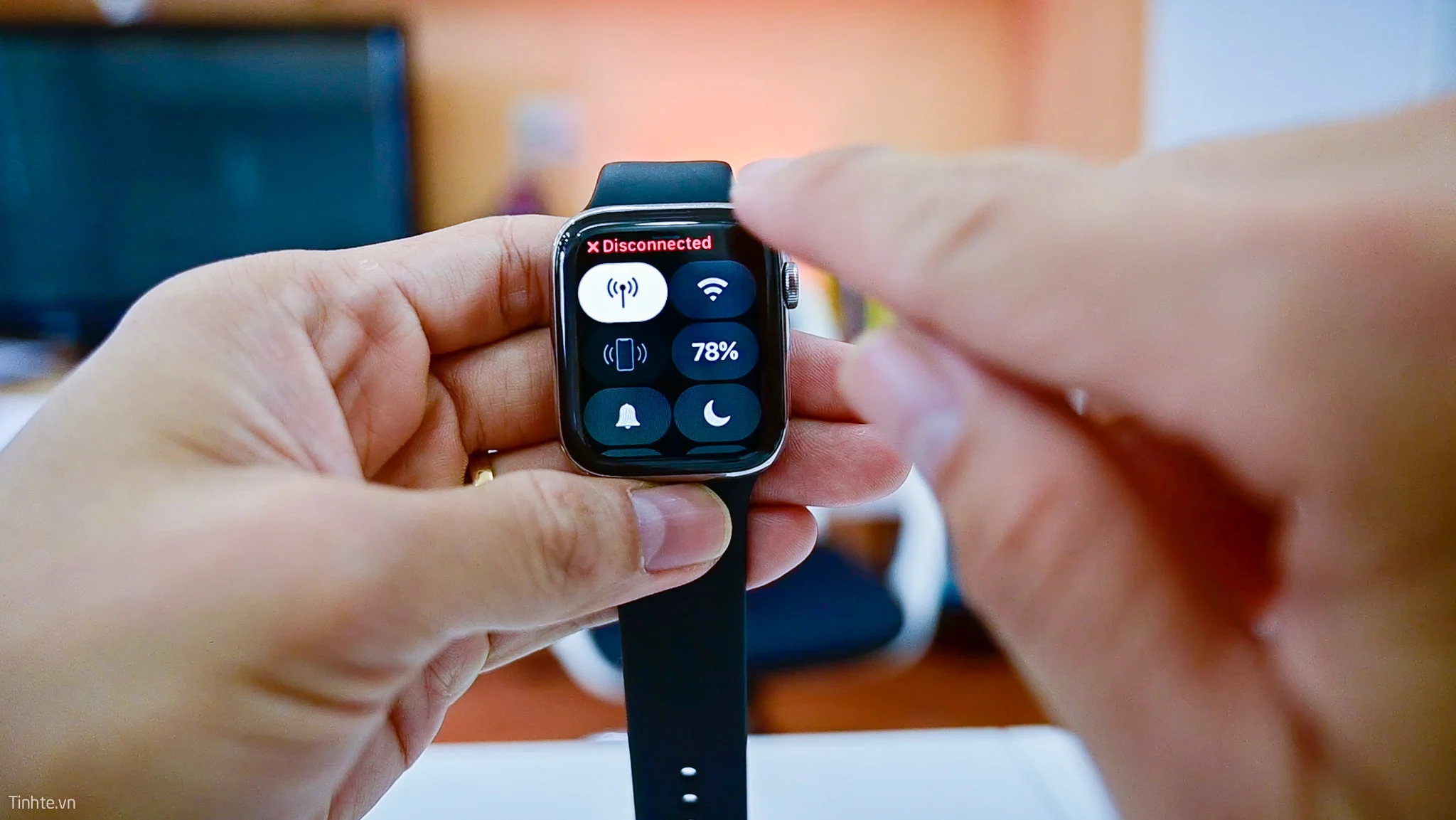
Apple Watch does not use a physical SIM card. Cellular models rely on a built-in eSIM, while GPS models have no mobile connectivity at all. This is why many users get confused during setup, especially when they expect to insert a SIM card like on a phone.

The situation becomes even more important during international travel and the 2026 FIFA World Cup, where staying connected across countries is essential for navigation, tickets, and real-time updates. In this guide, you'll learn how Apple Watch eSIM works, how to activate it, and what the best connectivity setup is for World Cup travelers.

Does Apple Watch Need a SIM Card?

Apple Watch does not support a physical SIM card. Instead, it uses a built-in eSIM on Cellular models to connect to mobile networks. GPS models do not support any cellular connectivity at all.

Here is the simple breakdown:

  • Apple Watch does NOT have a SIM card slot
  • Cellular models use embedded eSIM
  • GPS models rely on iPhone or Wi-Fi only

Quick comparison

Model Cellular Support SIM Type Works Without iPhone
GPS No None No
Cellular Yes eSIM Yes (with activation)

Key takeaway: All cellular connectivity on Apple Watch is handled digitally through eSIM activation via your iPhone and carrier. There is no physical SIM card slot.


Which Apple Watch Models Support eSIM?

Only Apple Watch Cellular models support eSIM. GPS-only models do not have any mobile network capability. In general, most modern Apple Watch Cellular versions support eSIM, including:

  • Apple Watch SE (Cellular)
  • Apple Watch Series 6 and later
  • Apple Watch Ultra
  • Apple Watch Ultra 2

How to Check If Your Apple Watch Supports eSIM
If you are not sure whether your device supports eSIM, you can check it directly on your iPhone. Follow these steps:

  • Open the Watch app on your iPhone
  • Tap Cellular (or Mobile Data)
  • Look for Set Up Cellular option

If you see this option, your Apple Watch supports eSIM activation. If you do not see it, your model is likely GPS-only or not supported by your carrier.

Why this matters for travel
Before traveling to events like the 2026 FIFA World Cup, it is important to confirm eSIM support early. Because:

  • Not all regions support Apple Watch cellular plans
  • Carrier compatibility varies by country
  • Activation must be completed before or during setup

Key takeaway: If your device is not supported, cellular features like calls and messages without iPhone will not work abroad.


How to Set Up and Activate eSIM on Apple Watch

Apple Watch eSIM is not installed physically. It is activated digitally through your iPhone and mobile carrier. If your carrier supports Apple Watch cellular service, setup is usually straightforward.

Step-by-step activation process

  • Confirm you have a Cellular Apple Watch model
  • Make sure your iPhone is connected to a supported carrier
  • Open the Watch app on iPhone
  • Go to Cellular / Mobile Data
  • Tap Set Up Cellular
  • Log in to your carrier account
  • Follow on-screen steps to complete activation

Once completed, your Apple Watch shares your iPhone number and can connect independently when needed.

Common activation problems
Many users run into issues during setup. The most common ones include:

  • Cellular option not showing in Watch app
  • Carrier does not support Apple Watch eSIM
  • Regional restrictions on cellular plans
  • eSIM activation fails during login or verification
  • Plan does not include Apple Watch service add-on

Important note for travelers: If you plan to use Apple Watch during international trips or the 2026 FIFA World Cup, activation should be done before departure. Some carriers do not allow remote activation abroad, roaming support for Apple Watch is limited in many regions, and switching networks in different countries may not be automatic.


Will Apple Watch Cellular Work During the 2026 FIFA World Cup?

Apple Watch Cellular can work during the 2026 FIFA World Cup, but performance depends heavily on your carrier and roaming support. Since the tournament will be hosted across the United States, Canada, and Mexico, many travelers will move between countries during the event.

What may work
If your Apple Watch eSIM is properly activated and supported by your carrier:

  • Calls and messages may still work via cellular
  • Notifications can be received without your iPhone nearby
  • Apple Pay can be used at stadiums and shops
  • Basic connectivity functions remain available in supported regions

Potential issues during the World Cup
However, there are important limitations:

  • International roaming for Apple Watch is not universally supported
  • Some carriers restrict Apple Watch usage outside home country
  • Cross-border switching (US ↔ Canada ↔ Mexico) may not be seamless
  • Additional roaming charges may apply depending on your plan

Example scenario: A user travels from the United States to Canada for a match. Their iPhone may connect via roaming or local network, but Apple Watch cellular service may not automatically activate in the new country. This inconsistency is why many travelers do not rely solely on Apple Watch cellular during international events.

Key takeaway: Apple Watch is reliable for daily use, but during multi-country events like the World Cup, connectivity depends on carrier rules, roaming support is not guaranteed, and a stable phone data connection becomes the foundation for most usage scenarios.


Can You Use a Travel eSIM on Apple Watch?

No, most travel eSIMs cannot be installed directly on Apple Watch. This is an important point because many users assume that once they buy an eSIM, it will work on all devices. In reality, travel eSIMs are designed mainly for smartphones, not wearables.

Supported devices for travel eSIMs
Most providers, including ByteSIM, Airalo, and Nomad, are primarily built for iPhone, Android smartphones, and tablets (in some cases). They are not designed for Apple Watch eSIM activation.

Why Apple Watch is different
Apple Watch uses a tightly controlled eSIM system that:

  • Requires carrier-specific activation
  • Must be linked to an iPhone plan
  • Depends on Apple's carrier partnership list

Because of this, third-party travel eSIMs cannot be directly installed on Apple Watch.

What this means for travelers
If you are traveling during the 2026 FIFA World Cup:

  • You cannot replace Apple Watch cellular with a travel eSIM
  • You still need an iPhone connection as the base
  • Apple Watch depends on your phone's network for most functionality

Key takeaway: Travel eSIMs are useful for international connectivity, but they are mainly for phones. They do not directly power Apple Watch cellular features. Apple Watch connectivity still depends on carrier-supported eSIM plans.


Best Connectivity Setup for Apple Watch Users Attending the 2026 World Cup

Since Apple Watch cannot use travel eSIMs directly, the most practical solution is to optimize your iPhone + Apple Watch pairing setup. The goal is simple: keep your iPhone fully connected, so your Apple Watch stays useful anywhere during the tournament.

Recommended setup

  • iPhone: Travel eSIM (e.g., ByteSIM North America eSIM)
  • Apple Watch: Connected via Bluetooth + Wi-Fi + iPhone network

This setup ensures your Apple Watch continues to function normally while your iPhone handles all mobile data.

Why this setup works well during the World Cup
During the 2026 FIFA World Cup, travelers typically rely on their phone for everything:

  • Stadium entry tickets and QR codes
  • Google Maps navigation between venues
  • Uber or ride-hailing apps
  • Live match updates and notifications
  • Messaging apps like WhatsApp or iMessage

With a travel eSIM on your iPhone:

  • You avoid expensive roaming charges
  • You get stable high-speed data across countries
  • You can switch between USA, Canada, and Mexico more easily

Your Apple Watch then simply extends these functions for quick access on your wrist.

Example real-world flow

  • You arrive in a new host city
  • iPhone connects automatically via ByteSIM eSIM
  • Apple Watch immediately syncs via Bluetooth
  • You receive match alerts and directions instantly

No manual switching is needed on the watch.

Key takeaway: For World Cup travelers, the best setup is not trying to make Apple Watch independent. Instead, make the iPhone the main connectivity device, use a travel eSIM for stable data, and let Apple Watch function as a lightweight extension. This combination is currently the most reliable way to stay connected across multiple countries during the tournament.

ByteSIM North America eSIM
Unlimited data in USA/Mexico, 25GB Canada, hotspot support
Get North America eSIM →
 

Final Verdict

Apple Watch does not use a physical SIM card, and all cellular models rely on an embedded eSIM instead.

  • Apple Watch has no SIM card slot
  • Cellular models require carrier-supported eSIM activation
  • GPS models have no mobile network capability at all

For 2026 FIFA World Cup travelers
If you are attending matches across the United States, Canada, or Mexico, the most reliable setup is:

  • Use a travel eSIM on your iPhone
  • Keep Apple Watch connected via Bluetooth/Wi-Fi
  • Avoid relying solely on Apple Watch cellular roaming

This ensures stable connectivity across cities, lower roaming costs, and reliable access to maps, tickets, and live updates.


FAQ

Does Apple Watch have a SIM card slot? +

No. Apple Watch does not have a SIM card slot. Cellular models use a built-in eSIM instead of a physical SIM card.

Can I put a physical SIM card in an Apple Watch? +

No. Physical SIM cards are not supported on any Apple Watch model. All cellular connectivity is handled through eSIM activation.

How do I activate eSIM on Apple Watch? +

You can activate it through your iPhone: Open the Watch app, tap Cellular, select Set Up Cellular, log in to your carrier account, and complete the activation steps.

Which Apple Watch models support eSIM? +

Only Cellular models support eSIM, including Apple Watch SE (Cellular), Apple Watch Series 6 and later, Apple Watch Ultra, and Apple Watch Ultra 2. GPS models do not support eSIM.

Will Apple Watch Cellular work internationally? +

It depends on your carrier. Some carriers support international roaming for Apple Watch, while others restrict usage to the home country. Cross-border performance is not always guaranteed.

Can I use a travel eSIM on Apple Watch? +

No. Most travel eSIMs (including ByteSIM, Airalo, and Nomad) are designed for smartphones only and cannot be installed directly on Apple Watch.

What is the best eSIM for the 2026 FIFA World Cup? +

The best option is a travel eSIM for your iPhone, such as a North America plan covering the United States, Canada, and Mexico. Apple Watch then works through your iPhone connection.

Do I need roaming if I use a travel eSIM? +

No. If your iPhone uses a travel eSIM, you can avoid most traditional roaming charges. Your Apple Watch will still function normally through your iPhone's data connection.

Final takeaway: Apple Watch is a powerful companion device, but its cellular capability depends on carrier-supported eSIM activation. For World Cup travel across North America, the most reliable approach is to use a travel eSIM on your iPhone and keep your Apple Watch connected via Bluetooth — ensuring you stay connected without relying on limited smartwatch roaming.

© 2026 Apple Watch eSIM Guide — Cellular setup, travel connectivity, and World Cup tips.

논평

성명
이메일
논평