• English
  • Español
  • Français
  • 日本語
  • 한국인
  • 中文(简体)
  • 中文(繁體)
  • 中國(USD $)
  • 丹麥(USD $)
  • 日本(USD $)
  • 比利時(USD $)
  • 加拿大(USD $)
  • 台灣(USD $)
  • 白俄羅斯(USD $)
  • 立陶宛(USD $)
  • 冰島(USD $)
  • 列支敦士登(USD $)
  • 匈牙利(USD $)
  • 安道爾(USD $)
  • 西班牙(USD $)
  • 克羅地亞(USD $)
  • 希臘(USD $)
  • 拉脫維亞(USD $)
  • 法國(USD $)
  • 法羅群島(USD $)
  • 波斯尼亞和黑塞哥維那(USD $)
  • 波蘭(USD $)
  • 直布羅陀(USD $)
  • 芬蘭(USD $)
  • 阿爾巴尼亞(USD $)
  • 俄羅斯(USD $)
  • 保加利亞(USD $)
  • 美國(USD $)
  • 英國(USD $)
  • 香港特別行政區(USD $)
  • 挪威(USD $)
  • 格恩西島(USD $)
  • 烏克蘭(USD $)
  • 馬耳他(USD $)
  • 馬其頓(USD $)
  • 捷克共和國(USD $)
  • 曼島(USD $)
  • 梵蒂岡(USD $)
  • 荷蘭(USD $)
  • 斯瓦爾巴和揚馬廷(USD $)
  • 斯洛文尼亞(USD $)
  • 斯洛伐克(USD $)
  • 黑山(USD $)
  • 塞浦路斯(USD $)
  • 塞爾維亞(USD $)
  • 奧地利(USD $)
  • 奧蘭群島(USD $)
  • 意大利(USD $)
  • 愛沙尼亞(USD $)
  • 愛爾蘭(USD $)
  • 新加坡(USD $)
  • 瑞士(USD $)
  • 瑞典(USD $)
  • 聖馬力諾(USD $)
  • 葡萄牙(USD $)
  • 德國(USD $)
  • 摩納哥(USD $)
  • 摩爾多瓦(USD $)
  • 澤西島(USD $)
  • 澳大利亞(USD $)
  • 澳門特別行政區(USD $)
  • 盧森堡(USD $)
  • 羅馬尼亞(USD $)

未找到相關貨幣

關閉

/ /

FIFA World Cup 2026 Ultimate Guide: Stadiums, Travel Tips & Best eSIM for USA, Canada & Mexico

Mar 03,2026 | Milo

Introduction: The Biggest World Cup in History

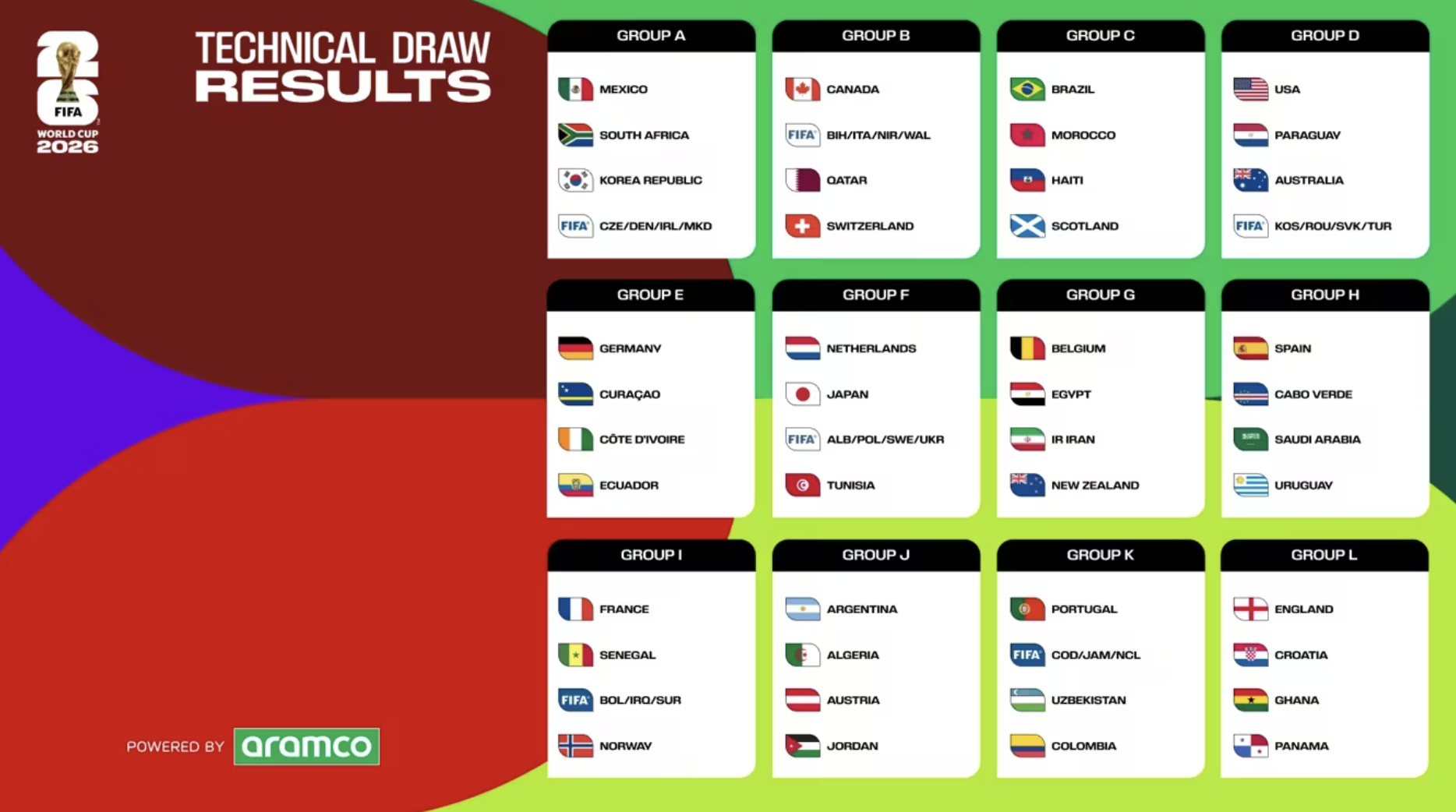
The countdown to the FIFA World Cup 2026 has officially begun, and it is set to be the biggest football event in history. For the first time, 48 teams will compete, bringing more matches and excitement to fans around the world. This historic tournament will take place across 16 host cities in the United States, Canada, and Mexico. While the energy is high, traveling across three massive countries brings unique challenges for every visitor.

FIFA World Cup 2026

Navigating North America requires careful planning. You might watch an opening match in Mexico City and then fly to Los Angeles or Toronto for the next round. During this journey, staying connected is one of the most important things for any international traveler. Unfortunately, public Wi-Fi in crowded stadiums is often slow, unreliable, or even unsafe. Using your home SIM card can also lead to very expensive roaming charges. Buying new local SIM cards in each country is a hassle because it involves waiting in long lines and swapping tiny physical cards.

Navigating North America

This guide is designed to be your companion for a smooth and connected trip. We provide the practical tips you need to navigate the 2026 World Cup with ease. The best solution for your journey is a North America Regional eSIM. This technology allows you to stay online across the USA, Canada, and Mexico without ever having to change your SIM card. Whether you are using GPS to find the stadium or sharing live updates with friends, you will have high-speed data the moment you arrive. Let’s dive into the details so you can focus on the football and enjoy this once-in-a-lifetime experience.

The 2026 World Cup Event Guide & Practical Information

Knowing the logistics of the 2026 World Cup is the first step to planning a successful trip. Because this tournament is so large, you need to understand where the matches are and how to move between the host nations.

Host Cities and Stadiums: 16 Iconic Venues

The 2026 World Cup will be played in 16 cities across North America. Each stadium offers a different atmosphere, from the high-tech arenas in the United States to the historic football cathedrals in Mexico. Here is the breakdown of where the action will happen:

United States Stadiums

1. United States (11 Cities)

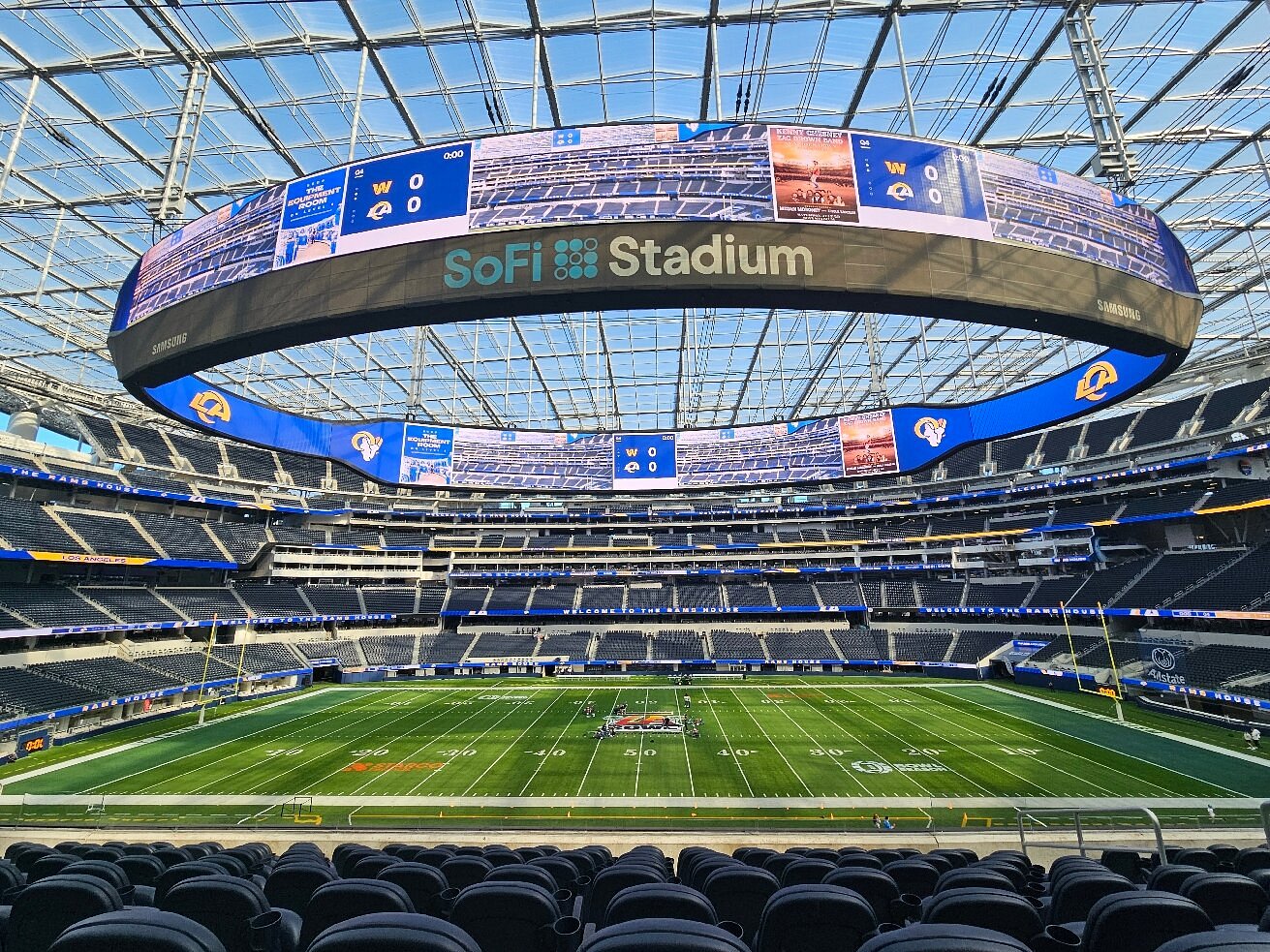
Most of the matches, including the final, will take place here. Major venues include MetLife Stadium (New York/New Jersey), SoFi Stadium (Los Angeles), AT&T Stadium (Dallas), and Mercedes-Benz Stadium (Atlanta). Other host cities include Miami, San Francisco, Seattle, Houston, Kansas City, Philadelphia, and Boston.

Mexico Stadiums

2. Mexico (3 Cities)

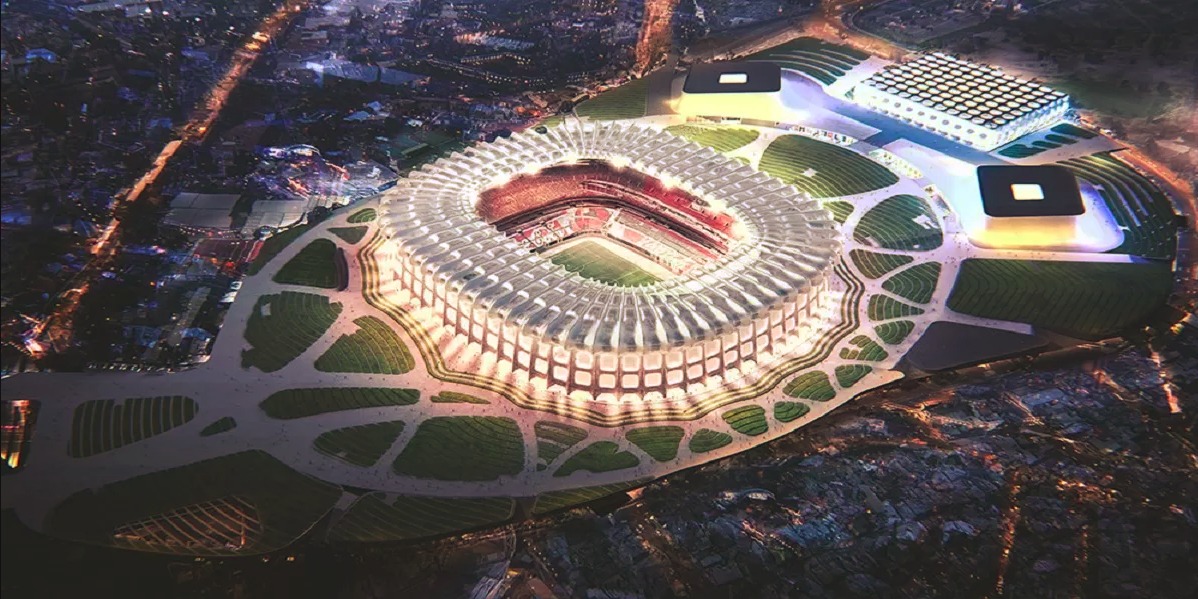
Mexico brings a rich football history to the tournament. The legendary Estadio Azteca in Mexico City will host the opening match. Fans will also visit Estadio BBVA in Monterrey and Estadio Akron in Guadalajara.

Canada Stadiums

3. Canada (2 Cities)

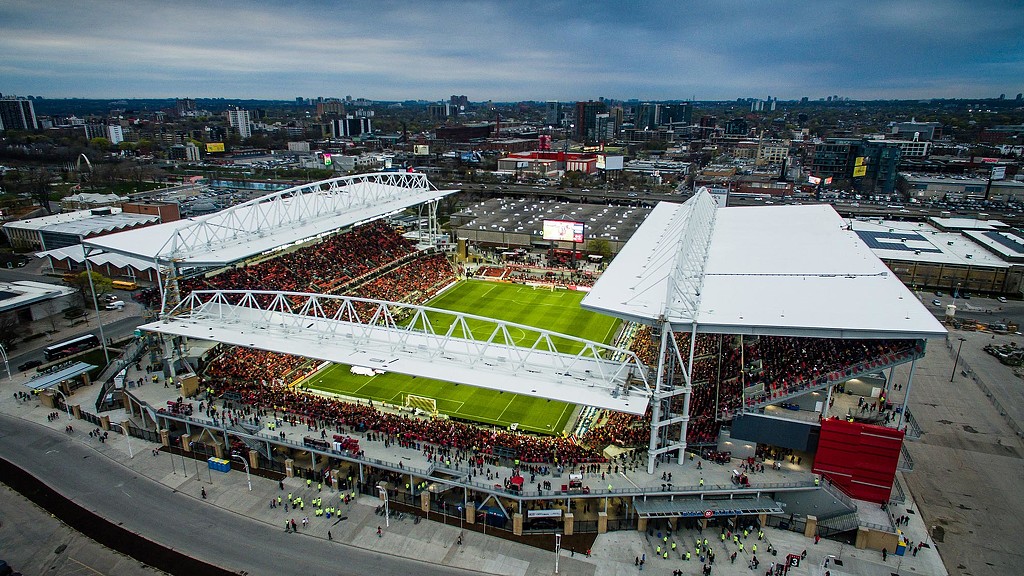
Canada will host matches in BMO Field in Toronto and BC Place in Vancouver. These cities are known for their beautiful scenery and diverse fan bases.

Schedule at a Glance

The tournament will run for 39 days, making it the longest World Cup ever. Below is a quick guide to the most important dates and stages of the competition:

Stage Dates Key Locations / Events
Opening Match 11-Jun-26 Estadio Azteca, Mexico City (Mexico kicks off)
Group Stage June 11 – June 27 Held across all 16 host cities
Round of 32 June 28 – July 3 The first-ever 48-team knockout round
Round of 16 July 4 – July 7 Independence Day matches in the USA
Quarter-finals July 9 – July 11 Los Angeles, Kansas City, Miami, Boston
Semi-finals July 14 – July 15 Dallas and Atlanta
Bronze Final 18-Jul-26 Hard Rock Stadium, Miami
World Cup Final 19-Jul-26 MetLife Stadium, New York/New Jersey

Cross-Border Travel Logistics

Crossing borders between the USA, Canada, and Mexico is a major part of the 2026 World Cup experience. However, there is no "World Cup Visa" that covers all three countries. You must check the requirements for your specific nationality.

🇺🇸 USA Entry

Most travelers will need a B1/B2 Visitor Visa. If you are from a country in the Visa Waiver Program, you must apply for an ESTA at least 72 hours before you travel.

🇨🇦 Canada Entry

Many visitors need a Visitor Visa. If you are from a visa-exempt country and arriving by air, you will need an Electronic Travel Authorization (eTA).

🇲🇽 Mexico Entry

Mexico is generally very open to tourists. Many nationalities do not need a visa for short stays, but you should still confirm if you need a Visitor Visa or a FMM (Tourist Card) upon arrival.

💡 Pro Tip: If you have a valid U.S. visa, you can often enter Mexico and parts of Canada more easily. Always carry your physical passport, as digital copies are not accepted at border crossings.

Transportation: Flying vs. Driving

Because of the vast distances between cities, your choice of transport is critical.

✈️

Flying: The Fastest Option

For most fans, flying is the only practical way to move between regions. A flight from Mexico City to Toronto takes about 5 hours, while driving would take days. Major airlines will increase flights between host cities, but you should book at least 6 months in advance to avoid extreme price hikes.

🚗

Driving: Best for Regional Clusters

Driving is a great option if you are staying within a specific region. For example, the "Northeast Cluster" (Philadelphia, New York, and Boston) is very easy to navigate by car or even the Amtrak train. In the "West Coast Cluster" (Vancouver, Seattle, and San Francisco), a road trip offers beautiful views, but be prepared for heavy traffic near the stadiums.

🛂

Renting a Car

If you plan to drive, rent your vehicle early. Remember that crossing international borders in a rental car often requires special insurance and permission from the rental company.

The Connectivity Challenge: Why Staying Online is Hard

Staying online in a crowded, high-demand environment is one of the biggest challenges for any fan attending the 2026 World Cup. Understanding these "Network Pain Points" will help you avoid frustration and ensure you can share every goal in real-time.

The "Stadium Dark Zone": A Huge Problem

Imagine 80,000 people inside MetLife Stadium or Estadio Azteca, all trying to upload a video, call a friend, or check live scores simultaneously. This massive amount of data traffic creates what tech experts call a "Dark Zone."

🚫 Network Overload

Even the most modern stadium networks struggle and crash under the pressure of 80,000 simultaneous connections.

🐢 Slow Public Wi-Fi

Public Wi-Fi is rarely the solution, often providing frustratingly slow speeds when you need it most.

🔓 Security Risks

Public hotspots are often unsecured, making your personal information and banking apps vulnerable to hackers.

The Hidden Costs of International Roaming

Many fans assume they can simply use their home country’s SIM card. However, relying on traditional carriers abroad is notoriously problematic and expensive.

💸 Massive "Bill Shock"

Carriers often charge expensive "pay-as-you-go" rates that can lead to hundreds of dollars in unexpected fees when you return home.

🐌 Speed Throttling

"Daily roaming passes" often throttle your data to extremely slow 2G or 3G speeds after a small cap, ruining modern apps and video streaming.

🌎 Multi-Country Headache

Because the 2026 World Cup is a cross-border event, tracking three different roaming policies and rates for the USA, Canada, and Mexico is a hassle you don't need.

The Physical SIM Card Hassle

In the past, the only way to avoid roaming fees was to buy a local physical SIM card. At an event like the World Cup, this is a major hassle. Bypass these common pain points by going digital:

⏳ Long Lines

Thousands of fans will be waiting at airport kiosks for a SIM card upon arrival.

🗣️ Language Barriers

Buying a SIM card in a foreign language (especially in Mexico) can be confusing.

📱 Losing Your Number

Swapping tiny physical cards means you risk losing your original SIM and access to SMS verification (2FA).

Thus, the best way to enjoy the World Cup is to have your internet ready before you arrive. In the next section, we will explain why a North America Regional eSIM is the ultimate tool for the modern football fan.

The Ultimate Connectivity Solution: ByteSIM

To make your 2026 World Cup journey successful, you need a connection that moves with you. Whether you are navigating the subway in New York, exploring the historic streets of Mexico City, or catching a train in Toronto, the ByteSIM North America Regional eSIM is your best choice.

  • One Card, Three Nations: Built for the "United" tournament structure. Cross borders seamlessly without changing SIMs.
  • True Unlimited Data: Optimized for smooth 1080p HD streaming. Watch match highlights or join video calls without lag.
  • Flexible Options: Choose daily plans (500MB to 2GB/day) or total data packages up to 50GB.
  • No ID Required: Buy and activate instantly without sharing sensitive personal documents (passport/ID).
  • Hotspot Supported: Share your high-speed 5G data with your laptop, iPad, or friends struggling with stadium Wi-Fi.
🇺🇸

USA: Dual-Network

Powered by T-Mobile + Verizon. Get urban 5G speeds in cities like NYC and LA, plus massive coverage for cross-country travel.
(Native plans with +1 phone numbers available!)

🇨🇦

Canada: Peak Speed

Utilizing Bell (up to 191.4 Mbps) & TELUS (9.5/10 Coverage Score). The Mega Data Plan includes a local Canadian number and unlimited local + international calls to 30 countries.

🇲🇽

Mexico: Fastest 5G

Partnered with Telcel (Mexico’s fastest 5G) & AT&T Mexico. Enjoy unmatched 5G speeds (up to 5x faster than standard 4G) from the altitude of Mexico City to the beaches of Cancun.

Quick Start Guide: 3 Steps to Connectivity

1

Select Your Plan

Choose Regional eSIM for multiple countries, or a Native Plan for a local phone number.

2

Check Your Email

Within minutes of purchase, you will receive your eSIM installation details and QR code.

3

Install Before Flying

Install via Wi-Fi at home. Once landed, simply turn on "Data Roaming" to connect instantly.

FAQ: World Cup Connectivity

Do I need separate visas for the USA, Canada, and Mexico?

Yes. There is no "World Cup Visa." You must meet entry requirements individually (e.g., ESTA for USA, eTA for Canada, Tourist Card for Mexico). Check requirements 6–9 months in advance.

Can I use the same eSIM in all three host countries?

Absolutely—if you choose the ByteSIM North America Regional eSIM. Your phone will automatically switch to the best local network as soon as you cross the border.

How much data do I need to stream a World Cup match?

HD streaming typically consumes 2.5GB-3GB per hour. Budget around 6GB per match. Our Unlimited Data plans are best for fans watching live coverage. If you opt for fixed data plans, try our World Cup Data Usage Calculator to find your perfect match.

When should I install my ByteSIM eSIM?

Install it 1–2 days before you fly while on stable home Wi-Fi. Keep the line "Off" until you land, then switch it "On" and enable "Data Roaming."

Can I have multiple phones scan the same QR code?

No. Once a QR code is scanned, the binding is established. It cannot be scanned multiple times or used by other phones.

Plans that may interest you