

OPPO Watch eSIM: 활성화하기 전에 알아야 할 사항
Jun 23,2026 | Milo
최근 OPPO Watch(Watch 4 Pro 또는 글로벌 Watch X 시리즈와 같은)를 구입했거나 국제 여행을 계획하고 있다면, 아마도 많은 실용적인 질문이 있을 것입니다. 실제로 셀룰러 요금제를 어떻게 작동시키나요? 그리고 더 중요한 것은 — 국제 국경을 넘을 때 당신의 시계는 어떻게 되나요?
여기 OPPO Watch eSIM 설정을 위한 실용적이고 현실적인 가이드가 있으며, 해외에서 과도한 로밍 요금을 발생시키지 않고 연결 상태를 유지하는 가장 스마트한 방법입니다.
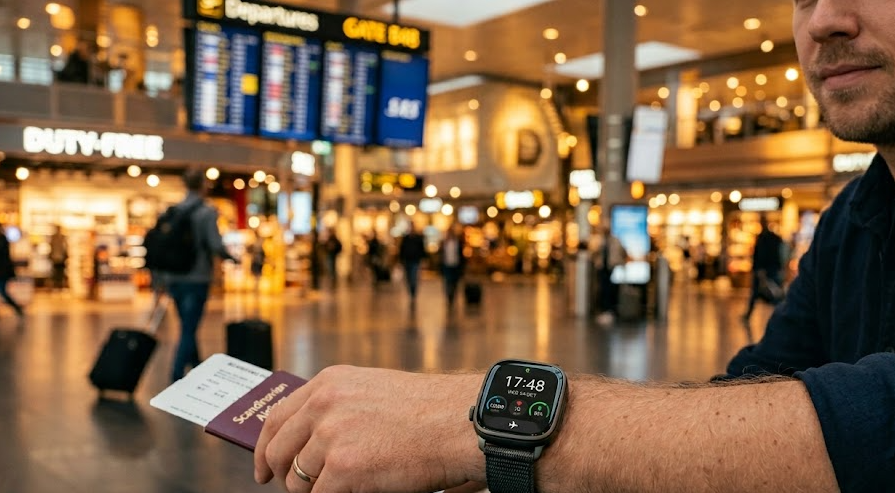
어떤 OPPO 스마트워치가 eSIM을 지원하나요?
모든 OPPO Watch가 셀룰러 네트워크에 연결될 수 있는 것은 아닙니다. 존재하지 않는 메뉴를 찾느라 한 시간을 낭비하기 전에 하드웨어를 확인하세요. 일반적으로 기본 Wi-Fi/Bluetooth 버전은 셀룰러 기능이 없습니다. 특정 모델을 찾아야 합니다. 예를 들어:
| 모델 | eSIM 지원 | 메모 |
|---|---|---|
| 오포 워치 (41mm / 46mm) | 예 | LTE/eSIM 버전만 해당 |
| 오포 워치 2 | 예 | 독립 번호 및 번호 공유를 지원합니다. |
| 오포 워치 SE | 예 | 일부 eSIM 변형 제품에서 사용 가능합니다. |
| 오포 워치 프로 3 | 예 | 내장형 eSIM 지원 |
| 오포 워치 프로 4 | 예 | 독립형 셀룰러 연결을 지원합니다. |
| 오포 워치 X3 | 예* | eSIM 중국 버전에서 확인됨; 글로벌 가용성은 다를 수 있습니다 |
| 오포 워치 X3 미니 | 예* | eSIM 지원되는 지역 모델에서 사용 가능 |
* 국가 및 펌웨어 버전에 따라 통신사 지원 및 소프트웨어 기능이 다를 수 있습니다. OPPO 스마트폰 또는 기타 eSIM 호환 장치를 찾고 계신다면, 저희 목록을 확인해 보세요.eSIM-호환 장치최신 지원 모델에 대한 정보입니다.
오포 워치 eSIM이 왜 그렇게 많은 구매자들을 혼란스럽게 하는가?
많은 사용자들은 OPPO Watch가 eSIM을 지원하면 활성화가 간단할 것이라고 가정합니다. 실제로 스마트워치 eSIM 서비스는 스마트폰 eSIM보다 더 복잡할 수 있습니다.
- 버전별 변형:모든 OPPO Watch 버전이 셀룰러 연결을 포함하는 것은 아닙니다. 일부 모델은 유사한 이름으로 Bluetooth 전용 및 LTE/eSIM 변형으로 판매됩니다. 잘못된 버전을 구매하는 것은 흔한 실수입니다.
- 지역별 차이점:중국에서 구매한 시계는 동일 모델의 국제 버전에서는 제공되지 않는 기능이나 통신사 파트너십을 지원할 수 있습니다.
- 통신사 호환성:시계가 eSIM을 지원하더라도, 성공적인 활성화는 운영자에게 달려 있습니다. 일부는 특정 브랜드만 지원하며, 다른 일부는 특정 웨어러블 요금제나 번호 공유 서비스가 필요합니다.
OPPO 워치 활성화 방법 eSIM
대부분의 튜토리얼은 "QR 코드를 스캔하세요"라는 일반적인 설명을 제공합니다. 하지만 웨어러블 프로비저닝을 다뤄본 적이 있다면, 그것이 그렇게 간단하지 않다는 것을 알 것입니다. 다음은 따라야 할 실제 워크플로우입니다:
1단계: 적합한 앱 환경 설정
이것은 시계 자체에서 기본적으로 설정할 수 없습니다. 연결된 스마트폰이 필요합니다.헤이탭 헬스 앱설치됨(운영자 프로필 버그를 피하기 위해 최신 버전으로 업데이트되었는지 확인하십시오).
2단계: 페어링 프로세스 시작
- 휴대폰에서 HeyTap Health 앱을 엽니다.
- 가다관리 > 장치 통신 (또는 귀하의 소프트웨어 지역에 따라 'eSIM 관리'입니다).
- 선택하다 설정 eSIM.
3단계: "단일 번호" vs. "개별"
귀하의 지역 운송업체는 아마도 두 가지 선택을 제공할 것입니다:
프롬프트를 따라 앱을 통해 지역 통신 제공업체의 포털에 로그인하고 eSIM 프로필을 시계에 다운로드하세요. 다운로드하는 동안 전화기가 시계 바로 옆에 있어야 하며, 그렇지 않으면 설치가 시간 초과됩니다.
OPPO Watch eSIM를 지원하는 이동통신사는 어디인가요?
LTE 스마트워치를 구매하는 것은 전투의 절반에 불과합니다; 실제로 지역 통신 제공업체가 이를 지원하도록 하는 것이 나머지입니다. 스마트워치 eSIM 프로비저닝은 notoriously 엄격하며, 종종 승인된 장치의 "화이트리스트"에 의존합니다. OPPO 시계는 일부 지역에서 매우 인기가 있지만 다른 지역에서는 틈새 시장으로 간주되기 때문에, 통신사 지원은 크게 다릅니다.
현재 주요 지역의 상황은 다음과 같습니다:
핵심 조언:항상 구매하기 전에 귀하의 지역 운송업체에 직접 확인하십시오 eSIM-이 활성화된 OPPO Watch 버전. 그들이 "스마트워치 요금제"를 제공한다고 해서 OPPO 장치를 활성화할 것이라고 가정하지 마십시오.
OPPO Watch eSIM을(를) 전화 없이 사용할 수 있나요?
이것이 바로 웨어러블 기술의 궁극적인 꿈이죠, 그렇죠? 5K 러닝을 하러 나가면서 무거운 스마트폰을 주방 카운터에 두고, 완전히 연결이 끊기지 않았다는 것을 아는 것입니다.
간단히 답하자면 다음과 같습니다.네, 대체로 그렇습니다.LTE에 eSIM로 연결되면 시계는 독립형 장치가 되지만 일부 기능은 여전히 전화 동기화에 의존합니다.
여기 당신의 전화가 남겨졌을 때 정확히 작동하는 것(그리고 작동하지 않는 것)이 있습니다:
| 기능 | 휴대폰 없이 (LTE를 통한 독립형) |
|---|---|
| 전화 통화 | ✅ 예 (생성 및 수령) |
| 문자 메시지 | ✅ 예 |
| 음악 스트리밍 | ✅ 예 (Spotify, 로컬 앱) |
| GPS 및 지도 | ✅ 예 (실시간 내비게이션) |
| WhatsApp 알림 | ⚠️ 제한됨 (종종 전화기가 켜져 있고 인터넷에 연결되어 있어야 하며, 다리 역할을 합니다) |
| 타사 앱 동기화 | ⚠️ 제한됨 (데이터가 Bluetooth를 통해 다시 연결할 때까지 건강 앱에 동기화되지 않을 수 있습니다) |
OPPO 시계에서 국제 여행 eSIM을 사용할 수 있나요?
일본, 유럽 또는 미국으로 여행을 계획하고 있다면, 아마 이렇게 생각할 것입니다: "저렴한 여행 eSIM를 구매하고 QR 코드를 내 OPPO Watch에 스캔할 거야!"
❌ 힘든 진실: 표준 여행 eSIM을 OPPO Watch에 직접 설치할 수 없습니다.
왜냐하면? 세 가지 실망스러운 기술적 장애물 때문입니다:
- 통신사 제한 사항:웨어러블 eSIM 프로필은 스마트폰 프로필과 완전히 다릅니다. 여행 eSIM 제공업체는 스마트워치 전용 QR 코드를 생성하지 않습니다.
- 운영체제 제한 사항:시계에서 코드를 스캔하기 위해 카메라 앱을 열 수는 없습니다. 시계는 HeyTap Health 동반 앱에 의존하며, 비파트너 통신 프로필을 적극적으로 차단합니다.
- 활성화 제한:대부분의 여행 eSIM은 수동 APN 구성 또는 데이터 로밍 설정 전환이 필요합니다. 이러한 메뉴는 스마트워치 운영 체제에서 숨겨져 있거나 존재하지 않습니다.
여행객을 위한 더 나은 솔루션
돈을 낭비하지 말고 여행 계획을 시계에 강제로 적용하려고 하지 마세요. 가장 안정적이고 비용 효율적이며 확실한 방법은 허브 앤 스포크 접근 방식을 사용하는 것입니다. 여행할 때:
- 스마트폰에 ByteSIM eSIM 설치하세요비행 전에.
- 시계의 셀룰러 연결을 해제하세요꺼져 있음배터리 소모를 줄이고 로밍 요금을 피하기 위해서입니다.
- OPPO Watch를 Bluetooth를 통해 전화에 연결하세요.
ByteSIM는 귀하의 전화에 해외에서 신뢰할 수 있는 고속 데이터를 제공하므로, 연결된 시계는 모든 알림을 계속 수신하고, Spotify를 제어하며, Google Maps 내비게이션을 완벽하게 표시합니다. 착용 가능한 로밍 설정의 번거로움 없이 모든 스마트워치의 이점을 누릴 수 있습니다.




OPPO Watch eSIM의 일반적인 문제 및 해결 방법
기술은 완벽하지 않으며, 웨어러블 셀룰러 요금제를 설정하는 데는 문제가 발생할 수 있습니다. 문제가 발생하면, 가장 일반적인 문제와 실제로 해결하는 방법은 다음과 같습니다.
논평

