• English
  • Español
  • Français
  • 日本語
  • 한국인
  • 中文(简体)
  • 中文(繁體)
  • 中國(USD $)
  • 丹麥(USD $)
  • 日本(USD $)
  • 比利時(USD $)
  • 加拿大(USD $)
  • 台灣(USD $)
  • 白俄羅斯(USD $)
  • 立陶宛(USD $)
  • 冰島(USD $)
  • 列支敦士登(USD $)
  • 匈牙利(USD $)
  • 安道爾(USD $)
  • 西班牙(USD $)
  • 克羅地亞(USD $)
  • 希臘(USD $)
  • 拉脫維亞(USD $)
  • 法國(USD $)
  • 法羅群島(USD $)
  • 波斯尼亞和黑塞哥維那(USD $)
  • 波蘭(USD $)
  • 直布羅陀(USD $)
  • 芬蘭(USD $)
  • 阿爾巴尼亞(USD $)
  • 俄羅斯(USD $)
  • 保加利亞(USD $)
  • 美國(USD $)
  • 英國(USD $)
  • 香港特別行政區(USD $)
  • 挪威(USD $)
  • 格恩西島(USD $)
  • 烏克蘭(USD $)
  • 馬耳他(USD $)
  • 馬其頓(USD $)
  • 捷克共和國(USD $)
  • 曼島(USD $)
  • 梵蒂岡(USD $)
  • 荷蘭(USD $)
  • 斯瓦爾巴和揚馬廷(USD $)
  • 斯洛文尼亞(USD $)
  • 斯洛伐克(USD $)
  • 黑山(USD $)
  • 塞浦路斯(USD $)
  • 塞爾維亞(USD $)
  • 奧地利(USD $)
  • 奧蘭群島(USD $)
  • 意大利(USD $)
  • 愛沙尼亞(USD $)
  • 愛爾蘭(USD $)
  • 新加坡(USD $)
  • 瑞士(USD $)
  • 瑞典(USD $)
  • 聖馬力諾(USD $)
  • 葡萄牙(USD $)
  • 德國(USD $)
  • 摩納哥(USD $)
  • 摩爾多瓦(USD $)
  • 澤西島(USD $)
  • 澳大利亞(USD $)
  • 澳門特別行政區(USD $)
  • 盧森堡(USD $)
  • 羅馬尼亞(USD $)

未找到相關貨幣

關閉

/ /

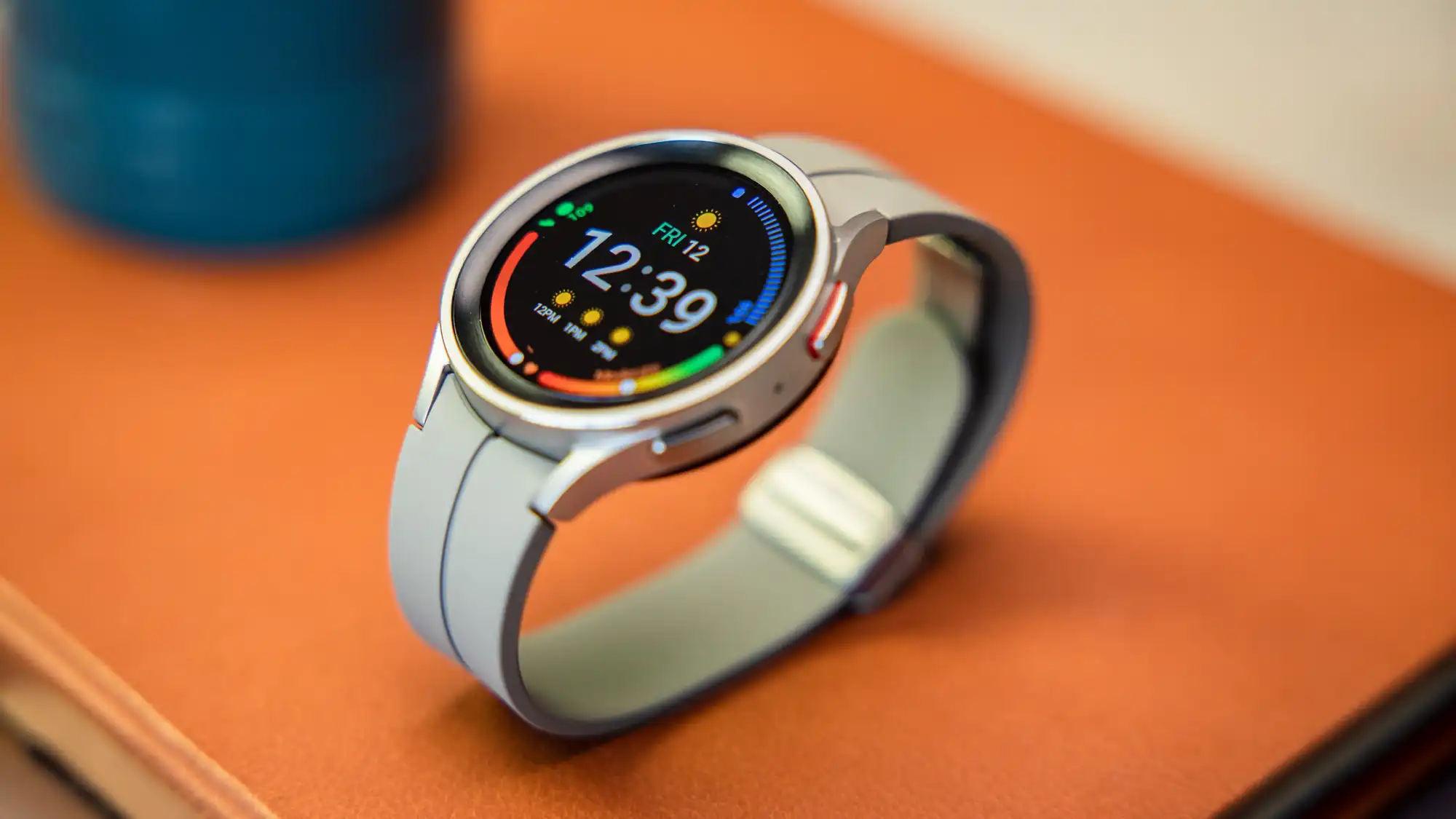
Samsung Galaxy Watch 5 eSIM Guide: LTE Setup, Supported Carriers, and Travel eSIM Compatibility Explained

Jun 16,2026 | Nico

Does Samsung Galaxy Watch 5 Support eSIM?

Yes — Samsung Galaxy Watch 5 does support eSIM, but only on the LTE version. The Bluetooth/Wi-Fi model does not support cellular connectivity or eSIM activation. This means if you want standalone calling, mobile data, or phone-free usage, you must choose the LTE model.

You can check more compatibility and eSIM support details here: Check Galaxy Watch 5 eSIM Compatibility.

Why This Matters
The confusion comes from how Samsung labels its models. Many users assume all Galaxy Watch 5 versions support eSIM, but in reality:

  • eSIM is tied to LTE hardware only
  • Activation depends on carrier support
  • Some regions restrict wearable eSIM features

This is why setup and compatibility issues are very common.</

Key takeaway: Always check the model number before purchasing. The LTE model is the only version that supports eSIM and standalone cellular connectivity.


Samsung Galaxy Watch 5 LTE vs Bluetooth: What's the Difference?

The biggest difference between the Samsung Galaxy Watch 5 LTE and Bluetooth versions is simple: Only the LTE model supports eSIM and can work independently without a smartphone. The Bluetooth version relies entirely on your phone for connectivity, while the LTE version can connect directly to mobile networks.

Key Difference Explained
Here's what actually changes between the two models:

  • LTE version supports eSIM and mobile data
  • Bluetooth version requires a phone connection at all times
  • LTE model can make calls and send messages independently
  • Bluetooth model only works within Bluetooth or Wi-Fi range
  • LTE consumes more battery due to constant network access

Feature Comparison Table

Feature Galaxy Watch 5 Bluetooth Galaxy Watch 5 LTE
eSIM Support ❌ No ✅ Yes
Mobile Data ❌ No ✅ Yes
Standalone Calls ❌ No ✅ Yes
SMS Without Phone ❌ No ✅ Yes
GPS Tracking Limited Fully independent
Battery Life Longer Shorter
Monthly Fees None Required (carrier plan)

Real-World Usage Difference
Bluetooth Version: The Bluetooth model is ideal if you always carry your phone, want better battery life, don't need standalone connectivity, or prefer a lower upfront cost. In daily use, it functions as an extension of your smartphone.

LTE Version: The LTE model is better if you want phone-free workouts or running, emergency calling without your phone, travel convenience without carrying devices, or full smartwatch independence. This is where eSIM becomes essential, as it enables direct mobile network access.

Hidden Cost Most Users Miss: One important factor many buyers overlook is the monthly cost. LTE models require a carrier wearable plan, which may include monthly subscription fees, eSIM activation charges (depending on carrier), and shared number or multi-SIM service. This means LTE is not just a hardware upgrade — it also adds ongoing cost.


How to Activate eSIM on Samsung Galaxy Watch 5

Activating eSIM on the Samsung Galaxy Watch 5 LTE is usually straightforward, but it depends heavily on your mobile carrier and region. In most cases, the setup is done through the Samsung Galaxy Wearable App and your carrier's wearable plan. Once activated, your watch can connect to mobile networks independently without your phone nearby.

What You Need Before Setup
Before starting the eSIM activation, make sure you have:

  • A Galaxy Watch 5 LTE model
  • A compatible mobile carrier that supports wearable eSIM plans
  • A smartphone with the Galaxy Wearable app installed
  • A stable internet connection
  • Your carrier account login or QR activation code

If any of these are missing, the "Mobile Plans" option may not appear.

Step-by-Step eSIM Setup Process
Follow these steps to activate eSIM on your Galaxy Watch 5:

  • Open the Galaxy Wearable app on your phone
  • Connect your Galaxy Watch 5 via Bluetooth
  • Go to Watch Settings → Mobile Plans
  • Select Add Mobile Plan
  • Choose your carrier or scan the QR code provided
  • Log in to your carrier account if required
  • Confirm activation and wait for provisioning

Once completed, your watch should show LTE or 4G signal.

How Long Does Activation Take?
In most cases, setup takes 3–10 minutes. Carrier verification may take longer, and some regions require manual approval. If activation fails, it usually relates to carrier compatibility rather than the device itself.

Why "Mobile Plans" Option Is Missing
This is one of the most searched issues. If you cannot find the Mobile Plans option, it is usually caused by:

  • You are using the Bluetooth version (no LTE hardware)
  • Your carrier does not support wearable eSIM plans
  • Your region restricts smartwatch eSIM activation
  • Your phone is not compatible with Samsung wearable services
  • Software or firmware is outdated

Common Activation Problems

eSIM Not Activating: Try restarting both watch and phone, updating Galaxy Wearable app, rechecking carrier support, or resetting network settings.

QR Code Not Working: Possible reasons include QR code not designed for wearables, carrier restriction on third-party activation, or regional eSIM limitation.


Supported Carriers for Samsung Galaxy Watch 5 eSIM

Carrier support is one of the most important factors when using the Samsung Galaxy Watch 5 LTE. Even though the device supports eSIM, activation only works if your mobile carrier supports wearable plans such as number sharing or multi-SIM services. Without carrier support, eSIM activation will not work even if your watch is LTE-compatible.

Why Carrier Support Matters
The Galaxy Watch 5 does not use a universal eSIM system. Instead, it relies on carrier provisioning systems, which means:

  • Your carrier must support smartwatch eSIM plans
  • Your phone number is usually shared with the watch
  • Activation must go through carrier systems
  • Some regions restrict wearable eSIM features

This is why compatibility varies widely by country.

Common Supported Carriers by Region

United States: Most major carriers support Galaxy Watch 5 LTE — T-Mobile (NumberSync), Verizon (Number Share), AT&T (OneNumber). These carriers offer full smartwatch integration with shared numbers.

United Kingdom: Supported carriers include EE, Vodafone, and O2. Availability may vary depending on contract type and plan.

Singapore: Wearable eSIM support is available from Singtel, StarHub, and M1. However, activation may require specific add-on plans for smartwatches.

India: Major supported carriers include Jio and Airtel. Both provide wearable or secondary SIM services depending on region and plan type.

Important Compatibility Notes
Before purchasing or activating Galaxy Watch 5 LTE, keep in mind:

  • Not all SIM plans support wearable eSIM
  • Prepaid plans often do not support LTE watches
  • Some carriers require postpaid subscription
  • Device must match regional firmware
  • Samsung phones may offer smoother activation experience

What If Your Carrier Is Not Supported?
If your carrier does not support Galaxy Watch eSIM, you may experience "Mobile Plans" option missing, QR code activation failure, LTE not connecting, or eSIM provisioning errors. In such cases, users often explore alternative connectivity options, including travel eSIM solutions (covered in the next section).


Can You Use Travel eSIM (ByteSIM / Airalo) on Samsung Galaxy Watch 5?

Many users wonder whether travel eSIM providers like ByteSIM or Airalo can be used on the Samsung Galaxy Watch 5 LTE as an alternative to carrier wearable plans. The short answer is: In some cases, it may work for data-only usage, but it is not officially supported or guaranteed.

Unlike smartphones, Galaxy Watch eSIM is often tied to carrier-specific wearable provisioning systems, which limits compatibility with third-party eSIM profiles.

How Travel eSIM Differs from Wearable eSIM
To understand compatibility, it is important to know the difference:

  • Travel eSIM (ByteSIM / Airalo) is designed for smartphones
  • Galaxy Watch eSIM is designed for carrier wearable services
  • Travel eSIMs usually provide data-only access
  • Wearable eSIM supports calls, SMS, and number sharing

Because of this, they are built for different use cases.

Do Travel eSIMs Work on Galaxy Watch 5?
In practice, results vary depending on region and device setup:

  • Some users report successful QR code installation
  • Some can access mobile data only (no calls or SMS)
  • Many carriers block unsupported eSIM profiles
  • Some firmware versions restrict manual eSIM setup

So while it is technically possible in limited cases, it is not a reliable or consistent solution.

When ByteSIM or Airalo Can Be Useful
Even though they are not officially designed for smartwatches, travel eSIMs can still be useful in certain scenarios:

  • International travel with temporary data needs
  • Standalone internet access for maps and navigation
  • Streaming music during workouts or runs
  • Messaging apps like WhatsApp or Telegram
  • Backup connectivity when phone is not available

In these cases, users may use travel eSIM as a data-only workaround rather than a full replacement for carrier eSIM.

Important Limitations You Should Know
Before trying travel eSIM on Galaxy Watch 5, consider the following:

  • Not all eSIM QR codes are accepted by smartwatch firmware
  • Voice calls and SMS usually do not work
  • Carrier restrictions may block installation entirely
  • Setup often requires manual configuration attempts
  • Battery consumption may increase significantly with LTE usage

Because of these limitations, travel eSIM is not a guaranteed solution for full smartwatch functionality.

Travel eSIM vs Wearable eSIM

Feature Travel eSIM (ByteSIM / Airalo) Wearable eSIM (Carrier)
Main Purpose Mobile data for travel Full smartwatch connectivity
Number Sharing ❌ No ✅ Yes
Calls & SMS ❌ No ✅ Yes
Official Support ❌ Limited ✅ Yes
Setup Method QR code Carrier provisioning
Stability on Galaxy Watch ⚠️ Unstable ✅ Stable

When Should You Use Each Option?
Use Carrier eSIM if you want full standalone smartwatch features, need calls and SMS on your watch, or prefer stable long-term connectivity. Consider Travel eSIM if you only need temporary data while traveling, don't rely on calling features, or want a low-cost backup internet option.

ByteSIM North America eSIM
Unlimited data in USA/Mexico, 25GB Canada, hotspot support
Get North America eSIM →
 

Common Samsung Galaxy Watch 5 eSIM Problems & Fixes

Many users experience issues when setting up or using eSIM on the Samsung Galaxy Watch 5 LTE. Most of these problems are not caused by the device itself, but by carrier restrictions, region settings, or incorrect setup steps.

eSIM Activation Not Working
This is the most frequently reported issue. Possible causes: Carrier does not support wearable eSIM plans, device is not properly linked to Galaxy Wearable app, network provisioning delay from carrier side, or incompatible SIM or account type.

How to fix it: Restart both your phone and watch, reconnect the Galaxy Wearable app, re-check carrier compatibility, and contact your mobile provider for activation support.

"Mobile Plans" Option Is Missing
Many users cannot find the Mobile Plans menu during setup. Common reasons: using the Bluetooth-only model (no LTE hardware), carrier does not support smartwatch eSIM, regional firmware restrictions, or Galaxy Wearable app is outdated.

Fix steps: Confirm you have the LTE version, update the Galaxy Wearable app, check if your carrier supports wearable plans, and reset network settings if needed.

eSIM QR Code Not Scanning or Not Accepted
This issue often happens when using third-party eSIM providers. Possible reasons: QR code is not designed for wearable devices, carrier locks prevent external eSIM installation, device firmware restricts manual provisioning, or incompatible eSIM profile format.

Suggested fixes: Use carrier-provided QR codes only, try re-adding the plan via Galaxy Wearable app, and ensure stable internet connection during setup.

LTE Not Connecting After Activation
Even after successful setup, LTE may not work properly. Possible causes: weak network coverage in your area, inactive or partially activated plan, roaming restrictions enabled, or SIM provisioning not completed by carrier.

Fix steps: Toggle Airplane mode on/off, restart the watch, check carrier plan status, and move to an area with stronger signal.

Battery Drains Quickly on LTE Mode
LTE usage consumes more power than Bluetooth mode. Why this happens: constant mobile network connection, background syncing of apps, and location services running continuously.

Optimization tips: Turn off LTE when not needed, use Wi-Fi when available, disable unnecessary background apps, and enable power saving mode.


Is Samsung Galaxy Watch 5 LTE Worth It?

Whether the Samsung Galaxy Watch 5 LTE is worth it depends entirely on how you plan to use your smartwatch. The LTE version adds eSIM support and standalone connectivity, but it also comes with higher cost and ongoing carrier fees. For some users, it is a major upgrade. For others, it may not be necessary at all.

When Galaxy Watch 5 LTE Is Worth It
The LTE version is a good choice if you frequently exercise or run without carrying your phone, want emergency calling capability on your wrist, travel often and need independent connectivity, prefer a minimal setup without relying on your smartphone, or use your watch for navigation, music, or messaging on the go. In these cases, eSIM functionality becomes a real advantage, not just a feature.

When Bluetooth Version Is Enough
You may not need the LTE model if you always carry your smartphone with you, mostly use the watch for fitness tracking, want better battery life, prefer a lower upfront cost, or do not need standalone calling or mobile data. For many casual users, the Bluetooth model already provides all essential smartwatch features.

LTE vs Bluetooth: Cost Perspective
One of the most important differences is ongoing cost.

LTE Version Costs: Higher device price, monthly carrier wearable plan (eSIM), and possible activation or add-on fees.

Bluetooth Version Costs: One-time device purchase only, no monthly fees, and no carrier dependency. This makes Bluetooth the more budget-friendly option over time.

Real-World Recommendation
In real usage, most users fall into two groups. Choose LTE if you value independence from your phone, want full smartwatch functionality anywhere, and are willing to pay monthly carrier fees. Choose Bluetooth if you mainly use your phone anyway, prioritize battery life and cost efficiency, or only need basic smartwatch features.


FAQ

Does Samsung Galaxy Watch 5 support eSIM? +

Yes, but only the LTE version supports eSIM. The Bluetooth model does not have cellular capability.

Can Galaxy Watch 5 work without a phone? +

Yes. With LTE and an active eSIM, the watch can make calls, send messages, and use mobile data independently.

Does Galaxy Watch 5 LTE require a separate phone number? +

Not always. Most carriers support number sharing, meaning your watch uses the same number as your phone.

Can I use ByteSIM or Airalo on Galaxy Watch 5? +

In some cases, travel eSIMs may work for data-only usage, but they are not officially supported and compatibility is not guaranteed.

Why is "Mobile Plans" not showing on my Galaxy Watch 5? +

This usually happens if you are using the Bluetooth version, your carrier does not support wearable eSIM, or your region restricts LTE smartwatch activation.

Is Galaxy Watch 5 LTE worth it? +

It depends on your usage. LTE is worth it if you want phone-free connectivity, but Bluetooth is sufficient for basic smartwatch use.

Can I upgrade Bluetooth Galaxy Watch 5 to LTE later? +

No. LTE functionality requires dedicated hardware and cannot be added after purchase.

Does Galaxy Watch 5 LTE drain battery faster? +

Yes. LTE usage consumes more power due to constant mobile network connection.

Key takeaway: The Samsung Galaxy Watch 5 LTE is a capable eSIM-enabled smartwatch, but its functionality depends heavily on carrier support. Before purchasing, confirm your carrier offers wearable eSIM plans. If you're traveling internationally, consider that travel eSIMs may offer limited data-only functionality, but full calling and messaging features require a proper carrier plan.

© 2026 Galaxy Watch 5 eSIM Guide — LTE vs Bluetooth, activation, and travel eSIM compatibility.

發表評論

姓名
郵件
評論