How to Get a Vietnam eSIM with a Local Phone Number (+84)
Jan 05,2026 | Milo
Table of Contents
Planning a trip to Vietnam? From the bustling streets of Hanoi to the lantern-lit alleys of Hoi An, staying connected is essential. While most travelers know they need mobile data for Google Maps, many overlook the importance of having a local Vietnamese phone number.
In this guide, we will show you exactly how to get a Vietnam eSIM that comes with high-speed 5G data AND a local phone number (+84)—without the hassle of queuing at the airport or handing over your passport for registration.
Vietnam eSIM
+ Local Number
Skip the airport queues! Get a native Vietnamese (+84) number instantly. Enjoy high-speed MobiFone 5G with Calls & SMS included. Best of all? No passport scan or identity verification required.
Get Vietnam eSIM Now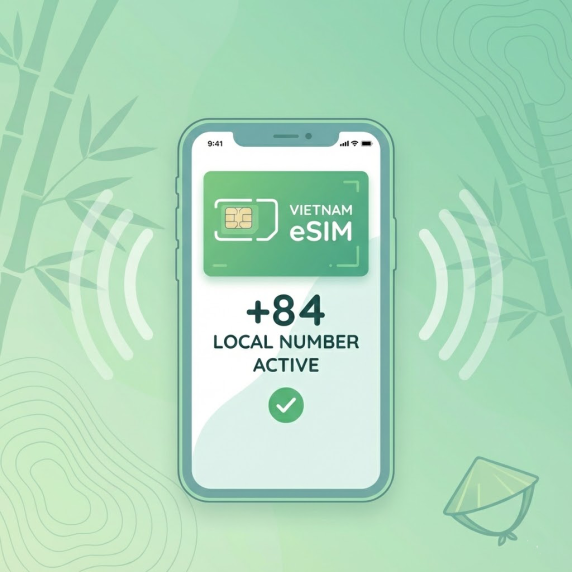
Why You Need a Vietnam eSIM with a Phone Number
Can you survive with just a data-only SIM? Technically, yes. But having a local number makes your trip significantly smoother. Here is why most smart travelers choose an eSIM with voice and text features:
- Ride-Hailing (Grab / Gojek): Drivers frequently call to confirm your pickup location. Without a local number, communicating is difficult.
- Reservations: Many local restaurants and spas in Vietnam still rely on phone bookings rather than apps.
- Deliveries: Ordering food via ShopeeFood or GrabFood usually requires a valid phone number.
Comparison: ByteSIM eSIM vs. Local Physical SIM
Why choose an eSIM over buying a card at the airport? Here is a quick comparison:
| Feature | Hotel WiFi | Local SIM (Airport) | ByteSIM eSIM |
|---|---|---|---|
| Phone Number | None | Yes (+84) | Yes (+84) Calls & SMS included |
| Registration (KYC) | N/A | Required Passport Scan |
Not Required Skip Registration |
| Network Quality | Unstable / Slow | Viettel / Vina / Mobi | MobiFone 5G/4G Nationwide Coverage |
| Convenience | Low | Wait in line | Instant Delivery Scan QR & Go |
How to Buy and Activate Your Vietnam eSIM (Step-by-Step)
⚠️ Important: Check Before You Buy
Before purchasing an eSIM, please ensure your device is ready:
1. Check eSIM Compatibility:
Not all phones support eSIM. The quickest way to check is to dial *#06#. If you see an "EID" number, your phone likely supports eSIM. View the full list of compatible devices here.
2. Check Carrier Lock:
Your phone must be "Unlocked" to use a foreign SIM.
iPhone users: Go to Settings > General > About. Scroll down to "Carrier Lock". It should say "No SIM restrictions".
Getting your number is fully digital. You can do this from home before your flight or when you land.
Step 1: Purchase Your Plan
Select the duration that fits your trip (e.g., 7, 15, or 30 days) and your data needs on the Vietnam eSIM page.
⚠️ Check Plan Specification First!
Not all eSIM packages are the same. Please check the "Plan Options" on the product page before you buy:
- Incoming Calls & SMS Only: You can receive calls and texts for free, but you cannot make outgoing calls or sms.
- Local Mins + SMS: (e.g., "100 local mins + 50 SMS"). Allows you to call Vietnamese numbers.
- International Mins: (e.g., "20 international mins"). Allows you to call specific overseas countries listed below.
Step 2: Install the eSIM
Once payment is complete, your eSIM QR code and setup guide are sent to your inbox within minutes — no ID verification (eKYC) needed. We strongly recommend scanning the QR code for installation when you are about to use the eSIM (Before flight departure/arrival at the destination), to avoid activation by incorrect operations.
- Open your device’s Settings > Cellular / Mobile Data > Add eSIM
- Scan the QR code and follow the prompts
- The eSIM profile will be installed within seconds.
If you only have one phone with you and can't scan the QR code, you can also try using the SM-DP+ Address and activation code to install the eSIM manually.
Step 3: Arrival & Activation (Critical Step!)
Once you land in Vietnam, turn off Airplane Mode and follow these settings to ensure the activation call works:
- Turn on the Line: Go to settings and toggle "Turn On This Line" for your Vietnam eSIM.
- Set as Default Voice Line: Set the Vietnam eSIM as your "Default Voice Line" if needed.
- Set for Cellular Data: Select the Vietnam eSIM for "Mobile/Cellular Data".
Handy Codes for Your Trip (USSD)
Once you are active, save these codes to manage your account:
| Action | Code / Instruction |
|---|---|
| Check Phone Number | Dial *0# |
| Check Data Balance | Dial *090*5# OR text "KT_ALL" to 999 |
How to Make Calls with Your Vietnam Number
Once your eSIM is active, you can use it like a normal phone. However, please read the rules below to avoid connection issues. Here’s how you can make Calls with your Vietnam number:
1. How to Make Domestic Calls (Inside Vietnam)
If your plan includes Local Minutes, here is how to call a hotel, driver, or restaurant within Vietnam:
- Format: Dial 0 + Phone Number
- Example: If the number is 901234567, dial 0901234567.
2. How to Make International Calls
If your plan includes the "Free International Calls" perk (Only 4GB/Day · 20 Days - 20 international mins plan), you can call numbers in the specific destinations listed below.
Supported Destinations:
China, South Korea, USA, Hong Kong, Brunei, Cambodia, Indonesia, Laos, Malaysia, Myanmar, Philippines, Singapore, Thailand, Timor Leste.
- Format: Dial 00/+ + Country Code + Phone Number
- Example (Calling USA): Dial 00 1 5551234567 or +1 5551234567
- Example (Calling China): Dial 00 86 13800138000 or +86 13800138000
FAQs about Vietnam eSIM with Number
Is my phone compatible?
Most modern smartphones (iPhone XR and later, Samsung S20 and later) support eSIM. Please check our compatible device list before purchasing.
Can I keep my WhatsApp number?
Yes! You can keep your primary line active for WhatsApp while using the Vietnam eSIM for data and calls.
Do I need to register with my passport?
No. This specific MobiFone package provided by ByteSim allows you to skip the registration process, saving you time and protecting your privacy.
Plans that may interest you
Comment