Comment utiliser une eSIM pour voyager à l'étranger : un guide complet pour les débutants
Jan 13,2026 | Milo
Voyager à l'étranger suivait autrefois un schéma prévisible et stressant : atterrir à l'aéroport, traîner ses bagages jusqu'à un kiosque et faire la queue pour acheter une carte SIM locale. Ou pire encore, accumuler par mégarde des centaines de dollars de frais d'itinérance facturés par votre opérateur habituel.
Ce n'est plus le cas. Avec les eSIM de voyage, la donne a changé. Vous pouvez désormais être connecté dès que les roues touchent le tarmac. Mais pour de nombreux utilisateurs novices, cette technologie peut encore paraître un peu « invisible » et déroutante.
Si vous vous demandez : « Comment fonctionnent les eSIM pour les voyages internationaux ? » ou « Puis-je configurer cela avant de partir de chez moi ? » — vous êtes au bon endroit. Dans ce guide, nous allons vous accompagner à travers tout ce que vous devez savoir pour rester connecté, en toute sérénité.
Voyager à travers le monde
Restez connectés
Ne vous souciez plus des frais d'itinérance. Profitez instantanément d'une connexion 4G/5G illimitée dans plus de 200 pays. Aucun changement de carte SIM physique n'est nécessaire.
Trouvez votre destination
Comment fonctionnent les eSIM pour les voyages internationaux ?
Oublions le jargon technique. Pour faire simple, une eSIM (SIM intégrée) est la version numérique de la petite carte en plastique que vous avez l'habitude d'échanger. La puce est déjà soudée à l'intérieur de votre téléphone (disponible sur l'iPhone XS, le Samsung S20 et les modèles plus récents, ainsi que sur la plupart des Google Pixel).
Au lieu d'utiliser une épingle pour extraire un tiroir et insérer un morceau de plastique, il vous suffit de télécharger un « profil de données numérique ».
- Aucun échange physique : Vous ne risquez pas de perdre la carte SIM de votre carte SIM principale au fond de votre sac à dos.
- Double connectivité : Vous pouvez conserver votre carte SIM principale active dans votre téléphone (pour recevoir des codes OTP ou des SMS d'urgence) tout en utilisant l'eSIM pour des données locales à prix abordable.
- Réseaux locaux : Une eSIM de voyage ByteSIM vous connecte directement aux opérateurs locaux (comme T-Mobile aux États-Unis ou KDDI au Japon), vous offrant la même vitesse et la même couverture qu'un opérateur local.
Puis-je configurer mon eSIM avant de voyager ? (Et quand devrais-je l’acheter ?)
En résumé : OUI. En fait, nous le recommandons vivement.
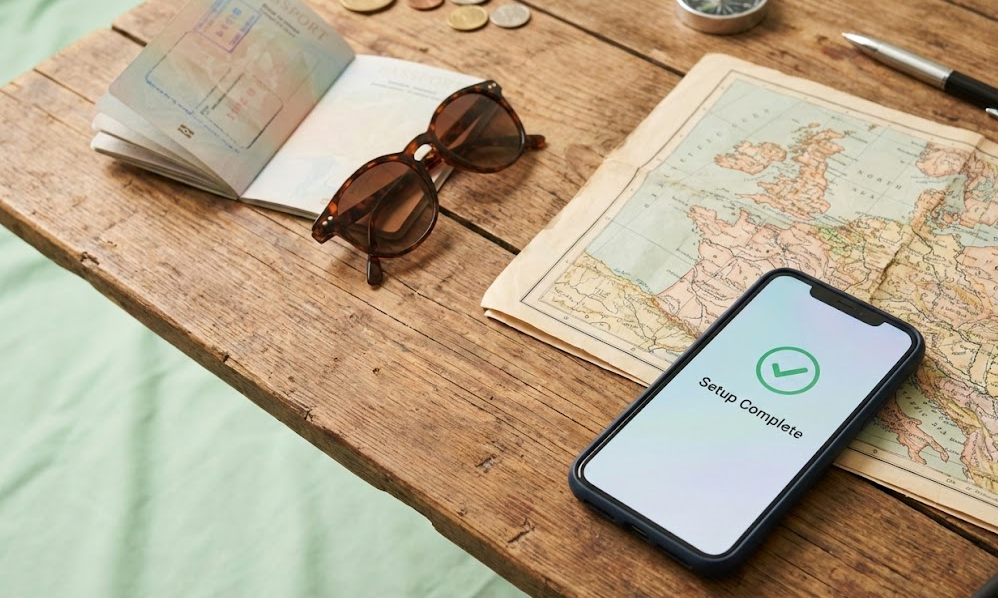
De nombreux voyageurs craignent que leur forfait de données n'expire immédiatement s'ils installent l'eSIM chez eux. Cependant, chez la plupart des opérateurs (y compris ByteSIM), la période de validité (par exemple, 5 ou 10 jours) ne commence généralement qu'à partir du moment où l'eSIM se connecte au réseau local à destination.
Quel est le meilleur moment pour l'achat et l'installation ?
Certaines eSIM doivent être activées dans les 180 jours pour éviter que le code QR n'expire. Nous vous recommandons d'acheter et d'installer votre eSIM 1 à 3 jours avant votre départ.
Pourquoi le faire chez soi ?
- Wi-Fi stable : L'installation d'une eSIM nécessite une bonne connexion internet. Il est bien plus sûr et rapide de le faire sur votre Wi-Fi domestique que sur un réseau d'aéroport instable et peu sécurisé.
- Tranquillité d'esprit : Vous pouvez monter dans l'avion en sachant que votre connexion internet est déjà entièrement configurée.
Comment utiliser une eSIM pour voyager à l'international (Guide étape par étape)
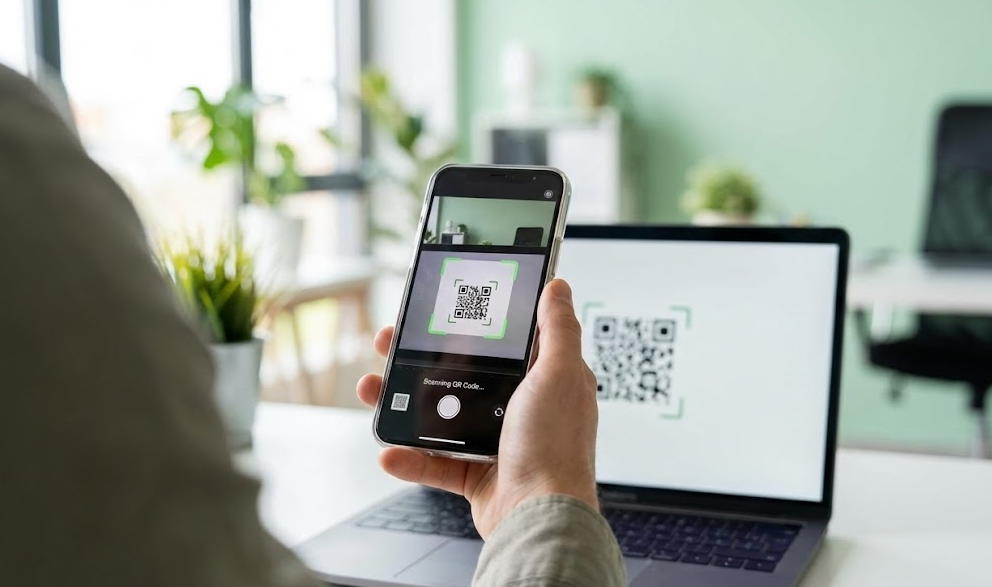
Utiliser une eSIM de voyage est en réalité plus simple que de commander un Uber. Voici la procédure à suivre pour la plupart des appareils :
Vérifier la compatibilité
Avant l'achat, assurez-vous que votre téléphone est compatible avec l'eSIM et, surtout, qu'il est débloqué tout opérateur. Si vous avez acheté votre téléphone avec un abonnement, vérifiez auprès de votre fournisseur qu'il n'est pas verrouillé sur son réseau.
Acheter votre forfait
Rendez-vous sur le site de ByteSIM et choisissez votre destination. Que vous ayez besoin de données illimitées pour le Japon ou d'un forfait régional pour l'Europe, choisissez l'offre qui correspond à la durée de votre séjour.
Scanner, installer et nommer votre ligne
Vérifiez votre boîte de réception (et vos spams). Vous recevrez un code QR peu après l'achat. En cas de besoin, contactez le service client via WhatsApp (+852 9290 0577) ou par e-mail (service@bytesim.com).
- Sur iPhone : Allez dans Réglages > Données cellulaires > Ajouter une eSIM et scannez le code.
- Sur Android : Allez dans Paramètres > Réseau et Internet > Cartes SIM > Ajouter plus et scanner.
Votre téléphone vous demandera de nommer ce nouveau forfait. Nous vous recommandons de l'appeler « Voyage » ou d'utiliser le nom du pays (par exemple, « Données Japon »). Vous pourrez ainsi le distinguer facilement de votre numéro principal par la suite.
Activation à l'arrivée (L'étape CRUCIALE !)
C’est là que la plupart des gens rencontrent des difficultés. Une fois arrivé à destination, suivez ces étapes précises pour vous connecter à Internet :
- Activer la ligne : Allez dans vos réglages et activez votre eSIM « Voyage ».
- Activer l'itinérance (Roaming) : Dans les réglages de cette eSIM, activez l'option « Données à l'étranger ».
- (Note : Votre eSIM doit utiliser l'itinérance pour se connecter au réseau local partenaire. Rassurez-vous, cela ne générera aucun frais sur votre forfait habituel.)
- Sélectionner la source des données : Dans le menu des données cellulaires, assurez-vous que les « Données mobiles » sont attribuées à votre eSIM Voyage et non à votre ligne
Les eSIM sont-elles sûres pour voyager ?
La sécurité est une préoccupation majeure pour les voyageurs modernes. Qu'en est-il de l'utilisation d'une eSIM par rapport à l'utilisation d'un réseau Wi-Fi public gratuit ? Analysons les données :
| Fonctionnalité | Wi-Fi public (Aéroports / Cafés) |
eSIM de voyage (ByteSIM) |
|---|---|---|
| Sécurité |
❌Faible
Risque de piratage et de vol |
✅Haut
Cryptage de niveau opérateur |
| Commodité |
❌Faible
Reconnectez-vous à chaque endroit |
✅Haut
Connectez-vous une fois, restez en ligne |
| Fiabilité |
❌À pois
Ralentissement dans les zones fréquentées |
✅Écurie
Vitesse locale 4G/5G |
| Confidentialité |
❌Aucun
L'activité peut être suivie |
✅Protégé
Aucun suivi personnel |
Verdict : Pour vos opérations bancaires, l'utilisation de cartes GPS et la sécurité de vos données, une eSIM est bien plus sûre que n'importe quel Wi-Fi public.
Foire Aux Questions (FAQ) sur les eSIM de voyage
Dois-je désactiver ma carte SIM principale pour utiliser une eSIM ?
Pas nécessairement, mais vous devez être vigilant. Si vous voulez continuer à recevoir des SMS de vérification (OTP) ou voir qui vous appelle, vous pouvez garder votre SIM principale active. Cependant, vous DEVEZ désactiver l'option « Données à l'étranger » (Itinérance) pour votre ligne principale dans les réglages. Cela garantit que votre téléphone n'utilisera pas accidentellement les données coûteuses de votre opérateur habituel à l'étranger.
Quelle est la meilleure eSIM pour mon voyage ?
Bien qu'il existe de nombreux fournisseurs sur le marché, ByteSIM s'impose comme le choix privilégié des voyageurs pour plusieurs raisons clés. Premièrement, nous proposons des options de Données Illimitées pour la plupart des destinations, vous n'aurez donc jamais à vous soucier de compter les mégaoctets ou d'être interrompu en plein voyage. Deuxièmement, nous collaborons directement avec les meilleurs opérateurs locaux pour vous garantir des débits 4G/5G stables et authentiques, plutôt qu'une connexion lente et redirigée. Enfin, nous offrons une assistance humaine 24h/24 et 7j/7, vous garantissant qu'en cas de difficulté lors de l'activation, notre équipe sera toujours là pour vous aider à vous connecter instantanément.
Dois-je désactiver l'itinérance des données lorsque j'utilise une eSIM ?
Il s'agit d'une question piège, car la réponse diffère selon la ligne ! Pour votre SIM principale (habituelle), la réponse est OUI (désactivez l'itinérance pour éviter les frais de roaming). Mais pour votre eSIM de voyage, la réponse est NON (vous devez ACTIVER l'itinérance). Votre eSIM de voyage s'appuie en réalité sur la fonction « itinérance » pour se connecter aux réseaux partenaires locaux et, comme il s'agit d'un forfait prépayé, aucun frais supplémentaire ne vous sera facturé.
Peut-on passer des appels avec une eSIM ?
Oui, c'est possible, mais cela dépend du forfait que vous choisissez. La plupart des eSIM de voyage standard sont « Data-Only » (Données uniquement), ce qui signifie que vous devez utiliser des applications comme WhatsApp, FaceTime ou Messenger pour vos appels. Cependant, ByteSIM propose également des forfaits spécifiques (comme pour la Thaïlande ou le Vietnam) incluant un numéro de téléphone local pour les appels vocaux et les SMS traditionnels. Vous pouvez en savoir plus sur les forfaits incluant ces fonctionnalités dans notre guide : Comment obtenir une eSIM avec un numéro de téléphone ?
Des forfaits susceptibles de vous intéresser