

Combien d'eSIMs l'iPhone 13 peut-il contenir ? (Votre configuration pour la Coupe du Monde 2026)
Jun 11,2026 | Wang
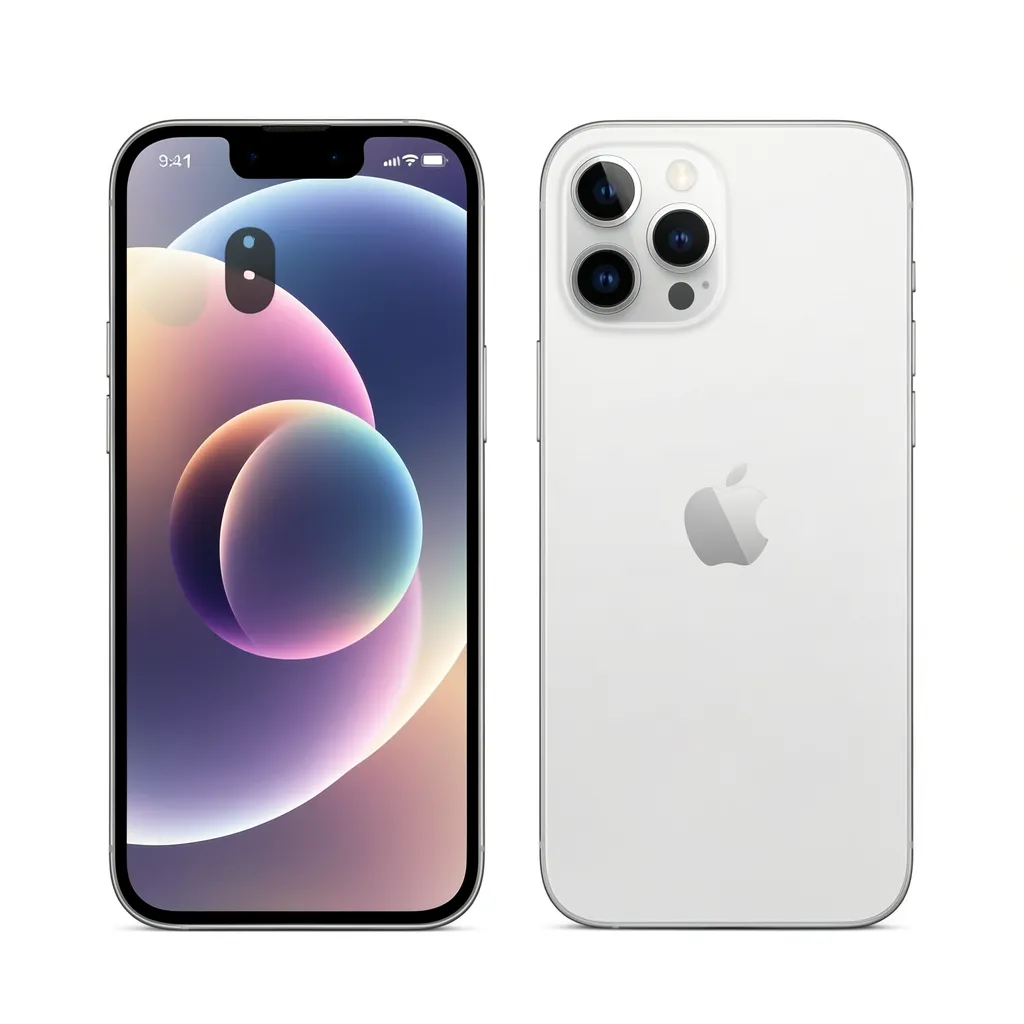
L'iPhone 13 peut stocker en toute sécurité huit eSIM profils, et c'est le tout premier appareil Apple capable d'avoir deux eSIM actives en même temps.
Cette capacité matérielle spécifique fait de l'iPhone 13 un appareil légendaire pour les nomades du monde et les fans de sport.
Lorsque Apple a lancé l'iPhone 13, ils ont discrètement révolutionné la connectivité mobile en introduisant la technologie Dual Active eSIM.
Avant ce modèle, les iPhones ne pouvaient exécuter qu'un seul SIM et un eSIM simultanément.
Avec l'iPhone 13, vous pouvez complètement abandonner les cartes plastiques physiques et faire fonctionner deux réseaux numériques distincts côte à côte.
Pourquoi cette spécification technique est-elle si cruciale en ce moment ?
Parce que le plus grand événement sportif de l'histoire approche rapidement. La Coupe du Monde 2026 sera organisée dans trois énormes pays nord-américains : les États-Unis, le Canada et le Mexique, s'étendant sur 16 villes hôtes différentes.
Naviguer dans cette vaste zone géographique nécessite une planification logistique sérieuse, surtout en ce qui concerne le maintien de la connexion.
Grâce à la capacité de stockage numérique incroyable de votre iPhone 13, vous disposez de l'outil ultime pour gérer un itinéraire complexe à travers plusieurs pays sans jamais payer des frais d'itinérance internationale exorbitants.
Stockage vs. Activation : Comprendre les limites de l'iPhone 13 eSIM
Lors de la recherche du nombre exact d'eSIM que peut contenir un iPhone 13, vous êtes souvent confus par les chiffres qui se chevauchent souvent cités en ligne.
Pour vraiment comprendre les capacités de votre appareil, vous devez séparer le concept de "stockage" de "l'utilisation active".
Limite de stockage : 8 profils
Apple déclare officiellement qu'un iPhone 13 peut stocker huit eSIMs.
Pensez à l'Enclave Sécurisée interne de votre iPhone (la puce qui gère les eSIM) comme à un garage numérique. Vous pouvez y garer simultanément huit profils cellulaires différents.
En pratique, le nombre exact que vous pouvez stocker dépend légèrement de la taille des fichiers des profils de transporteurs spécifiques, mais atteindre la limite de huit profils est plus que suffisant même pour le voyageur mondial le plus fréquent.
Vous pourriez réalistiquement stocker votre numéro de téléphone principal, une ligne de données de secours et six profils de voyage différents pour diverses régions en même temps sans que le système ne vous oblige à supprimer quoi que ce soit.
Limite active : Double eSIM Veille
Vous pouvez stocker huit profils,vous ne pouvez avoir qu'un maximum de deux profils cellulaires actifs en même temps.
En continuant l'analogie du garage : vous possédez huit voitures, mais vous ne pouvez en conduire que deux sur la route en même temps.
Sur l'iPhone 13, cela est réalisé grâce à une technologie appeléeDouble SIM Double veille(DSDS). Vous pouvez configurer ces deux lignes actives de plusieurs manières :
- Deux eSIMs actives (par exemple, votre profil numérique à domicile + un voyage eSIM).
- Un nano-physique SIM + un actif eSIM.
Il est important de noter que le fait d'avoir huit eSIM stockées ne vide pas votre batterie. Seuls les deux profils qui recherchent activement des signaux de tours cellulaires auront un impact sur la consommation d'énergie de votre appareil.
Pourquoi l'iPhone 13 représente une étape importante en matière de matériel
Si vous possédez un iPhone 13, vous tenez entre vos mains un morceau très spécifique de l'histoire technologique qui en fait sans doute le téléphone de voyage le plus polyvalent sur le marché.
- Comparé à l'iPhone 12
La génération précédente, l'iPhone 12, prenait en charge les eSIM, mais elle avait une limitation massive : elle ne pouvait prendre en charge queunactif eSIM à la fois.
Si vous souhaitiez utiliser Dual SIM sur un iPhone 12, vous étiez obligé d'utiliser une carte physique SIM et une eSIM. Si votre réseau domestique était déjà sur un eSIM, vous ne pouviez pas facilement ajouter une eSIM de voyage sans désactiver votre numéro de domicile.
L'iPhone 13 a été le tout premier appareil Apple à introduire des eSIMs actives doubles.
- Comparé aux iPhone 14 et 15 (modèles américains)
À partir de l'iPhone 14, Apple a complètement supprimé le tiroir de carte physique SIM pour tous les appareils vendus aux États-Unis.
Bien qu'ils fonctionnent parfaitement en tant que dispositifs uniquement eSIM, ils manquent de support pour les anciens systèmes.
L'iPhone 13 atteint la zone "Goldilocks" parfaite. Il vous offre la capacité de pointe de faire fonctionner des eSIMs actives doubles, tout en conservant le tiroir nano-SIM physique.
Si vous voyagez un jour dans un pays éloigné où la technologie eSIM n'a pas encore été adoptée, votre iPhone 13 dispose toujours du matériel physique pour accepter une carte en plastique traditionnelle SIM—un luxe que les nouveaux modèles américains n'ont plus.
L'obstacle caché : les verrous de sécurité
Il y a un avertissement critique concernant la règle "8 stockés, 2 actifs".
Alors que l'iPhone 13matérielsoutient cette incroyable flexibilité, votre cellulairetransporteurpourrait le restreindre.
Si vous avez acheté votre iPhone 13 par le biais d'un plan de financement d'opérateur (comme un contrat de 24 mois avec AT&T, Verizon, Vodafone ou EE), votre appareil est probablement "Verrouillé par l'opérateur."
Lorsque un iPhone est verrouillé à un opérateur spécifique, le système d'exploitation vous empêchera d'installer un eSIM d'un réseau concurrent ou d'un fournisseur de voyages tiers.
Avant d'essayer de charger plusieurs profils internationaux sur votre appareil pour votre prochain voyage, vous devez vérifier son statut de verrouillage :
- Aller àParamètres>Général>À propos.
- Faites défiler vers le bas jusqu'au Verrou de porte-bagages(ou section Verrouillage du fournisseur de réseau).
- S'il est écrit"Aucune restriction SIM,"votre iPhone 13 est entièrement déverrouillé, et vous êtes libre d'utiliser tous les 8 eSIM emplacements avec n'importe quel fournisseur mondial.
- Si un nom de transporteur spécifique est mentionné, vous ne pourrez pas ajouter d'eSIMs de voyage. Vous devez contacter votre transporteur d'origine pour demander le déverrouillage de l'appareil avant votre voyage.
Maximiser les 8 eSIM emplacements de votre iPhone 13 pour la Coupe du Monde
Historiquement, voyager à l'international signifiait trouver un kiosque de télécommunications local à l'aéroport, jongler avec un trombone pour ouvrir votre plateau SIM, et ranger soigneusement votre carte microscopique SIM à la maison dans votre portefeuille pour ne pas la perdre.
Si vous voyagiez dans plusieurs pays, vous deviez acheter plusieurs cartes plastiques et les échanger à chaque passage de frontière.
Parce que votre iPhone 13 agit comme un immense coffre-fort numérique pouvant contenir jusqu'à huit profils cellulaires distincts, ce processus obsolète est complètement dépassé.
Vous pouvez désormais traiter les paramètres cellulaires de votre téléphone comme un tiroir d'applications. Avant même de faire vos valises, vous pouvez acheter et télécharger tous les profils de réseau ciblés dont vous aurez besoin pour l'ensemble de votre voyage.
Si votre parcours de Coupe du Monde est axé sur des régions spécifiques, vous pouvez charger votre iPhone 13 avec des forfaits dédiés à un seul pays, les laissant désactivés dans vos paramètres jusqu'à ce que votre avion atterrisse dans ce territoire spécifique.
Les options ciblées par pays
Si vous venez en avion pour assister à un match de groupe spécifique ou suivre une seule équipe, remplir les emplacements de votre iPhone 13 avec des profils ciblés est une stratégie très rentable.
Si votre itinéraire vous maintient strictement aux États-Unis, ce eSIM couvre toutes les 11 villes hôtes américaines.
Que vous naviguiez dans les foules à Los Angeles, que vous diffusiez des moments forts à Miami ou que vous assistiez à la grande finale à New York/New Jersey, ce plan garantit un accès ininterrompu et à haute vitesse sur les réseaux 5G les plus robustes du pays.
Vous pouvez enregistrer ce profil dans l'emplacement numéro un.
Vous vous concentrez sur les matchs du nord ?
Ce profil canadien dédié est prêt pour le jour du match pour les énormes foules attendues à Toronto et Vancouver.
Le Canada est notoire pour avoir certains des tarifs de télécommunications domestiques les plus élevés au monde, mais en téléchargeant ce eSIM dans le deuxième emplacement de votre iPhone 13, vous contournez entièrement ces primes locales et vous vous connectez directement aux tours canadiennes de premier ordre.
Si vous vous dirigez vers le légendaire Estadio Azteca pour les matchs d'ouverture palpitants, ou si vous visitez Guadalajara et Monterrey, ce profil localisé garantit que vous restiez en ligne dans les zones densément peuplées.
Vous pouvez télécharger cela dans le slot trois, vous laissant cinq slots supplémentaires pour votre réseau domestique ou vos futurs voyages.
Puisque votre iPhone 13 peut stocker jusqu'à huit profils, vous pouvez littéralement charger ces trois eSIM spécifiques à des pays sur votre appareil depuis le confort de votre salon.
Lorsque vous volez de Mexico à Vancouver, il vous suffit d'accéder à vos paramètres, de désactiver le plan du Mexique et d'activer le plan du Canada. Cela prend moins de cinq secondes.
La configuration ultime : le tout-en-un Tri-Nation eSIM
Bien que l'approche ciblée sur un seul pays soit fantastique pour des voyages ciblés, les véritables passionnés de football suivant le tournoi des phases de groupes aux éliminatoires traverseront constamment les frontières.
Vous pourriez vous retrouver à faire la fête à Seattle un mardi, à conduire jusqu'à Vancouver un mercredi, et à prendre l'avion pour San Francisco d'ici le week-end.
Bien que passer d'un eSIM enregistré à un autre soit facile, il existe une option encore plus luxueuse,"Configurez-le et oubliez-le"solution qui utilise parfaitement le matériel avancé de votre iPhone 13.
Si vous souhaitez avoir l'expérience la plus fluide possible, nous vous recommandons vivement notreMeilleure formule tout-en-un eSIM pour les 16 villes hôtes.
Au lieu de télécharger trois profils de pays séparés, vous n'occupez qu'un seul emplacement sur votre iPhone 13. Ce profil principal agit comme un passeport numérique tout accès, offrant des données véritablement illimitées de manière transparente à travers les États-Unis, le Mexique et le Canada.
Exploiter la capacité « double active »
C’est là que l’iPhone 13 brille vraiment.
Parce que l'appareil prend en charge les eSIMs Dual Active, vous pouvez avoir deux profils distincts fonctionnant des émetteurs simultanément.
Voici l'équipement ultime pour les voyageurs :
Vous dédiez le Slot Actif A à votre réseau domestique (par exemple, votre numéro local au Royaume-Uni, en Australie ou en Europe).
Vous désactivez "L'itinérance des données" pour cette ligne, ce qui signifie que vous ne serez pas facturé de frais d'internet quotidiens coûteux.
Mais la ligne reste active pour recevoir des messages texte entrants, une exigence critique pour recevoir des codes d'authentification à deux facteurs (2FA) de votre banque, de vos cartes de crédit ou de WhatsApp.
Ensuite, vous dédiez le Slot Actif B à notre All-in-One Amérique du Nord eSIM et le désignez comme votre source principale de données cellulaires.
En traversant la frontière des États-Unis vers le Canada, votre numéro de domicile reste silencieusement actif pour les codes de sécurité, tandis que l'All-in-One eSIM détecte automatiquement le nouveau pays, change son opérateur sous-jacent d'AT&T à Rogers et maintient votre Google Maps et votre streaming Spotify sans une seule connexion perdue.
Votre iPhone 13 gère cette orchestration complexe de double réseau de manière impeccable en arrière-plan.

Comment configurer et gérer plusieurs eSIM sur iPhone 13
Parce que l'iPhone 13 peut contenir tant de profils numériques, gérer vos paramètres cellulaires est incroyablement important.
Si vous téléchargez trois ou quatre eSIM spécifiques à un pays avant votre voyage, votre menu de paramètres peut devenir confus si vous ne l'organisez pas correctement.
Voici un guide étape par étape pour maîtriser les capacités cellulaires de votre iPhone 13 pour la Coupe du Monde.
Étape 1 : Achat et numérisation
Nous vous recommandons d'acheter vos plans eSIM quelques jours avant votre départ. Vous pouvez les installer instantanément via notre application ou en scannant le code QR fourni.
Sur votre iPhone 13, il vous suffit d'aller surParamètres > Cellulaire > Ajouter eSIM.
Suivez les instructions à l'écran pour scanner le code.
Étape 2 : Étiquetage personnalisé (Crucial pour plusieurs eSIMs)
Lorsque vous ajoutez un nouveau eSIM, Apple lui attribuera une étiquette par défaut comme "Voyage" ou "Secondaire". Si vous profitez des 8 emplacements de votre iPhone 13 et installez plusieurs pays, ces étiquettes par défaut sont inutiles.
Après avoir scanné, appuyez sur le nom de l'étiquette et créez une étiquette personnalisée. Par exemple, nommez votre maison SIM "Personnel." Nommez vos nouveaux téléchargements "Coupe du Monde USA," "Données Canada," ou "Voyage Tout-en-Un."
Cette organisation simple vous permet de savoir exactement quel réseau vous activez.
Étape 3 : Configuration de vos lignes actives
N'oubliez pas, bien que vous puissiez en stocker huit, seuls deux peuvent être actifs.
1. Accédez à Paramètres > Données cellulaires.
2. Activez votre ligne "Personnelle", mais appuyez dessus et assurez-vous que "Roaming de données" est désactivé.
Cela évite les factures surprises.
3. Activez votre ligne « Voyage tout-en-un ».
4. Retournez au menu principal Cellulaire et appuyez sur "Données cellulaires". Sélectionnez votre ligne "Voyage tout-en-un".
Cela indique à votre iPhone 13 de diriger tout le trafic Internet, les flux Spotify et les messages WhatsApp via votre illimité nord-américain eSIM.
5. Appuyez sur "Ligne vocale par défaut" et sélectionnez le plan que vous souhaitez utiliser pour passer des appels sortants.
probablement votre nouveau numéro +1 USA ou votre carte physique originale SIM
Étape 4 : Activation/désactivation des eSIM à la volée
Si vous avez choisi l'approche ciblée sur un seul pays au lieu du plan Tout-en-Un, le changement est sans effort.
Disons que vous venez de terminer de regarder un match à Toronto et que vous avez embarqué dans un vol pour New York. Une fois que vous avez atterri, ne retirez pas encore votre téléphone du mode avion.
Allez dans Réglages > Cellulaire. Appuyez sur votre ligne "Canada Data" et désactivez "Activer cette ligne". Ensuite, appuyez sur votre ligne "USA World Cup" et activez-la. Enfin, désactivez le mode avion.
Votre iPhone 13 se connectera instantanément aux tours AT&T ou T-Mobile de New York, et vous êtes prêt à explorer la ville.
Prêt pour le coup d'envoi ? Connectez votre iPhone 13 dès aujourd'hui
L'iPhone 13 reste l'un des meilleurs smartphones de voyage jamais conçus précisément en raison de sa capacité à stocker 8 profils distincts eSIM et à en faire fonctionner deux activement en même temps.
Vous avez déjà investi dans un smartphone haut de gamme, et vous investissez massivement dans un voyage international pour la Coupe du Monde 2026.
Ne laissez pas des solutions de connectivité obsolètes ou des frais d'itinérance prédateurs des opérateurs compromettre votre expérience de voyage.
Que vous soyez un voyageur ciblé à la recherche d'un spécifiqueÉtats-Unis, Canada ou Mexique eSIM, ou un fan hardcore prévoyant de traverser les frontières sans effort avec leTri-Nation tout-en-un eSIM, nous avons l'infrastructure numérique exacte requise pour maximiser les capacités de votre iPhone 13.
Préparez votre portefeuille numérique aujourd'hui. Choisissez votre plan, scannez votre code QR, organisez vos paramètres et préparez-vous à vivre l'ultime expérience de football nord-américain avec une connectivité ultra-rapide.
Parfait pour l'iPhone 13
Gardez votre domicile SIM pour les SMS. Utilisez ByteSIM pour les données 5G.
Résumé de la commande
Commentaire

