

Guide ultime : 3 étapes pour vérifier avec précision si votre téléphone prend en charge eSIM
Apr 10,2026 | Wang
Table des matières
Deux prérequis cachés pour eSIM
Support confirmé ? Commencez votre expérience de réseau mondial ByteSIM
Lorsque vous achetez un forfait de données pour voyager, la pire expérience est de dépenser de l'argent seulement pour découvrir que votre téléphone ne le prend pas en charge à votre arrivée.
Acheter à l'aveugle peut facilement entraîner une perte de connexion.
Prendre une minute pour confirmer la compatibilité de l'appareil avant d'acheter est le seul moyen d'assurer un voyage sans encombre.
Comment vérifier
1. Composez le numéro pour l'Aïd
En termes simples, la clé est de vérifier quelque chose appelé unEID.
EID (Document d'identité intégré) est l'identifiant matériel unique pour un eSIM.
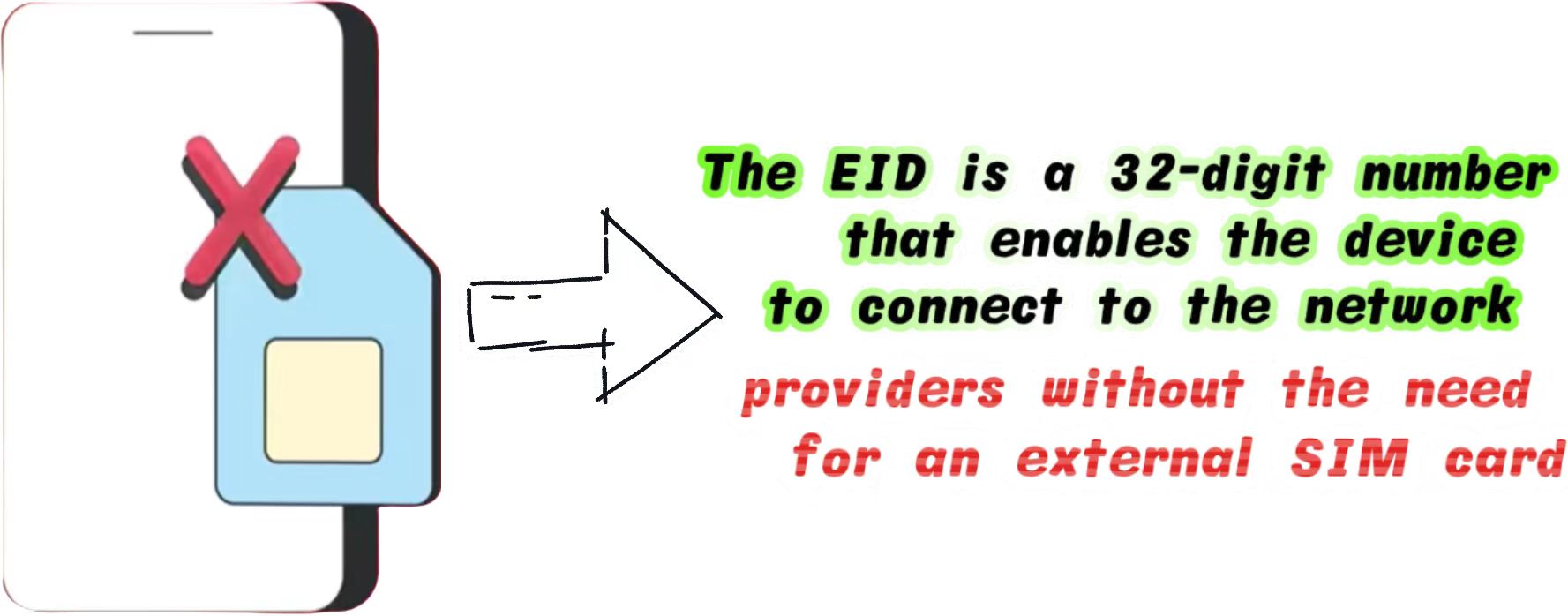
Que vous utilisiez un appareil Apple ou Android, il s'agit actuellement de la méthode de détection matérielle physique la plus précise reconnue dans l'industrie.
- Ouvrez l'application « Téléphone » ou « Numéroteur » sur votre appareil
- Taper *#06#sur le clavier
- Une fenêtre contenant les informations de votre appareil apparaîtra automatiquement.
Si cela inclut un numéro à 32 chiffres, cela signifie que votre téléphone est équipé.
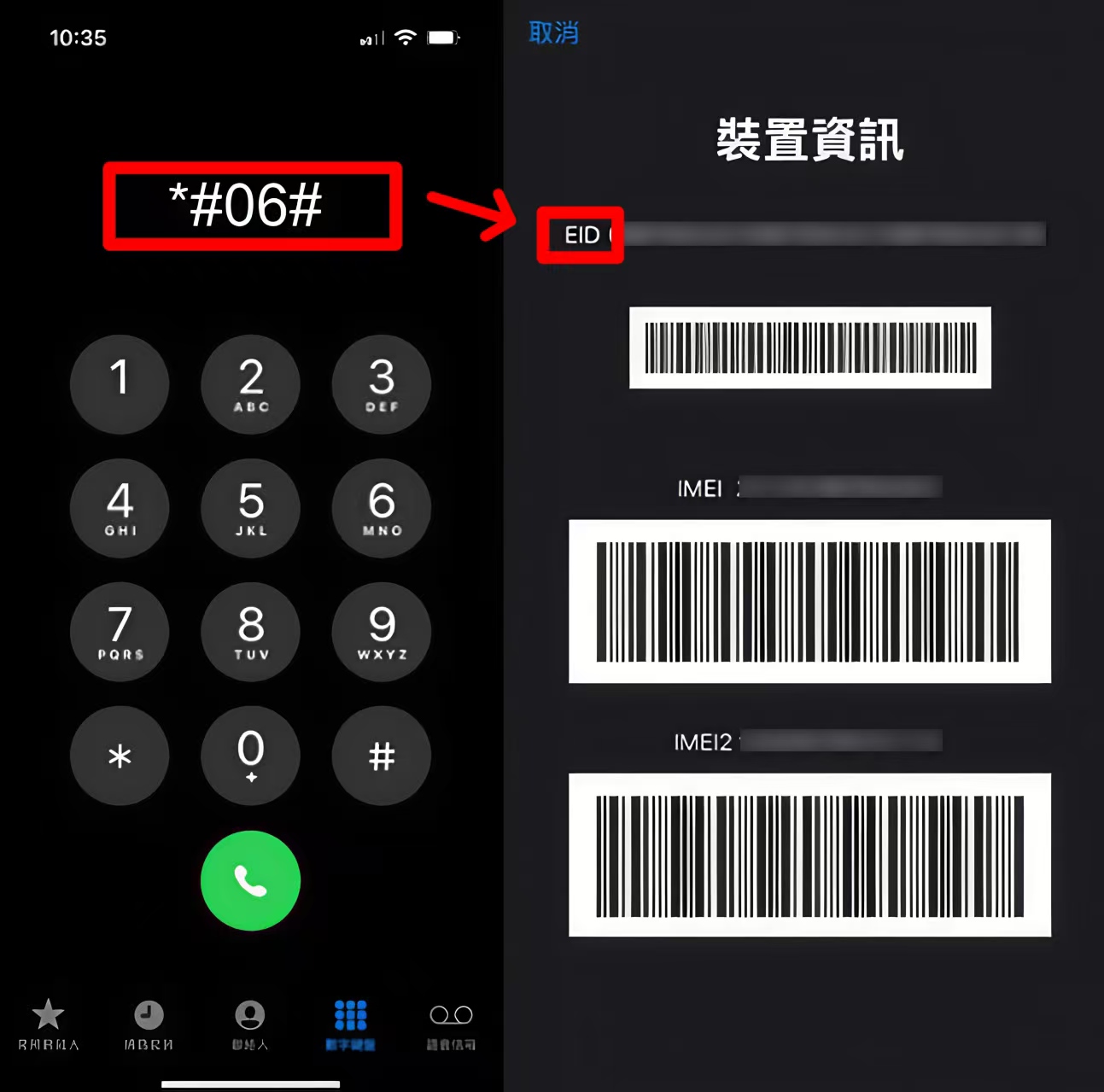
Si aucun EID n'est affiché et que vous ne voyez que l'IMEI et le MEID, votre appareil ne le prend pas en charge.
2. iOS / iPhone
Si vous préférez ne pas utiliser la méthode du cadran, vous pouvez confirmer visuellement via les paramètres du système iOS.
La hiérarchie du système d'Apple est très unifiée. Les étapes de vérification sont les suivantes :
1. Allez àParamètres>Cellulaire(ou Données mobiles).
Faites défiler vers le bas et recherchez un bouton bleu qui ditAjouter eSIM ou Ajouter un forfait cellulaire.
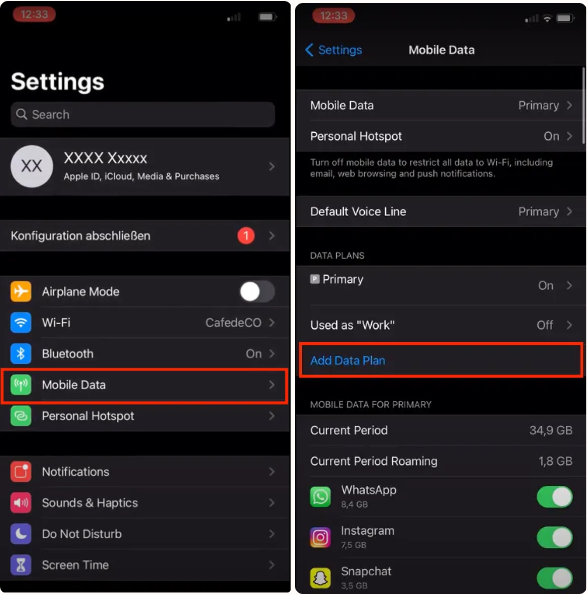
Si ce bouton est présent, votre matériel le prend en charge.
Cependant, veuillez noter qu'Apple a des politiques de vente régionales strictes. Vous pouvez vous référer à laDocument d'assistance officiel Apple eSIMpour plus de détails techniques.
3.Android
L'écosystème Android est plus fragmenté, et les chemins de menu varient légèrement entre les marques. Voici les chemins de vérification pour les marques Android grand public :
Samsung: Paramètres > Connexions > SIM Gestionnaire > Vérifiez "Ajouter un forfait mobile" ou "Ajouter eSIM".
Si vous avez encore des questions sur la compatibilité des téléphones Samsung, vous pouvez cliquerComment vérifier si votre téléphone Samsung est eSIM compatible (mise à jour 2026)pour plus de détails.
Google Pixel: Paramètres > Réseau et Internet > SIMs > Appuyez sur l'icône "+" > Vérifiez s'il y a une option "Télécharger un nouveau eSIM".
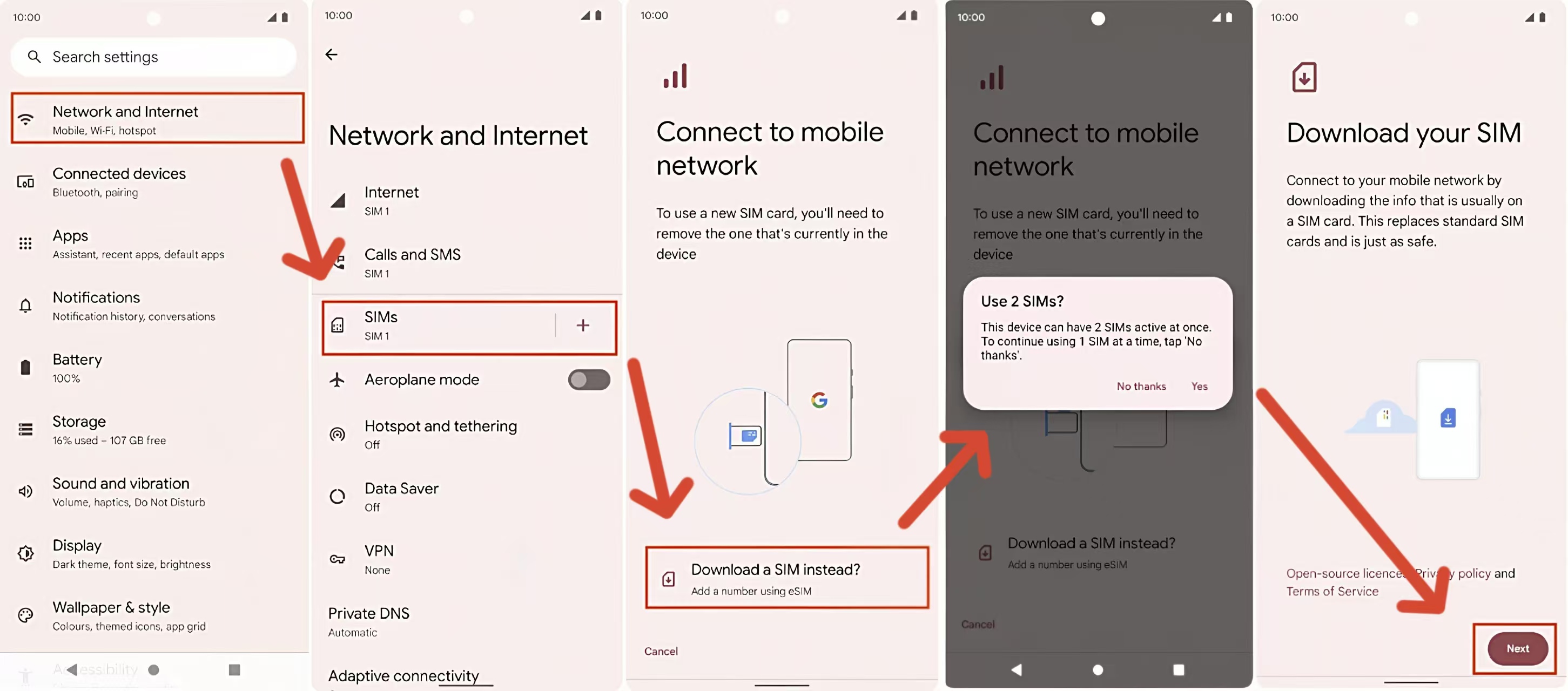
Les noms des menus Android varient selon la version du système.
Si vous ne trouvez pas l'option correspondante dans les chemins ci-dessus, veuillez utiliser le cadran.*#06#pour confirmation finale.
Deux prérequis cachés pour eSIM
Même si votre téléphone affiche un EID, il doit simultanément répondre aux deux conditions suivantes pour utiliser un voyage eSIM normalement.
C'est un angle mort que de nombreux débutants négligent facilement.
1. Doit être « déverrouillé par l'opérateur »
Si votre téléphone est lié à un opérateur spécifique (comme AT&T, T-Mobile ou SoftBank) par le biais d'un contrat, il aura unVerrou de porte-bagages. Même avec la fonctionnalité eSIM, ce type d'appareil ne peut pas ajouter de forfaits de données d'autres fournisseurs de réseau.
- Comment vérifier sur iPhone : Réglages > Général > Informations > Trouvez "Verrouillage de l'opérateur". S'il est indiqué "Aucune SIM restriction", vous êtes en sécurité.
2. Évitez les restrictions matérielles dans des régions spécifiques
En raison des réglementations locales, les téléphones vendus dans certaines régions ont le module eSIM physiquement retiré à l'usine :
- Chine continentale : Tous les iPhones fabriqués pour la Chine continentale ne prennent pas en charge eSIM (ils ne prennent en charge que deux cartes nano-SIM physiques).
- Hong Kong/Macau : les modèles iPhone 13 et plus récents Pro/Pro Max ne le prennent pas en charge, mais certains modèles iPhone SE et mini le font.
Si vous utilisez un téléphone provenant de ces régions restreintes, nous vous recommandons de préparer un plan de secours avant de voyager. Vous pouvez vous référer aux méthodes discutées dansAlternatives aux téléphones chinois pour voyager à l'étranger
Support confirmé ? Commencez votre expérience de réseau mondial ByteSIM
Si votre appareil prend parfaitement en charge eSIM et n'a pas de verrouillage réseau après les tests ci-dessus, félicitations. Vous avez maintenant la base matérielle pour profiter d'une connectivité mondiale sans faille.
En tant que fournisseur de services de communication global professionnel,ByteSIMest dédié à fournir une expérience Internet minimaliste et stable pour les voyageurs transfrontaliers et les professionnels des affaires.
Vous savez maintenant exactement comment vérifier la compatibilité eSIM. Si votre appareil est prêt, vous l'êtes aussi — il est temps de profiter de la connexion flexible et transparente que eSIM rend possible !

Configurer votre réseau à l'avance avant le départ est la première étape pour un voyage efficace.
Si vous ne savez pas comment importer le plan sur votre téléphone après l'achat, ne vous inquiétez pas !
Veuillez lireGuide d'installation et d'activation détaillé eSIM pour iOS et Android,qui comprend des explications visuelles étape par étape.
Commentaire

